
The day on site, written down while it happens
Who was on site, what was delivered, the weather, the delays and the photos. Workers sign in with a QR code, and the hours they work are costed to the job once approved.
What it does
A diary for every day
Issues (safety, cost, programme), subcontractors on site, deliveries against their purchase orders, the project team, visitors, notes and photos. Printed or saved to Documents as a PDF.
Sign in with a QR code
A poster at the gate. Workers do the induction once on their phone, then sign in each day after reading the toolbox talk. Visitors sign in too.
Hours costed to the job
Hours by project, schedule task or cost code, submitted weekly. Approving them puts them on the project's budget at the person's rate on the day they worked.
How it works
Sign in at the gate
Scan the QR poster. First time: the induction, about five minutes.
Toolbox talk
Read today's talk, tick it, sign with a finger, sign in.
Fill the diary
Fill from the site register, add deliveries, delays and photos.
Hours in
Typed into the week, on the phone, or by clocking in and out.
Approved
Hours approved go onto the project's budget as labour cost.
The site diary
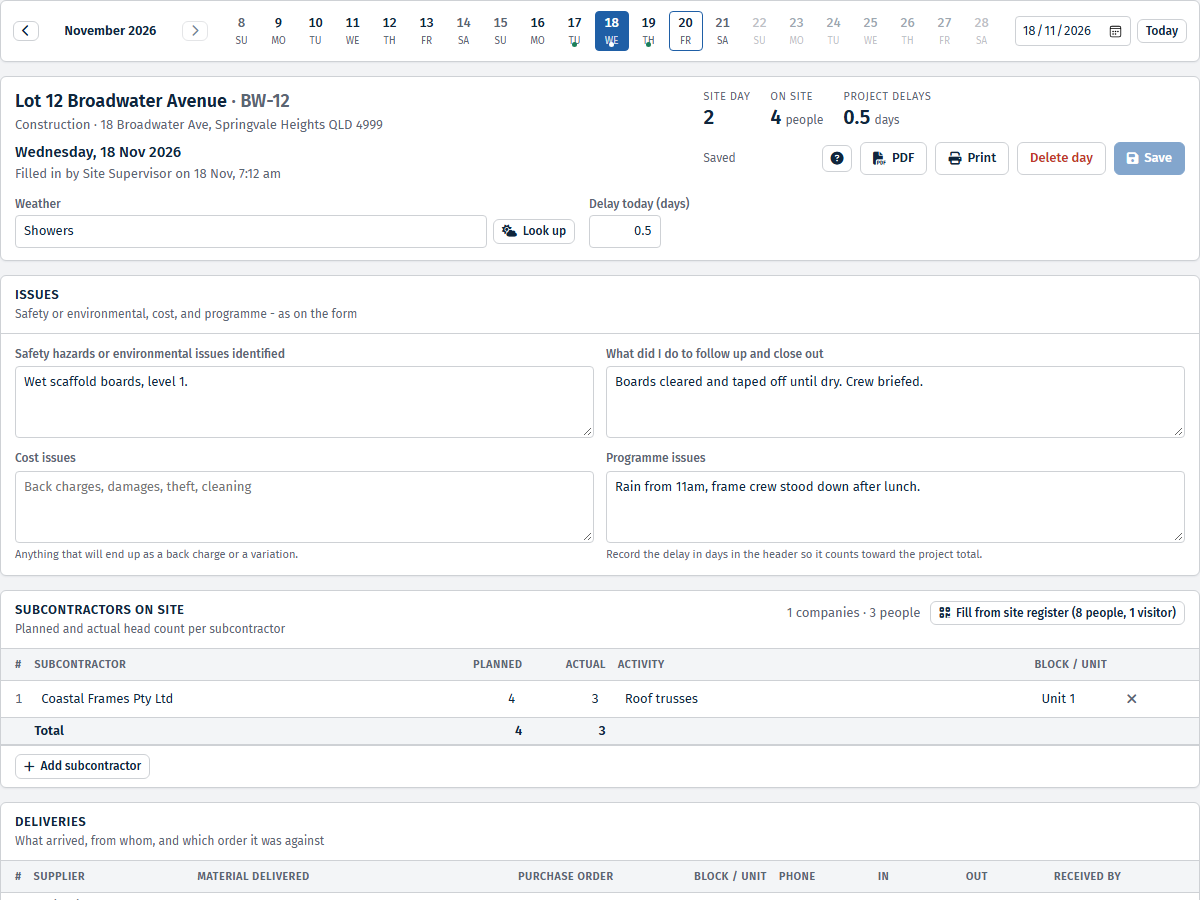
One page per day, laid out like the paper form. Pick a day on the strip at the top: a dot marks a day with a diary, a red dot a day with a safety issue.
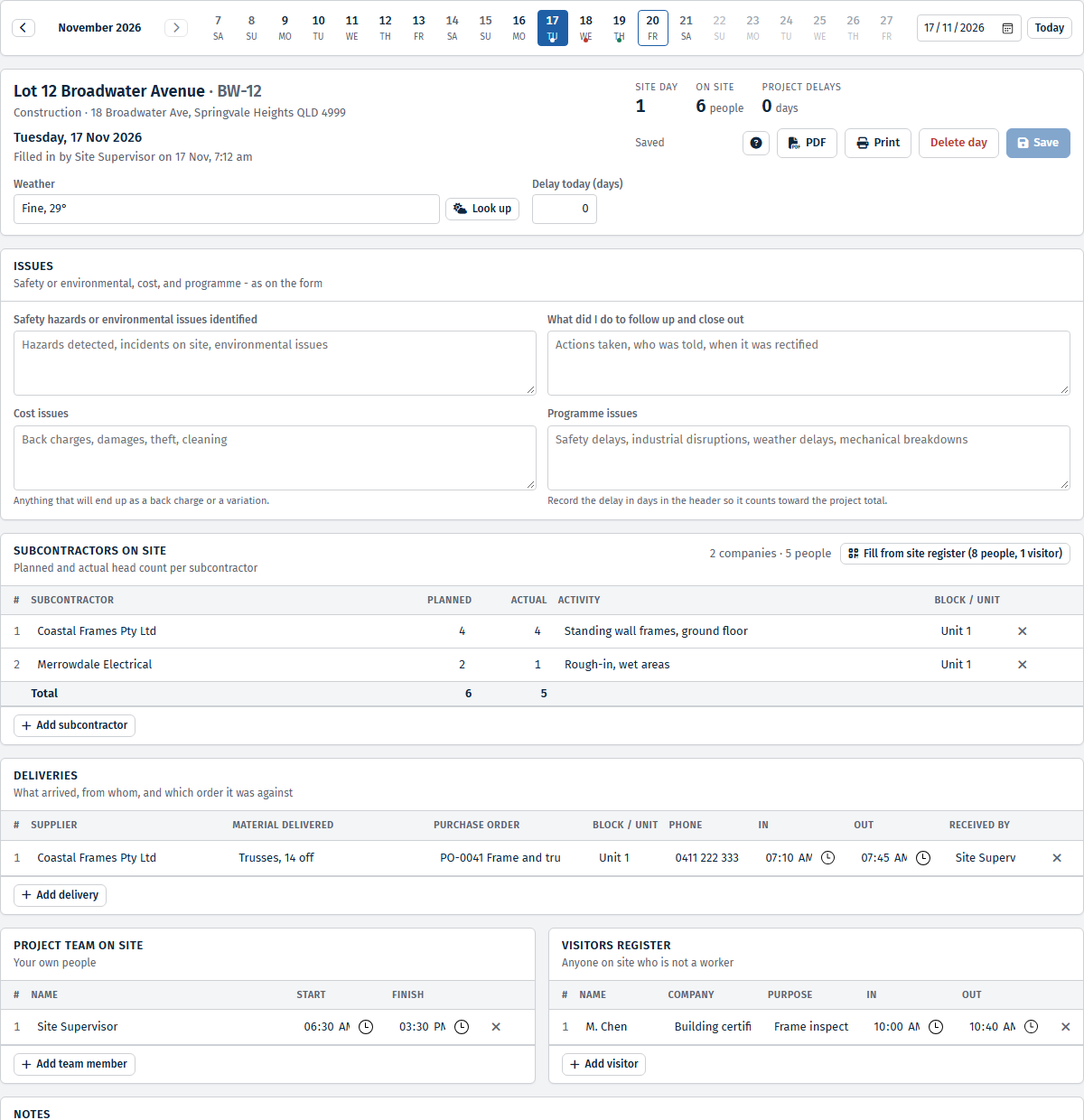
What goes into a day
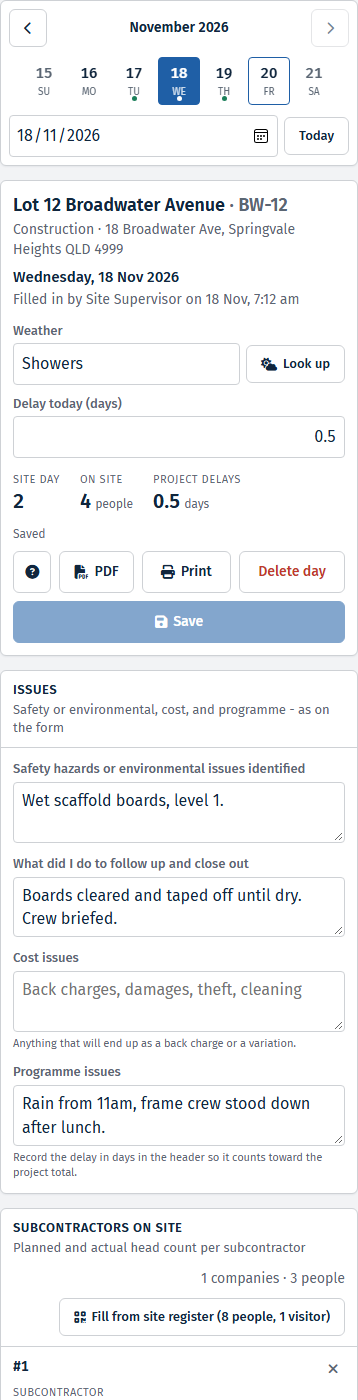
On the phone, on site
The same diary fits a phone: the boxes stack, and each subcontractor becomes a card. Fill it in at the end of the day without going back to the office.
The site register: sign in with a QR code
A poster at the gate. Workers scan it with their phone's camera, do the induction the first time, read the day's toolbox talk and sign in. No app to install.
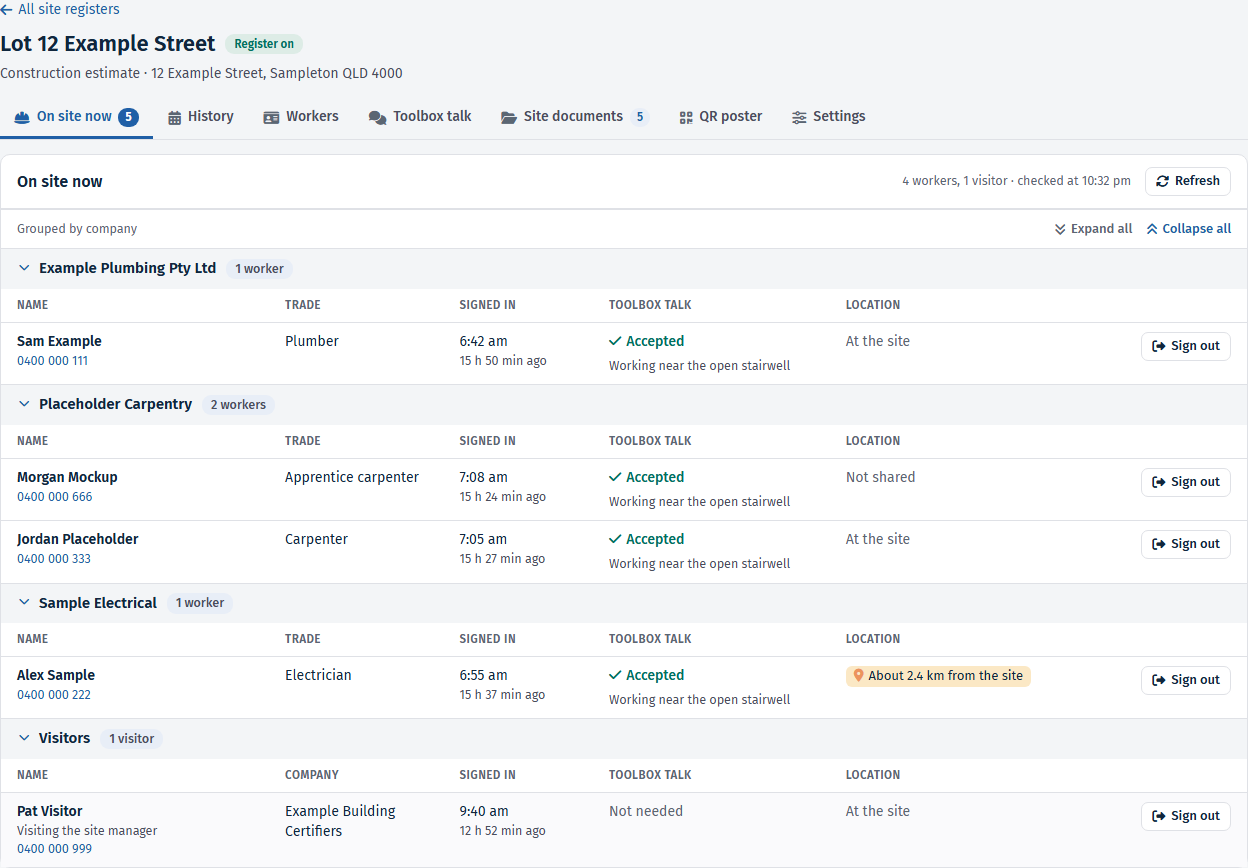
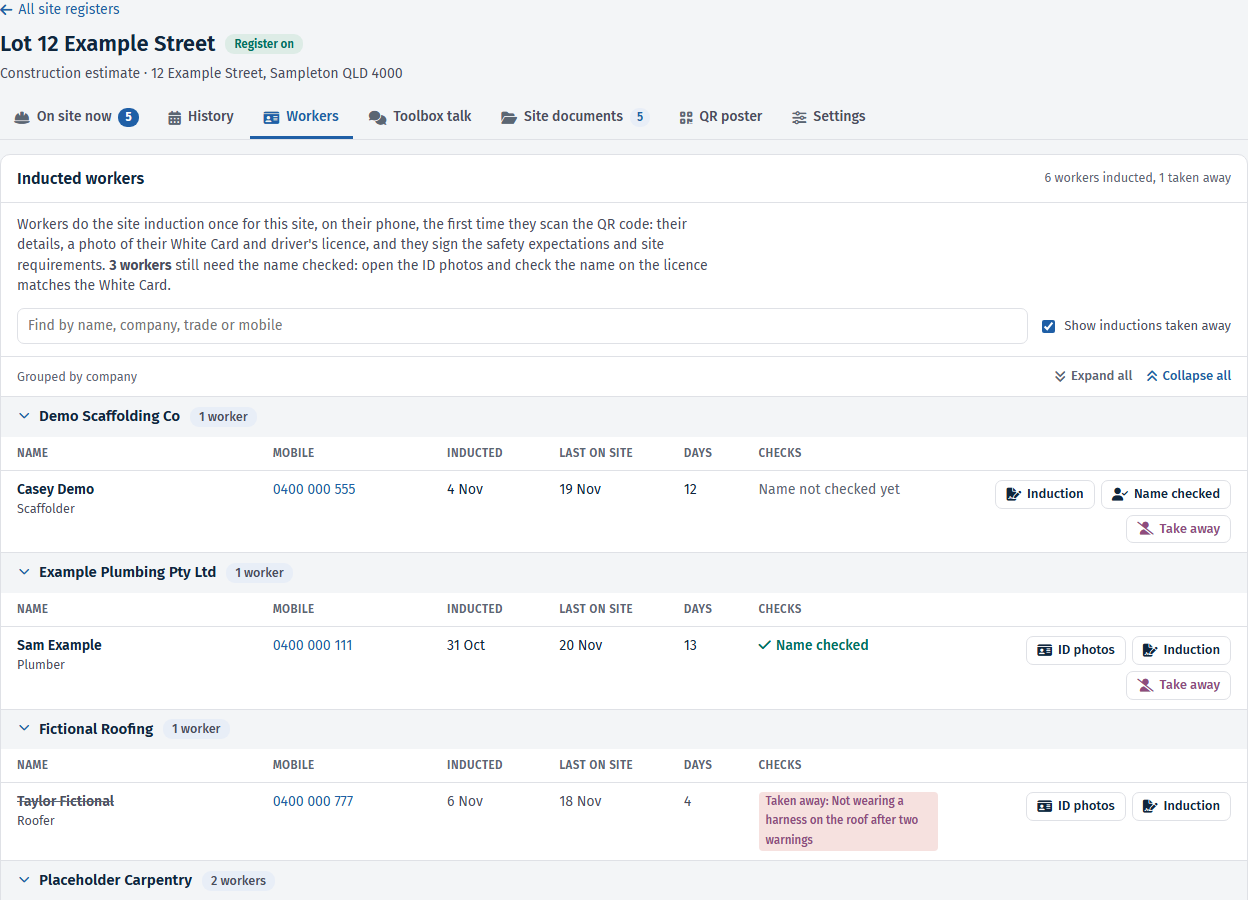
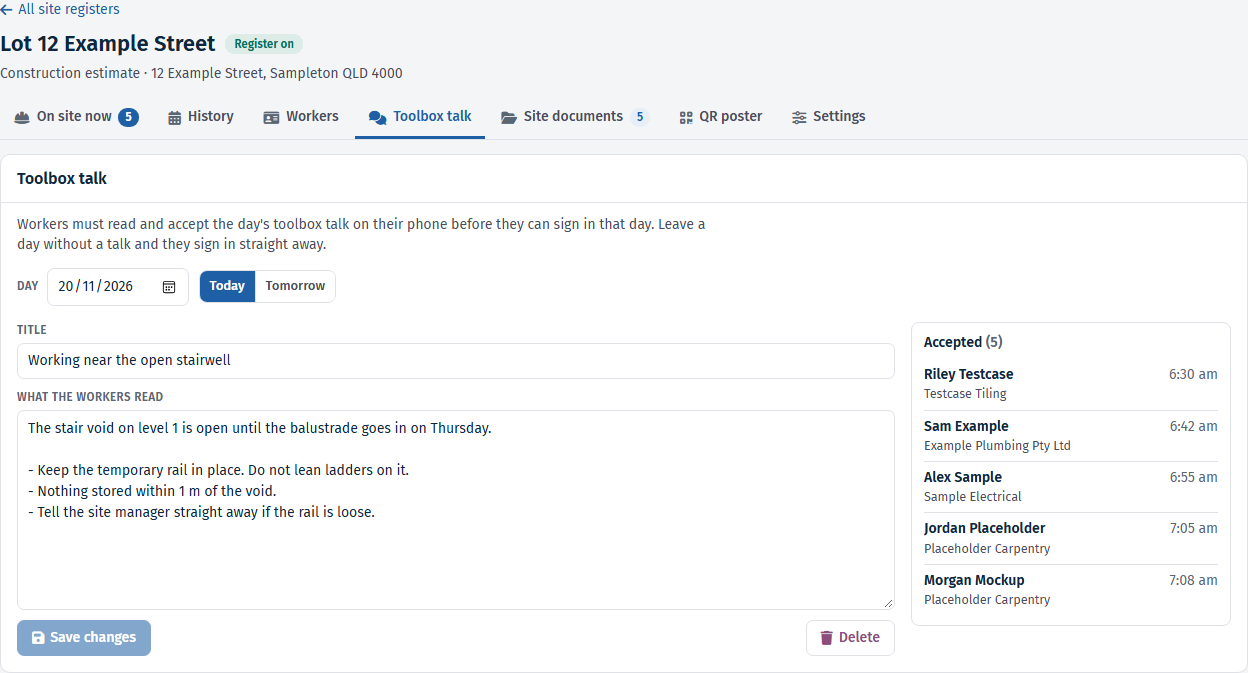
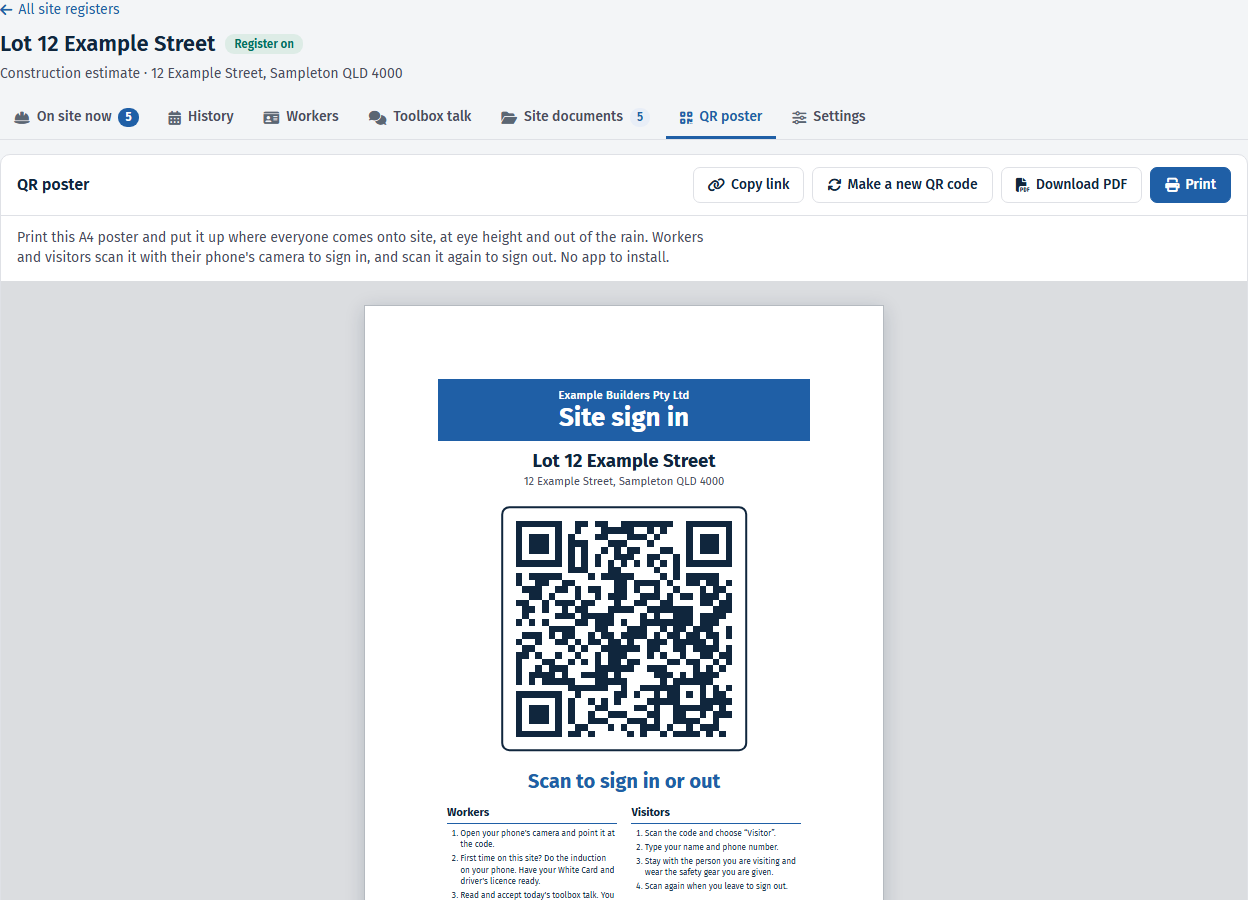
What the worker sees on their phone
I'm here to work on this site
I'm visiting, not working
SW-014, revision 2 · You signed on 2 Nov 2026
SW-003, revision 4
A worker's day in the register
Timesheets: hours onto the job
Hours by project and by schedule task or cost code, a week at a time. Approving them is what puts them on the project's budget, at each person's rate.
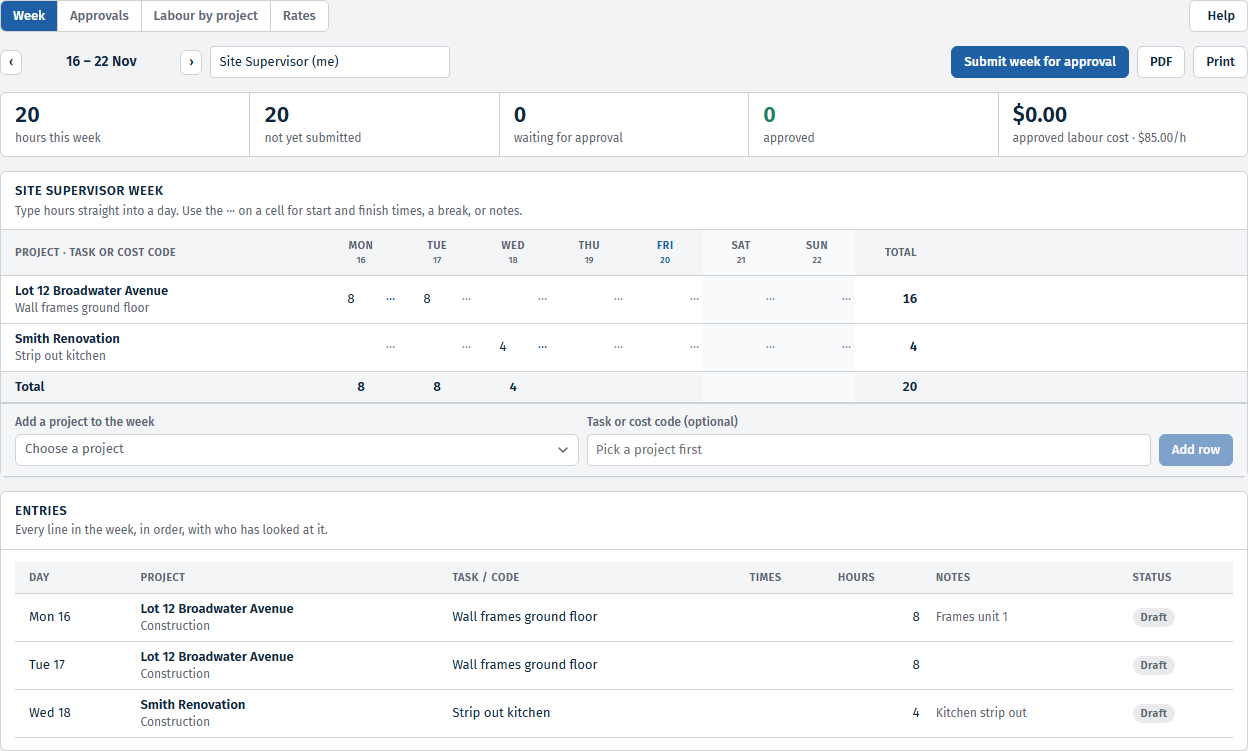
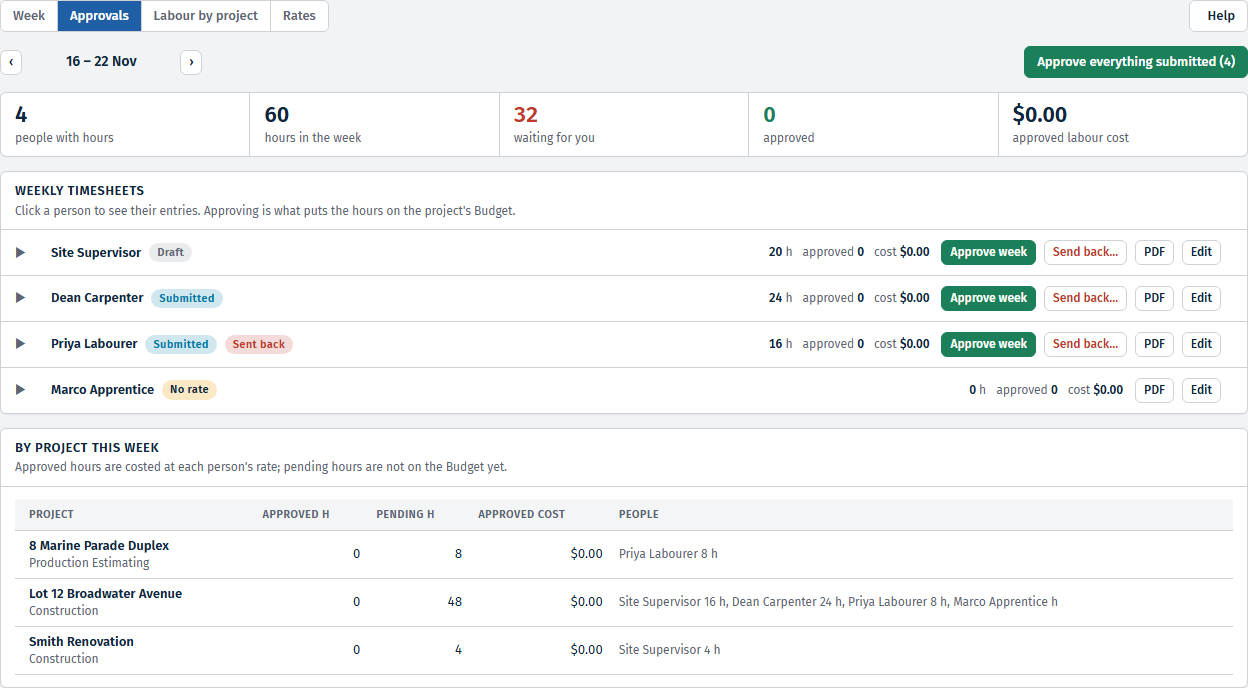
A timesheet's steps
Connected to the rest of the job
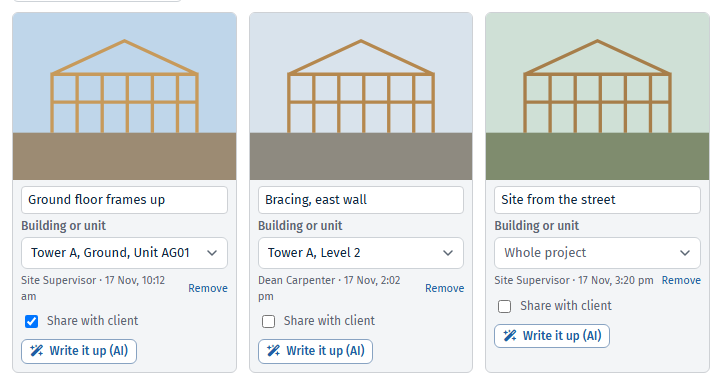
The diary shows the day's Safety records, with a link to them. Diary photos are tagged with a building or unit.
Questions builders ask
Do workers need to install an app to sign in?
No. The QR code opens a page on their phone, which remembers them. A worker on a new phone finds themselves by mobile number and name.
What does the induction collect?
Their details, the company they work for, their trade, next of kin, photos of their White Card and driver's licence, and their signature against the safety information and site rules.
Do I have to type the people on site into the diary?
No. Fill it from the site register, or copy yesterday's diary and change what is different.
Are timesheets sent to payroll?
No. Approved hours go onto the project's budget as labour cost, and timesheets print or save as PDF.
See it on a project like yours
An hour with the people who build it. Bring a current job; we will walk it from subcontract to claim. Then try it yourself for 30 days, on a project of your own.