
Tender every trade, and compare the quotes like for like
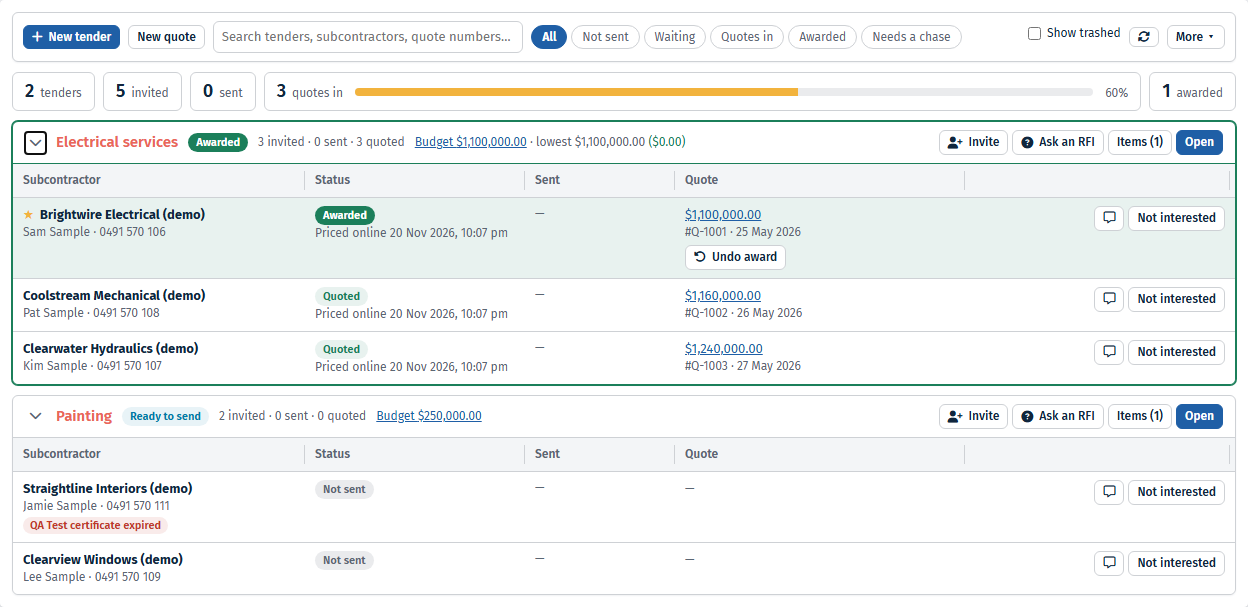
Send each trade its items, its scope of works and the drawings. Quotes come back online or are read off the PDF, line up item by item against the budget, and the gaps are flagged before you choose.
What it does
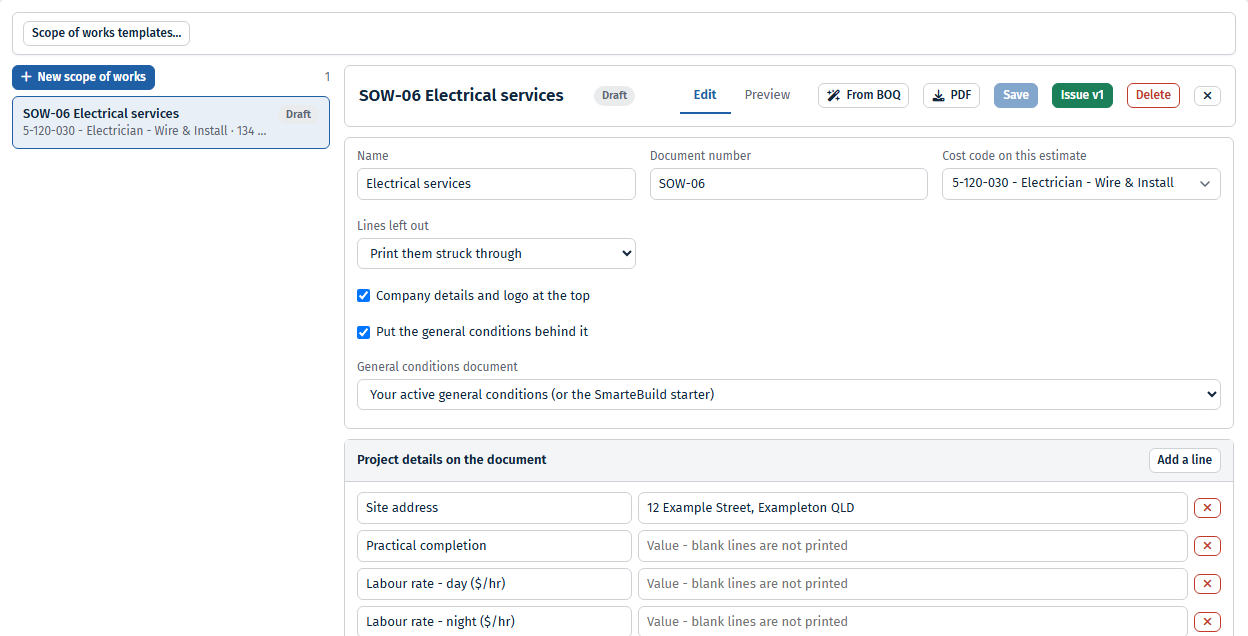
Scopes written once
A scope of works template per trade, in sections, clauses and items, with your general conditions behind it. Each project leaves out the lines that do not apply, and every issued version is kept.
Their own quote link
Each subcontractor is emailed the items, the files and a personal link to price online. Quotes sent back by email are read off the document, and you check what was read.
Compared item by item
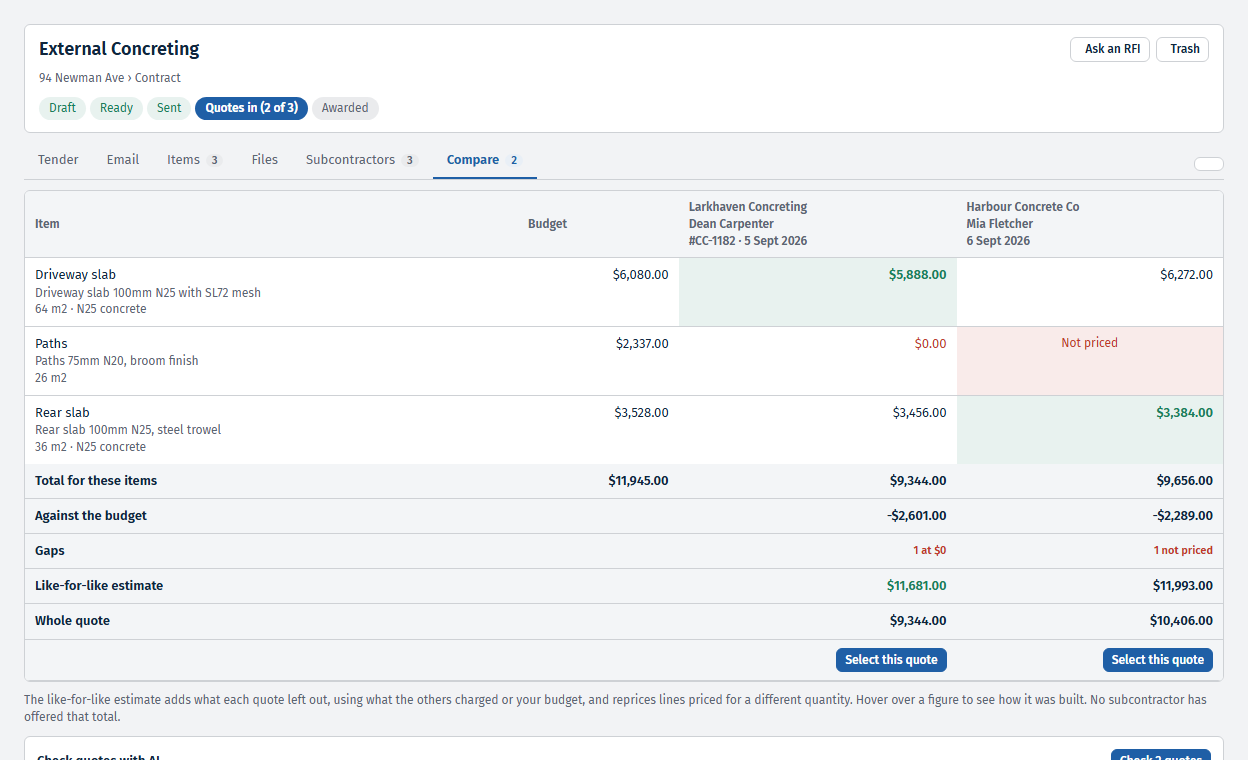
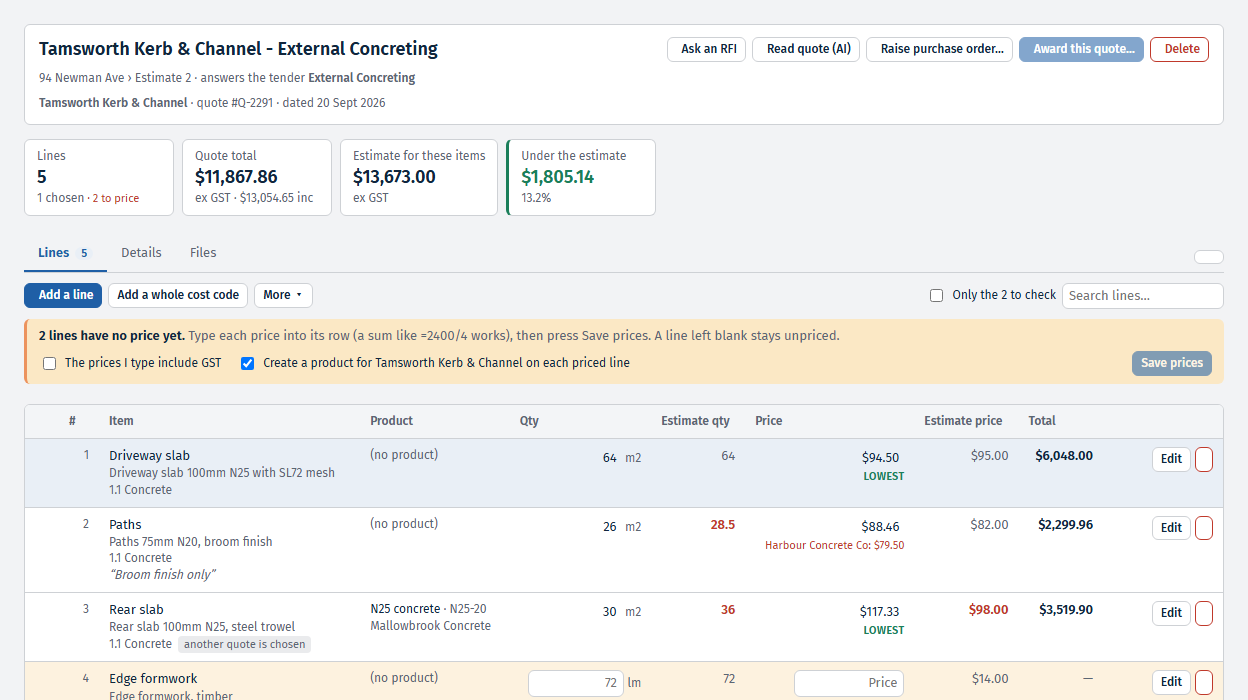
Items down, subcontractors across. The cheapest price on each item is marked, and items left unpriced or at $0 are flagged, because that is how a bid looks cheapest.
How it works
Build the tender
Items from the bill of quantities, the trade's scope of works and the files.
Invite
Pick subcontractors from your supplier lists, then send the invitation email.
Quotes come in
Priced online, or recorded from their PDF. Chase the ones gone quiet.
Compare
Against the budget, with the gaps shown, and a check with AI if you want one.
Award
The winner's rates go into the estimate, ready for the order or subcontract.
On the screen
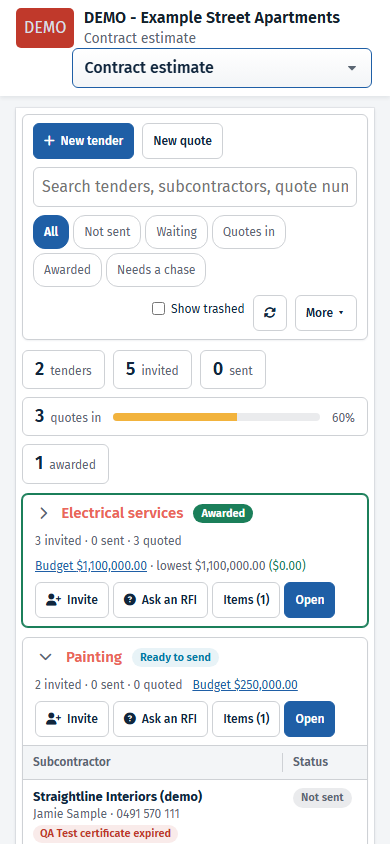
Where each invitation stands
Connected to the rest of the job
In Commercial, the quote you award is where the subcontract starts: its schedule and price come across, so nothing is typed twice.
Questions builders ask
Do subcontractors need to log in?
No. Each one gets a personal quote link to price online. If they would rather send a PDF, record it against the tender and have the lines read off the document, then check what was read.
Can we record a quote that did not come through a tender?
Yes. A quote on its own can be recorded and kept with the estimate for reference.
Can we split the award between two subcontractors?
Yes. In Compare, choose item by item. Awarding from the list takes one subcontractor's whole quote.
What does the AI check look for?
What each quote leaves out, allows for or depends on, from its documents and prices. It can miss things, so read the quote itself before relying on it.
Do subcontractors see our notes?
No. Tender notes are for your team only.
See it on a project like yours
An hour with the people who build it. Bring a current job; we will walk it from subcontract to claim. Then try it yourself for 30 days, on a project of your own.