
One private page for your client
The contract to sign, variations to approve, progress claims, documents and photos, and on a unit project the purchaser's finishes and handover. Cost and margin never leave your side.
What it does
Signed and approved online
The client signs the contract with a finger or mouse, approves variations and progress claims by typing their name, and can ask for a change themselves.
Private, and never your margin
A link of their own, with a password emailed separately. Nothing about cost or margin is sent to the page; finishes show prices including GST and never your cost.
The purchaser's own unit
On a unit project, the purchaser chooses and approves the finishes for their unit, and follows its handover through to the certificate.
How it works
Share the link
The client gets their own link. A password is emailed to them separately.
They sign in
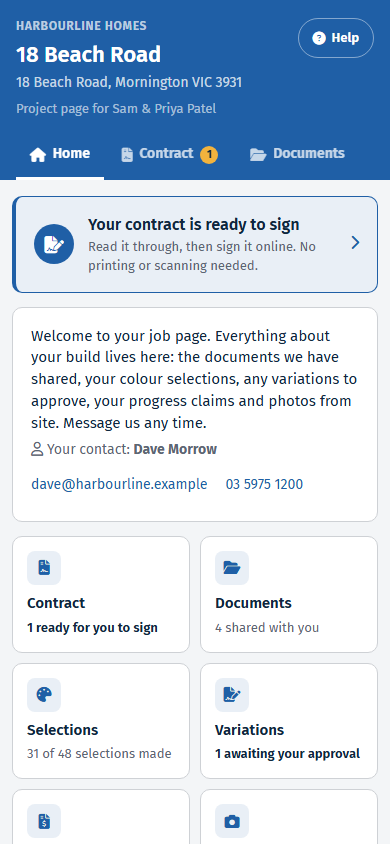
Their project page opens on Home, with what needs them at the top.
Sign and approve
The contract, variations, progress claims and, for a purchaser, their finishes.
Ask and report
They ask for a change, report a defect or send you a message.
Back in the project
Approvals, requests and defects land in your own screens, with the name and time.
On the screen
Real screenshots with made-up data, then two views drawn with sample data.
The tabs the client sees
Home, Contract, Documents, Selections, Variations, Claims, Photos, Schedule, Defects, Upgrades, Your finishes, Handover and Messages. A tab appears only when there is something in it, or when you switch it on.
Contract
Ready to sign, signed and waiting for others, or signed by everyone, with the signed copy.
Variations
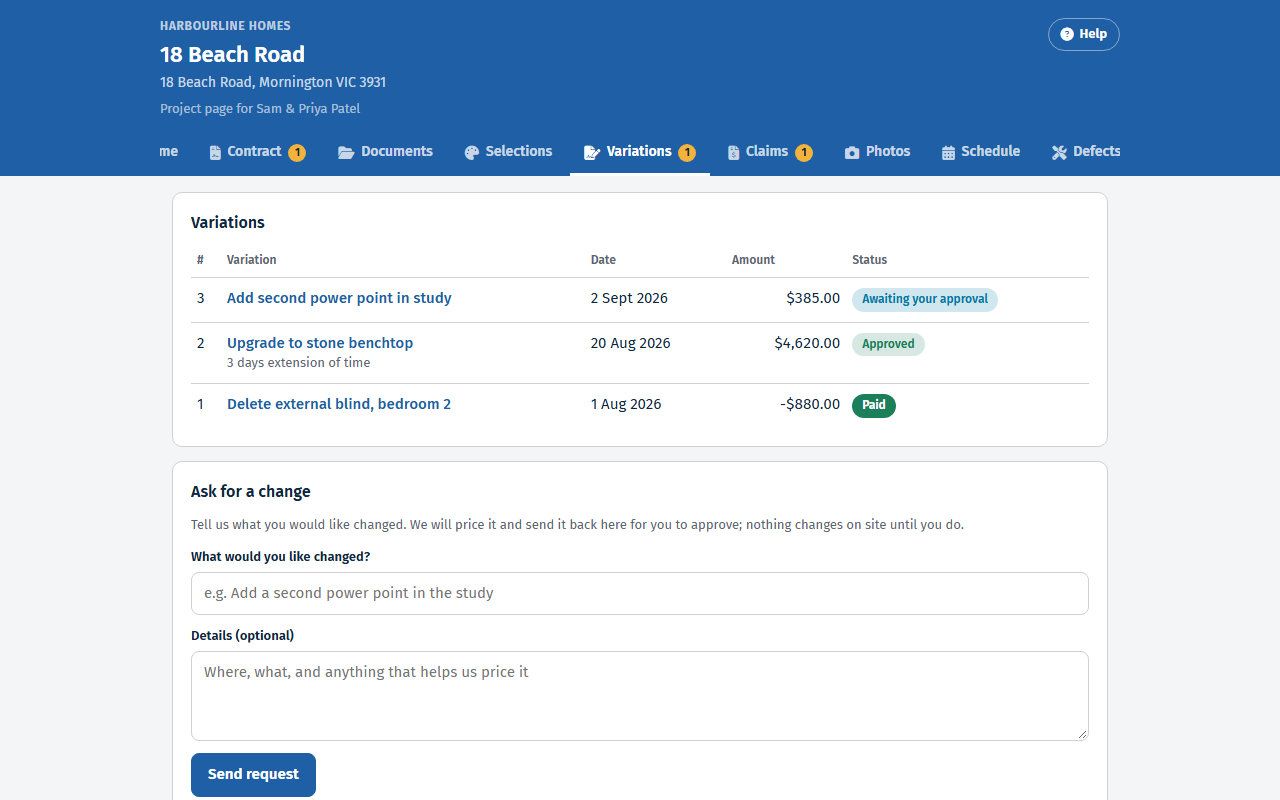
Each variation with its amount, to approve or decline. A form to ask for a change.
Claims
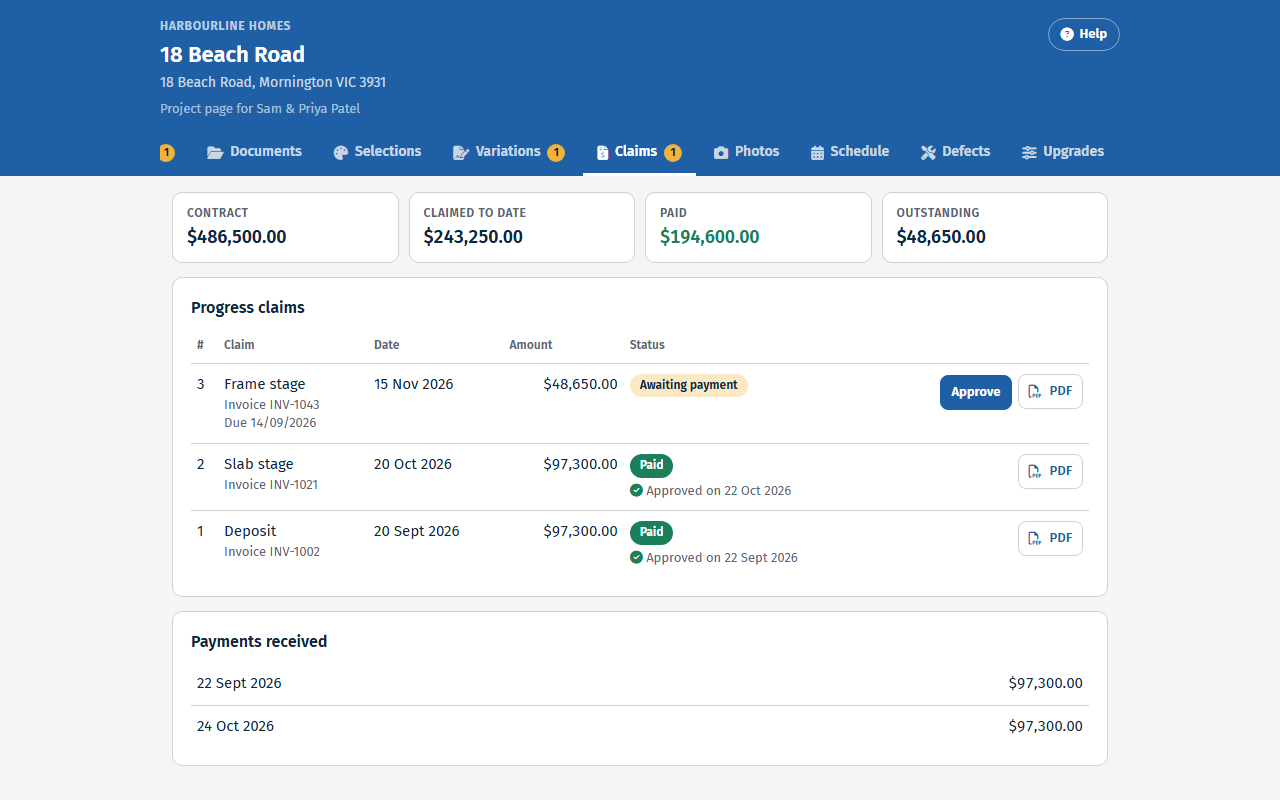
Contract, claimed to date, paid and outstanding. Approve a claim or download its PDF.
Documents and photos
The files you share, by folder, and progress photos by day.
Schedule
The stages, with how far each one is complete.
Defects
The client reports a defect with photos and the room. It lands in your Defects list.
Your finishes
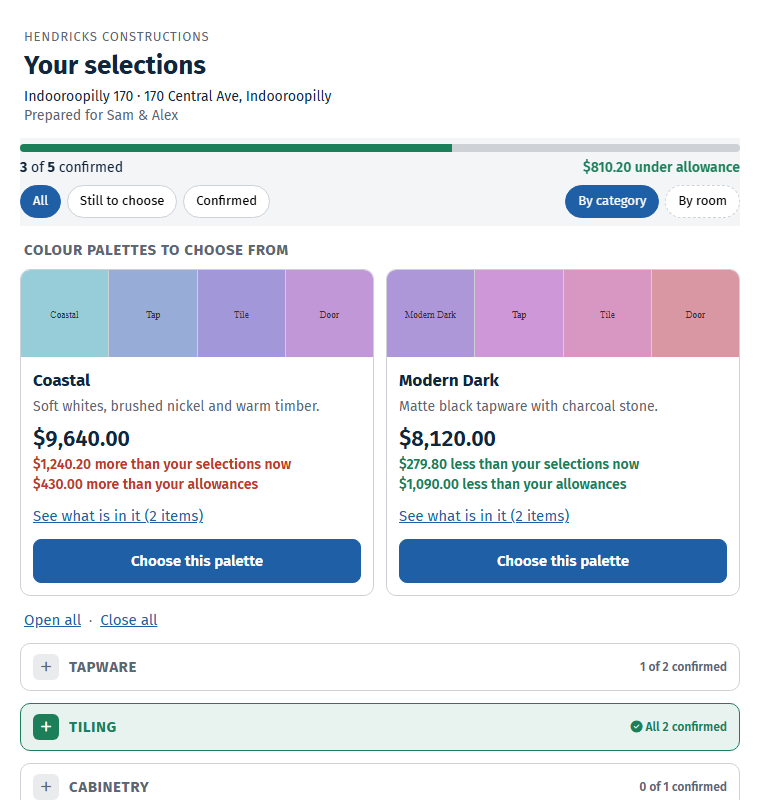
The purchaser's selections for their unit, upgrades and their account.
Handover
Where the handover of their unit stands, and the handover certificate.
Connected to the rest of the job
The portal shows what is already in the project. Nothing is typed twice.
Questions builders ask
How does the client get in?
You share their link. The page asks for a password that is emailed to them separately, and they can have a new one emailed if they forget it.
Can the client see our costs?
No. Nothing about cost or margin is sent to the portal. Variations and finishes show the price to the client only.
Can we see what the client sees?
Yes. Open the page from your side and it shows as a preview. Only the client can approve, sign or send anything there.
Does the purchaser sign the unit handover in the portal?
No. The Handover tab shows where the handover stands and the certificate, and lists any items to be finished after handover. Nothing there changes anything.
Can the client pay a variation online?
After approving, the client sees a payment card: a pay-online button if you have set up online payment or your own payment link, and your bank details with a reference.
See it on a project like yours
An hour with the people who build it. Bring a current job; we will walk it from subcontract to claim. Then try it yourself for 30 days, on a project of your own.