
Price the change, get it accepted, and see what it really made
Build the variation from items on the estimate with your markup, have it signed off inside, then send it to the client to accept online. The subcontract variations behind it show the cost and the margin left.
What it does
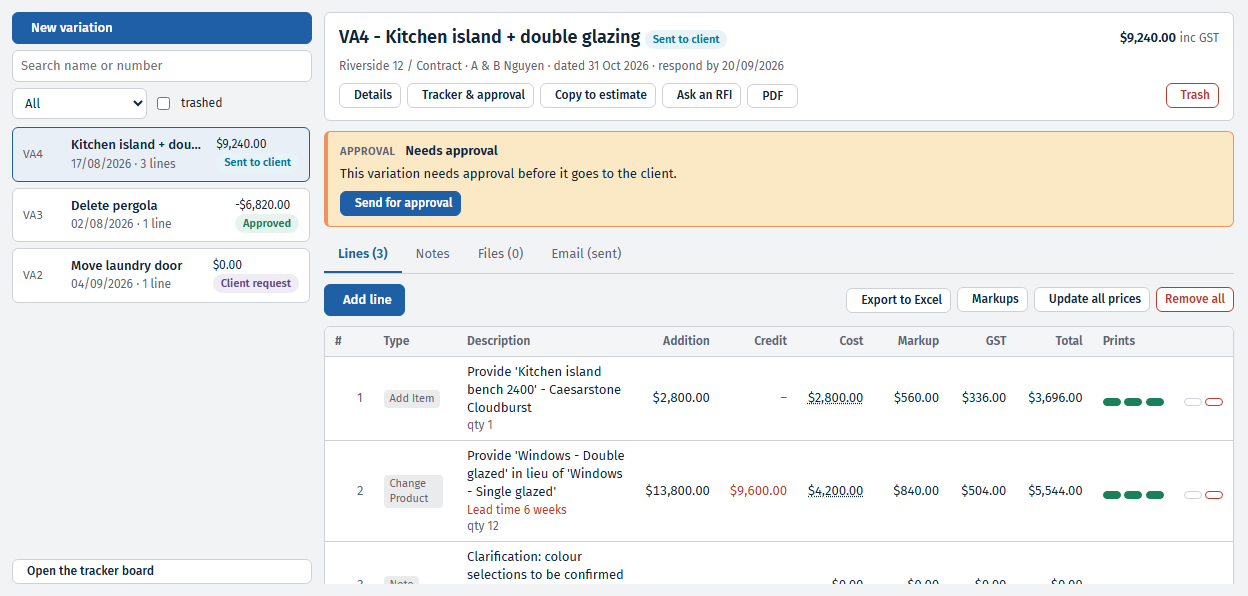
Priced from the estimate
Lines add, remove or change items on the estimate, or are notes. Cost, markup and price for each, with credits never rounded up, and extension of time days on the variation.
Signed off before it goes
Your variations approval workflow checks the price before the client sees it. Then the client gets a link and accepts it on their portal.
The margin on every change
Subcontract variations name the client variation that pays for them. The variation shows what it sells for, what the subcontract work costs, and the margin left.
How it works
Write it up
From a client request or your own change, with the lines and the wording.
Approve inside
Through your workflow, by value. Held back from the client until then.
Send to the client
Emailed with the PDF, and on their client portal to accept.
Update the BOQ
Apply the approved changes to the estimate's items.
Claim and get paid
Onto the progress claim, then marked paid.
On the screen
Each subcontract variation names the client variation that pays for it, from the subcontract. Only people allowed to see costs see this box, and a negative margin shows in red.
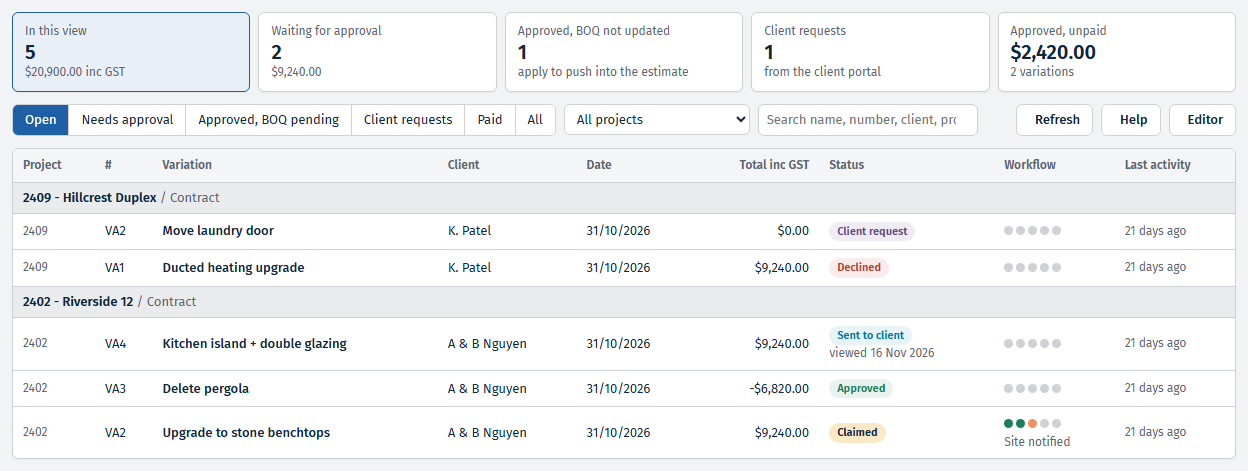
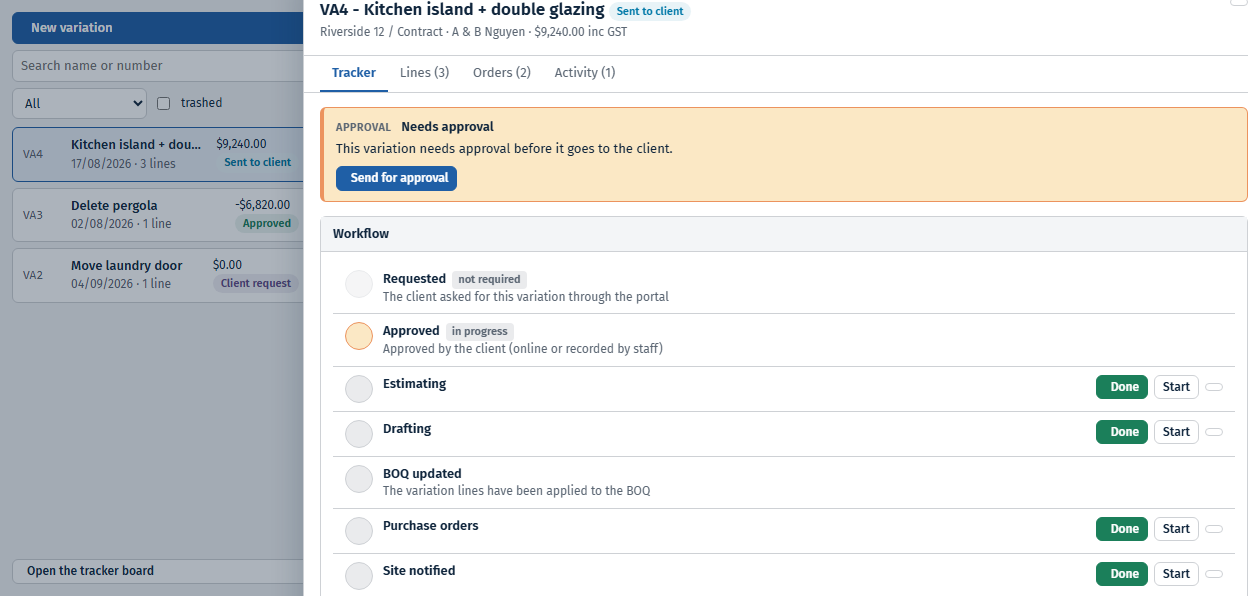
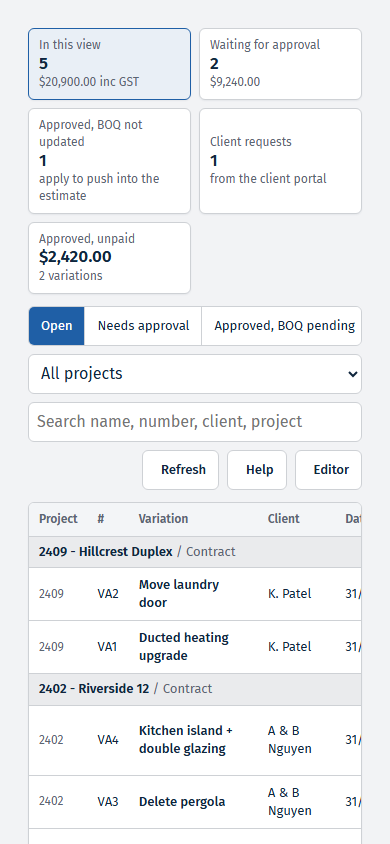
The stages of a variation
Connected to the rest of the job
In Commercial, a variation the client accepts with extension of time days is offered to the head contract's extensions of time register, it appears on the next progress claim, and the subcontract variations behind it show its margin.
Questions builders ask
Does the client see our cost and markup?
No. The client sees the description, the quantities and prices as you choose to print them, and the total. Internal comments never print and are never shown to the client.
How does the client accept it?
The variation goes to their client portal, and the email carries the PDF and the link. The list shows when the client has opened the link, accepted or declined.
How do we see the margin on a variation?
Raise the subcontract variation on the subcontract and name the client variation it belongs to. Once approved, its cost shows on the client variation with the margin left, and anything not yet approved is shown separately.
What happens to the extension of time?
Days on a variation the client has accepted are offered to the head contract's extensions of time register, with the variation it came from.
Can we track the work behind a variation?
Yes. Each variation has a workflow tracker: estimating, drafting, purchase orders, site notified and site work completed, each with an assignee, a due date and a note, alongside the stages that move by themselves.
See it on a project like yours
An hour with the people who build it. Bring a current job; we will walk it from subcontract to claim. Then try it yourself for 30 days, on a project of your own.