
Every defect, with its photo, its place and its trade
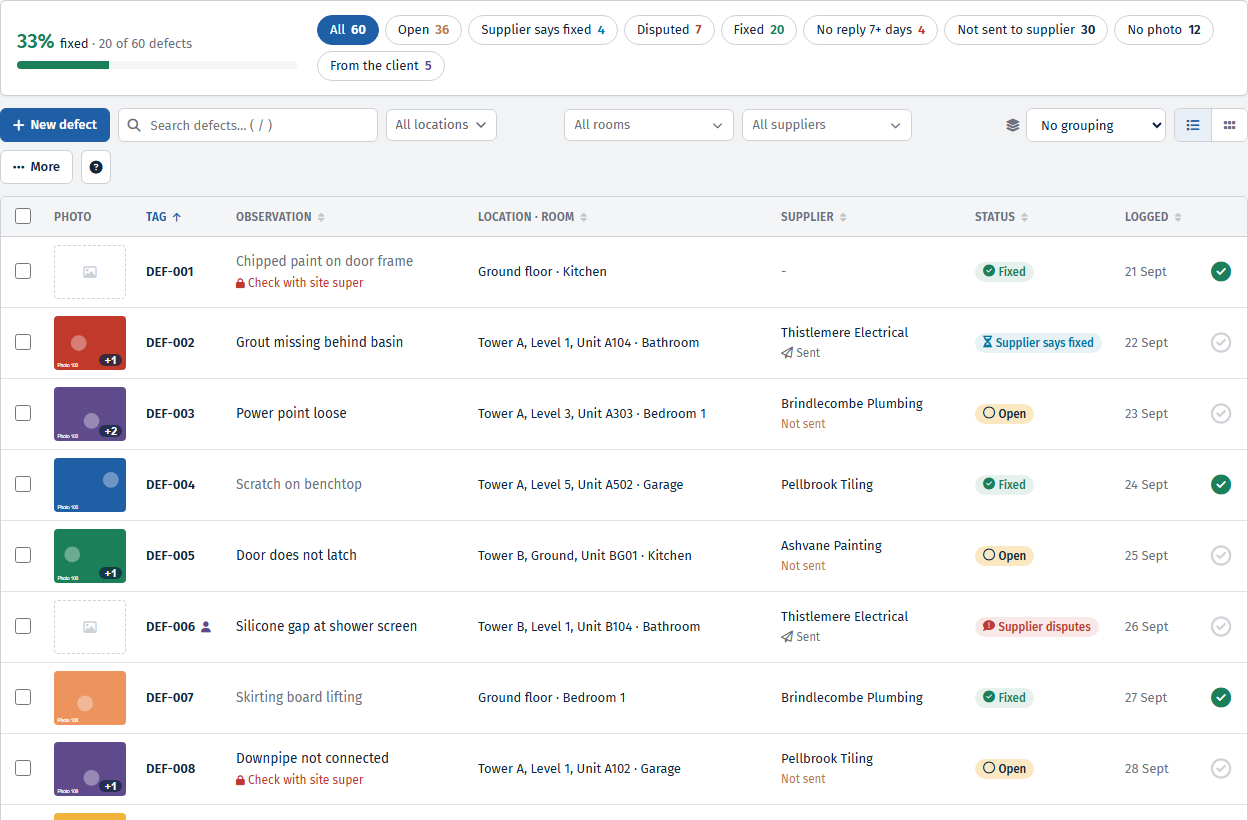
Log defects by building, level and unit. Send each trade a notice listing theirs; they answer through a link, fixed or disputed, and you check it on site before you close it.
What it does
Quick to log on a walk
Photos dropped or pasted in, the observation, the location and room, and the trade to fix it. Save and add another. Or import a list from Excel.
A notice each trade answers
One email per trade with their defects and a rectify-by date. They mark each one rectified, with a photo, or dispute it, from a link. You see who has not replied in 7 days.
A report for the client
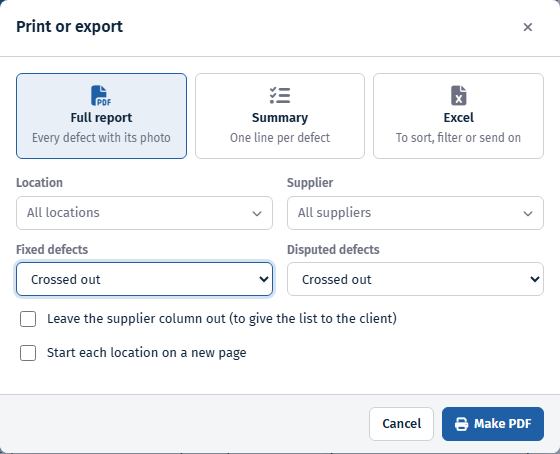
A full report with every photo, a one-line summary, or Excel. Leave the supplier column out, and start each location on a new page.
How it works
Log it
Photo, observation, building, level or unit, and the trade. Tagged DEF-001 on.
Notify the trade
Tick their defects, set a rectify-by date, send. You are copied in.
They answer
Rectified, with a photo of the finished work, or not theirs, with a reason.
Check on site
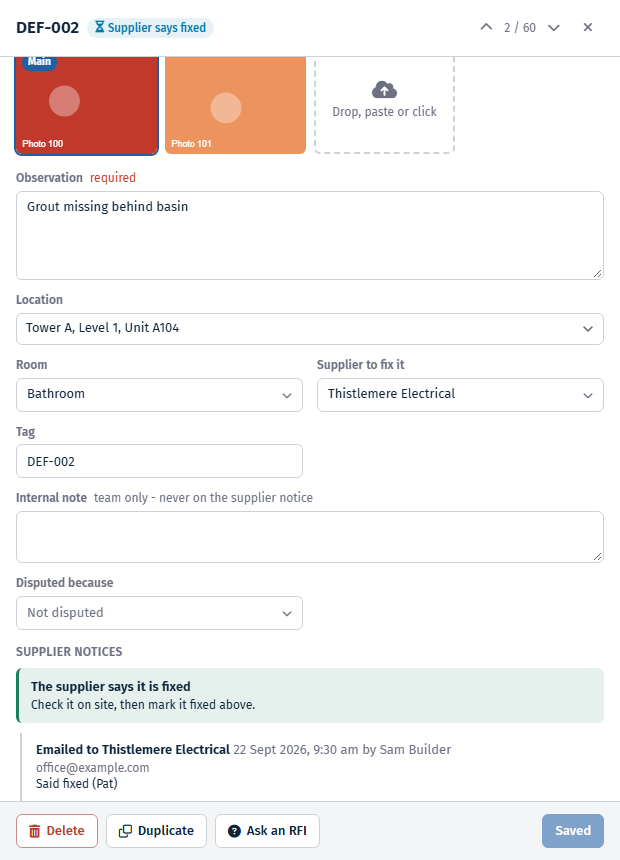
"The supplier says it is fixed." Look at it before you accept it.
Fixed
Mark it fixed, or accept and close from the notice.
Where defects come from
On the screen
Click a defect and it opens beside the list, with its photos, its place and every notice the trade was sent. The arrows step through the list without closing it.
The notice, there and back
A defect's status
Only your team marks a defect fixed, and a fixed one can be reopened. You pick the reason it is disputed from a set list.
On a phone, on the walk
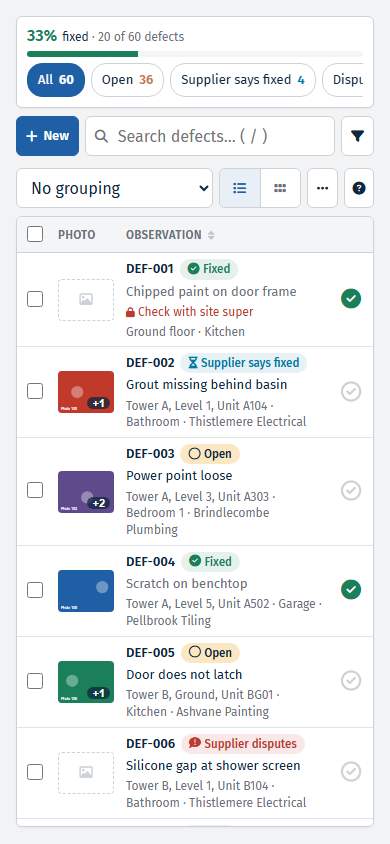
The same page fits a phone: each defect is a row with its photo, status, place and trade, and the tick on the right marks it fixed. The filters fold under one button.
Connected to the rest of the job
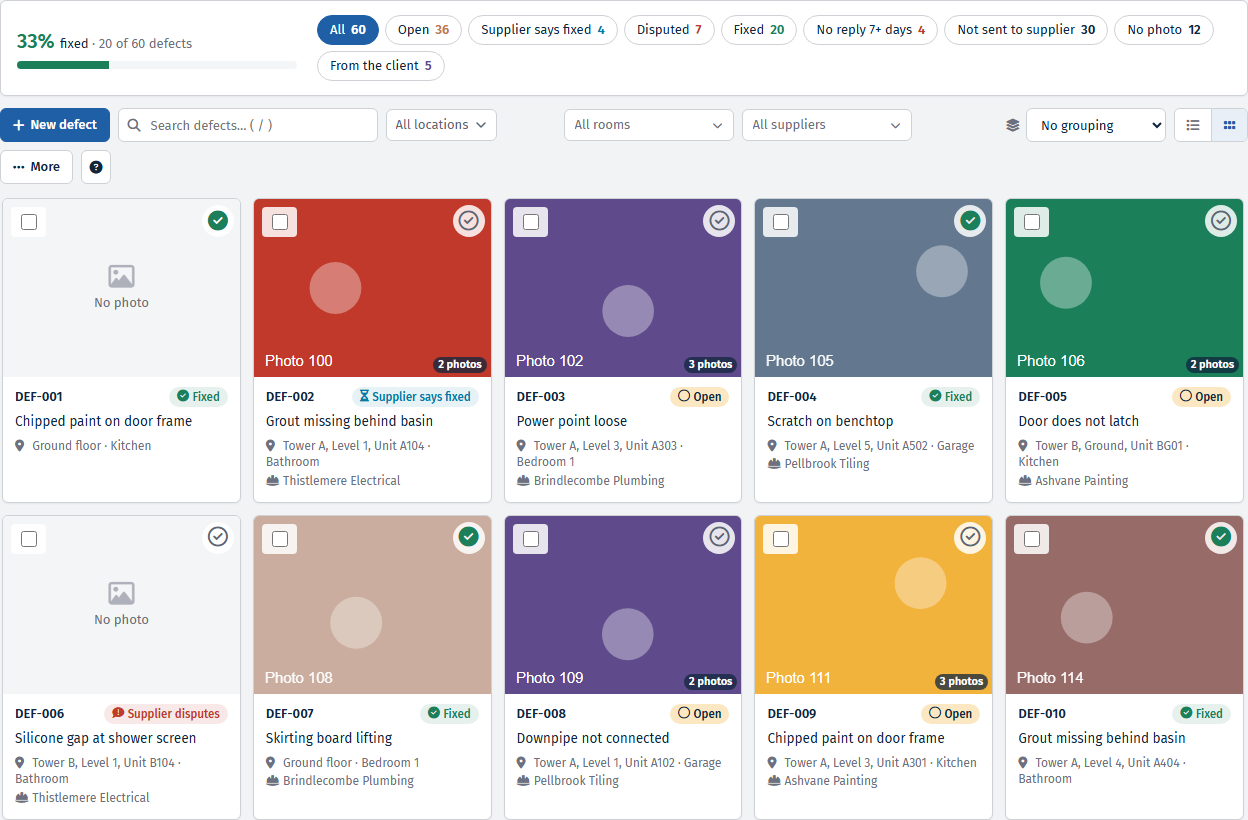
On a project with buildings and units, a defect's location is picked from them, and the list groups by building or by level.
Questions builders ask
Does the trade need an account?
No. The notice email has a link to a page listing their defects. They mark each one rectified or dispute it, add a note and a photo, and send.
Can the client report defects?
Yes, from the Client Portal, with photos and the room. They show in your list marked as from the client.
Can I chase a trade that has not replied?
Yes. The list of notices shows whether each one was opened, and sends a reminder for the defects still open.
Can I give the defect list to the client without the trade names?
Yes. When you print, leave the supplier column out, and choose whether fixed defects are crossed out, shown or left out.
Is the internal note sent to the trade?
No. The internal note is for your team only and never goes on the supplier notice.
See it on a project like yours
An hour with the people who build it. Bring a current job; we will walk it from subcontract to claim. Then try it yourself for 30 days, on a project of your own.