
Daywork signed on the day, and claimed as a variation
When work is instructed with no agreed price, write down the labour, plant and materials as they are used. Both sides sign on the phone, the agreed rates and margin are applied, and the signed sheets become a client variation or a subcontract variation in one step.
What it does
Written down on the day
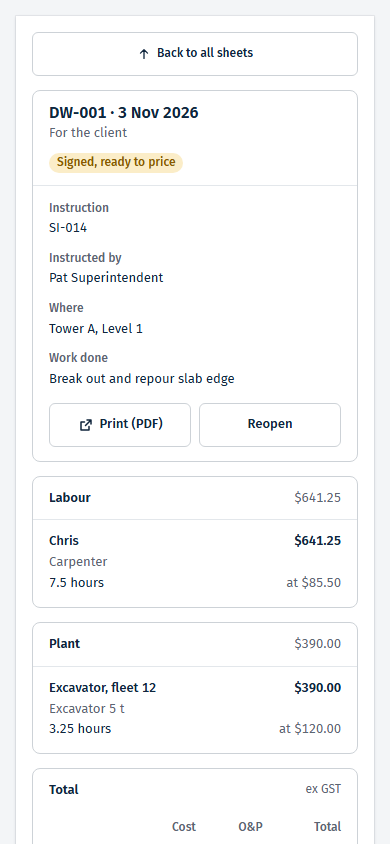
Labour by trade and hours, plant by the hour or the day, materials with what they cost. A gang of five is five lines with Add another, phone in hand.
Signed by both sides
The site manager signs on screen. The other side signs on screen too, or on paper with a photo of it added. The first signature locks the sheet.
Priced at the agreed rates
Each project has the client's daywork rates, and each subcontract its own, with a percentage for overheads and profit on labour, plant and materials.
How it works
Start the sheet
The day, who it is for, and the instruction it answers, typed or picked from Correspondence.
Add what was used
Labour, plant and materials. The rate comes from the schedule; a different rate needs a reason.
Both sign
Your site manager and the client's or subcontractor's representative.
Approve, if set up
Only when your Daywork sheets workflow has a step for that value.
Price it
Tick the signed sheets. A draft variation is made with one line per sheet.
On the screen
Made to be filled in on site. On a phone the register and the lines are rows that never scroll sideways, the buttons are thumb-sized, and the signature box takes the width of the screen.
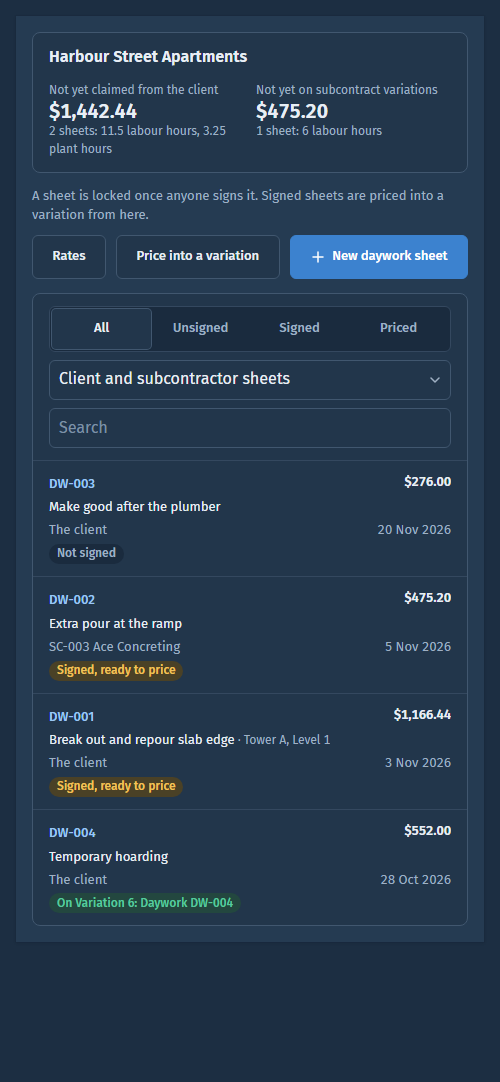
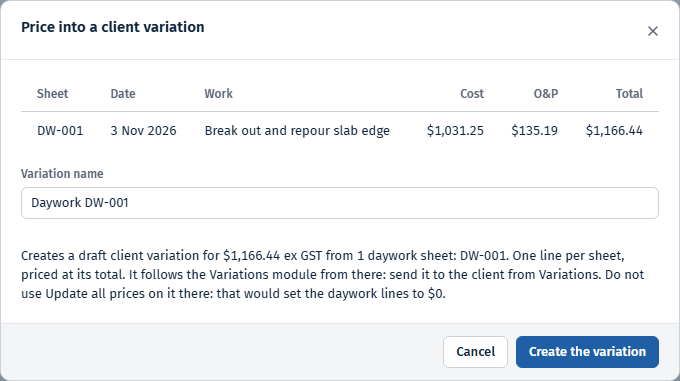
One line per sheet, priced at its total, with the sheet's cost and its overheads and profit shown as the line's cost and markup. From there it follows the Variations module: internal sign-off where you have one, then sent to the client.
| Trades | Rate |
|---|---|
| Concreter | $85.50 per hour |
| Labourer | $62.35 per hour |
| Carpenter | $88.00 per hour |
| Plant categories | Rate |
| 5 t excavator | $120.00 per hour |
| Small plant | $45.00 per hour |
| Concrete pump | $1,450.00 per day |
Each subcontract has its own schedule, started with Copy the client's rates. A change here also moves the lines on sheets nobody has signed yet; signed sheets keep their rates.
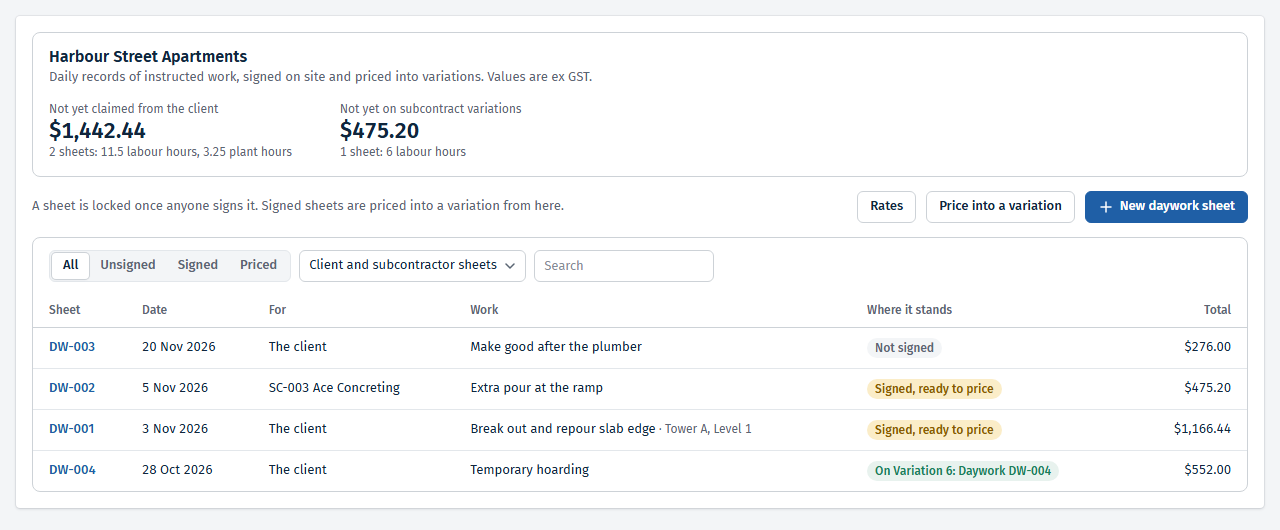
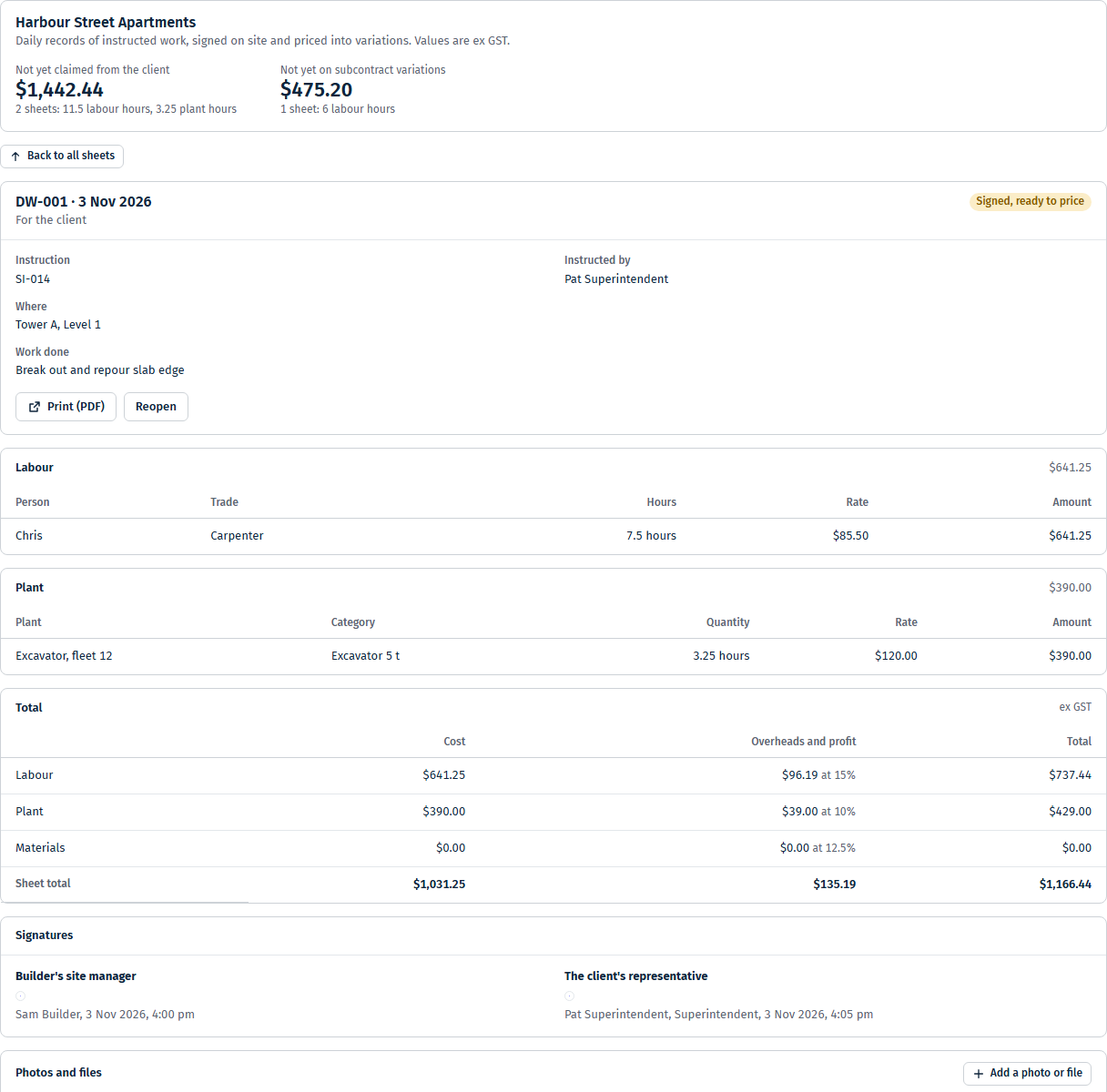
Where a sheet stands
Connected to the rest of the job
The sheet answers an instruction, uses the plant and invoices already on the job, and ends as a variation that the rest of the contract reads.
Questions builders ask
Does it work for a subcontractor's daywork as well as ours?
Yes. A sheet is either for the client, and is priced into a client variation, or by a subcontractor, and is priced into a variation on their subcontract at the rates agreed with them. The subcontract variation then goes for approval in Subcontracts like any other.
What if the other side will not sign on a phone?
Choose Signed on paper, type their name and company, and add a photo or PDF of the signed sheet. It stands for their signature and prints on the sheet as signed on paper.
Can someone change a sheet after it is signed?
No. The first signature locks it. Until both have signed, Clear the signatures unlocks it. Once both have signed, only a person given the Reopen permission can open it again, with a reason; both signatures are cleared and kept in its history.
Can a rate differ from the schedule?
Yes, with a reason, and the line shows the schedule's rate beside the one used. Work or plant not on the schedule can be added with a typed rate and a reason too.
Can one sheet be claimed twice?
No. A sheet is on one live variation only, and pricing refuses a sheet that is already on one. If that variation is deleted, the sheet says so and can be priced again.
Can we print it?
Every sheet prints as a PDF: the instruction, the lines with their rates and any reasons, the totals with overheads and profit, both signatures, and the variation it is on.
See it on a project like yours
An hour with the people who build it. Bring a current job; we will walk it from subcontract to claim. Then try it yourself for 30 days, on a project of your own.