
The programme, and the trades booked to it
Build the programme as a Gantt chart, or bring it in from MS Project. Book each trade for its dates, call them up in time, and when a delay moves the work, email the new dates to everyone it affects.
What it does
A programme that reschedules itself
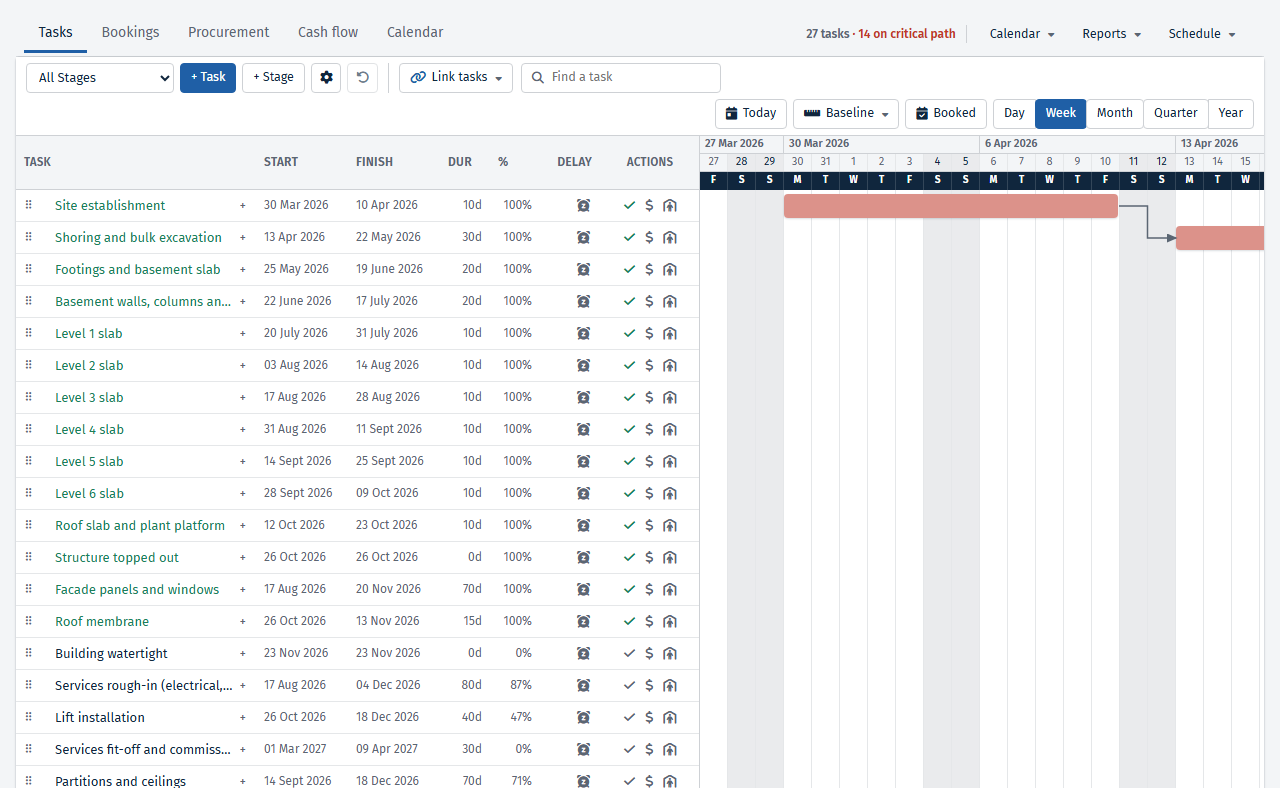
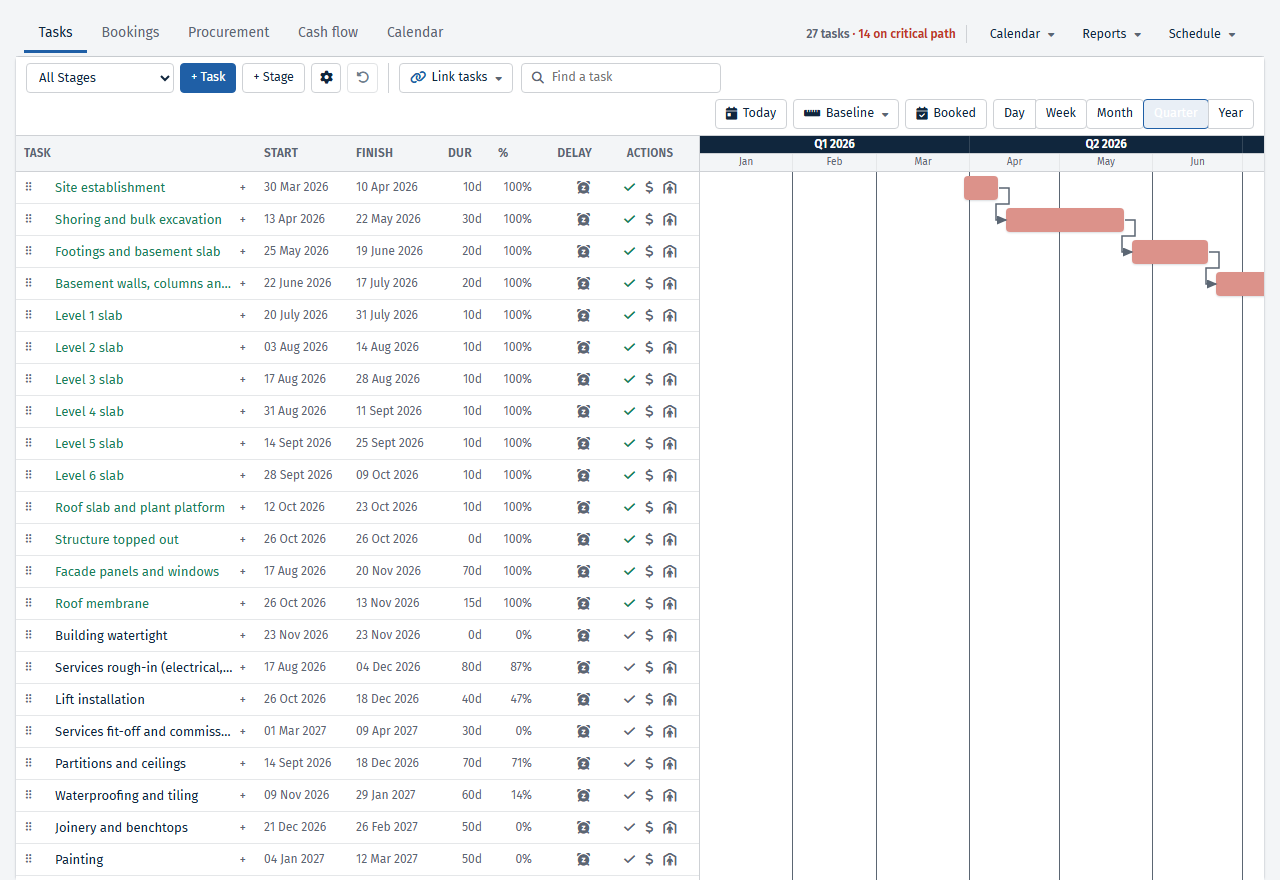
Linked tasks with lag, milestones and fixed starts, worked out on your site's working week and holidays. The critical path is marked, and a baseline shows what has moved.
Trades booked and called up
Each task's trade is booked for its dates by email and called up the set number of weeks ahead. When the programme moves, rebook every trade it affects in one go.
Delays on the record
Record each delay on the task it holds up, with its cause and days, and later tasks move. Write the notice of delay from it, with the weather and site diary for those days.
How it works
Build the programme
By hand, from a template, from MS Project, or one task per cost code.
Set the baseline
Keep the agreed programme to compare against later.
Book the trades
Assign who is doing each task and send them the booking dates.
Update progress
Percent complete, actual start and finish, and any delays.
Look ahead
Print the next few weeks, the call-up list and what is late.
On the screen
| Booking | Who is doing it | Call up by | Where it stands |
|---|---|---|---|
| Windows, levels 5 to 8 11 May to 19 Jun | Clearview Glazing | 13 Apr | Due for call up |
| Slab, level 6 1 Apr to 4 May | Coastal Concrete | 4 Mar | Dates differ from plan |
| Electrical rough-in, level 3 6 Apr to 24 Apr | Sparkline Electrical | 9 Mar | Emailed |
| Hoist install 23 Mar to 25 Mar | No trade yet | 23 Feb | No trade yet |
- The next few weeks, as a lookahead
- Who has to be rung, and by when
- Late, starting and finishing work
- Delays and the days lost, by cause
- MS Project: .mpp, .mpx or XML
- A template, or another estimate's schedule
- One task per cost code, in order
- A task for every purchase order that has none
Connected to the rest of the job
In Commercial, an approved extension of time on the head contract can be added to the programme as a delay on the task it held up, so the dates move with it. Earned value reads its progress from the tasks here.
Questions builders ask
Can we bring in a programme from MS Project?
Yes. An .mpp, .mpx or XML file replaces the schedule. You can also start from one of your templates, copy another estimate's schedule, or build one task per cost code.
Do the trades need to log in to see their bookings?
No. Bookings and call-ups are emailed to the supplier. When the dates move, choose whether to send the schedule's new dates or keep the booking as it is, and cancelling a booking tells the trade by email.
Can we see how far the programme has slipped?
Yes. Save a baseline and compare with it: each bar shows its baseline underneath and how far its finish has moved.
Does it allow for weekends and public holidays?
Yes. Set which days of the week the site works, and add holidays for the whole company or for one project. The chart also shows the weather outlook for the site.
Does it work on a phone?
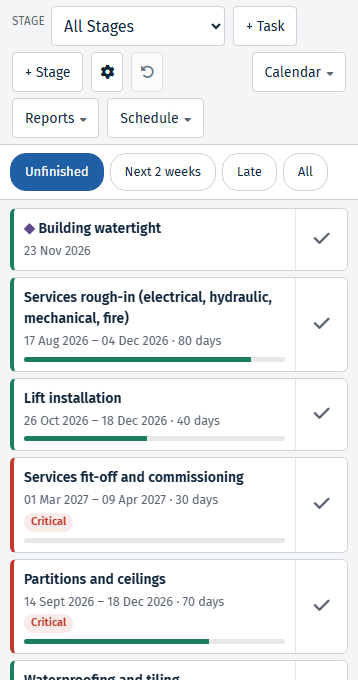
Yes. On a phone the schedule shows as a list of tasks to update.
See it on a project like yours
An hour with the people who build it. Bring a current job; we will walk it from subcontract to claim. Then try it yourself for 30 days, on a project of your own.