
Approve, log defects and inspect from your phone
On site is a page of SmarteBuild made for a phone. Open it in the phone's browser, signed in as usual, and put it on the home screen. What is waiting for your approval, the project's defects and its inspections are a thumb away, with the same rules as the office.
Nothing to download from an app store. It needs signal: it does not work offline.
What it does
Approvals
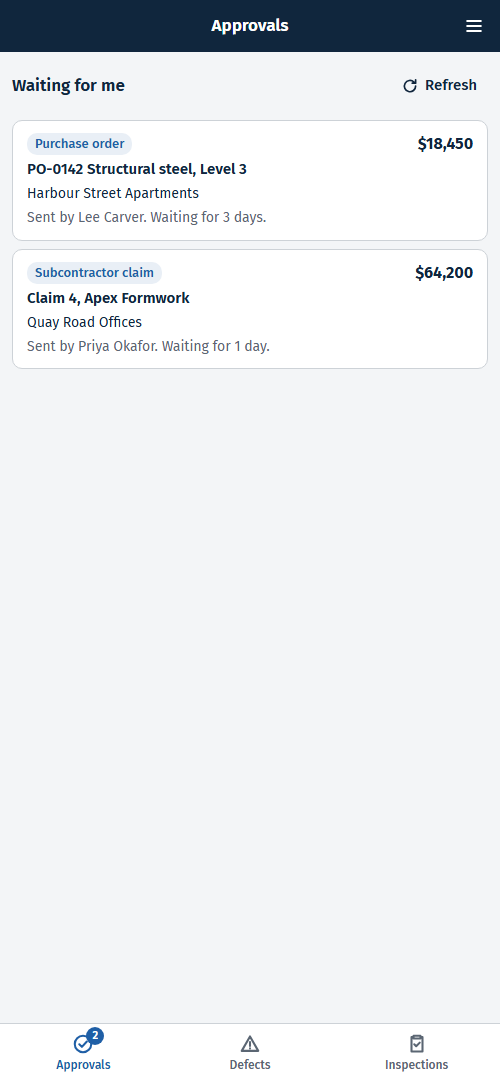
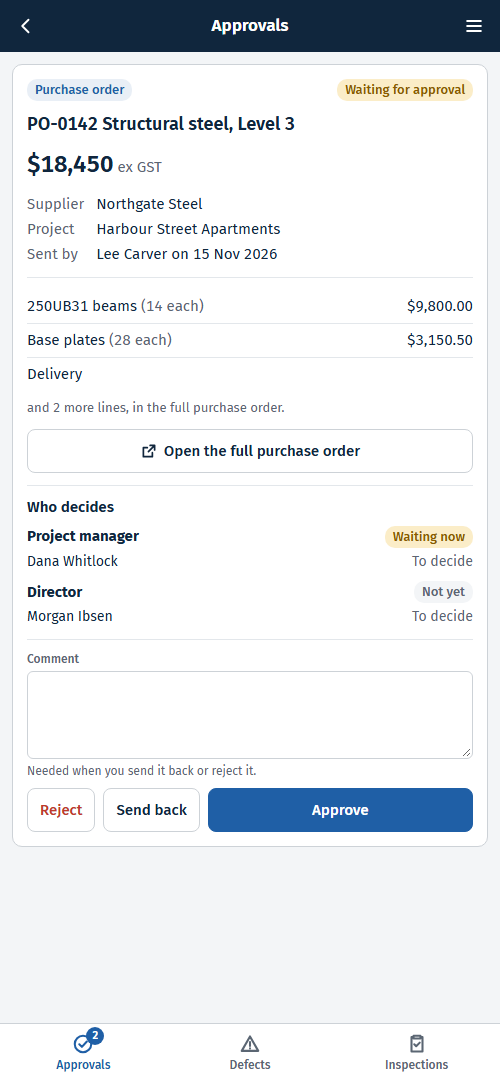
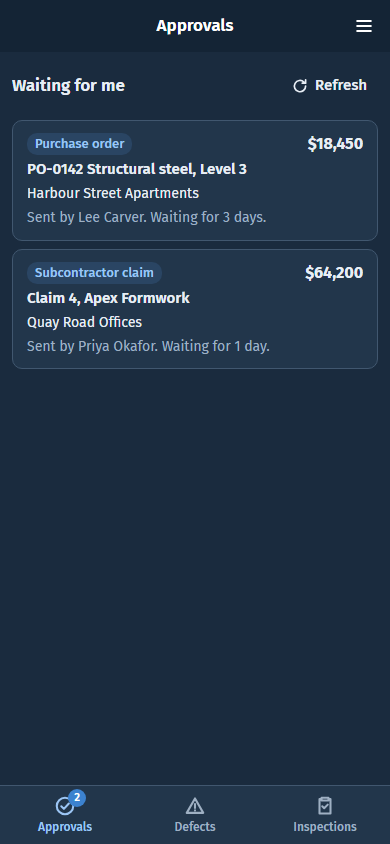
Everything waiting on you, oldest first. Approve, send back or reject, through the same approval workflow as the office.
Defects
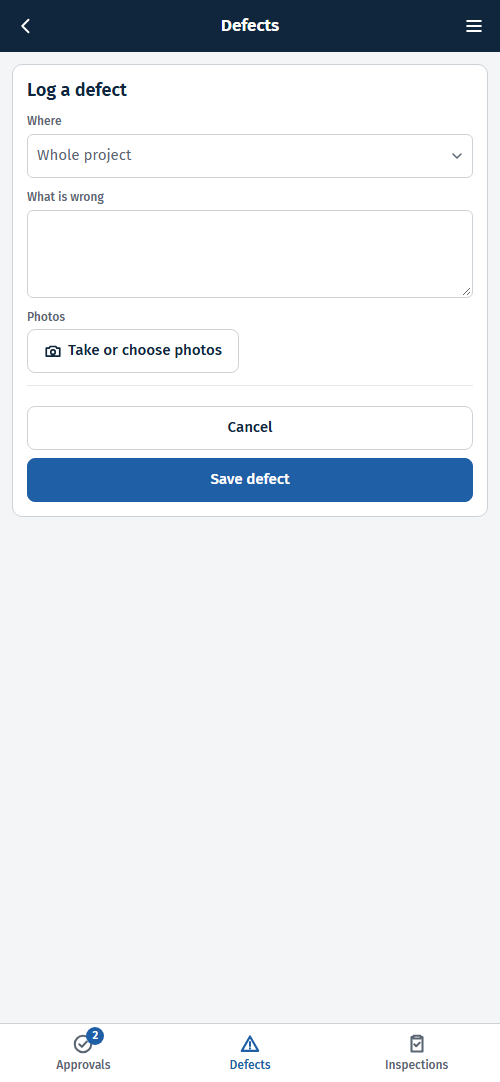
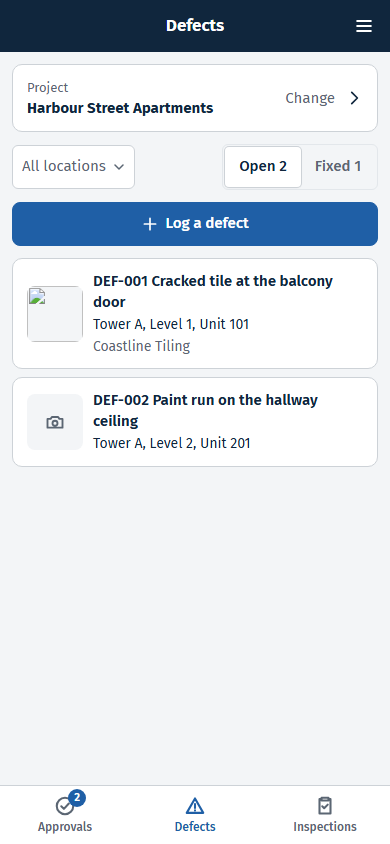
The project's defects by building, level or unit. Log one with photos from the camera, add photos, mark it fixed.
Inspections
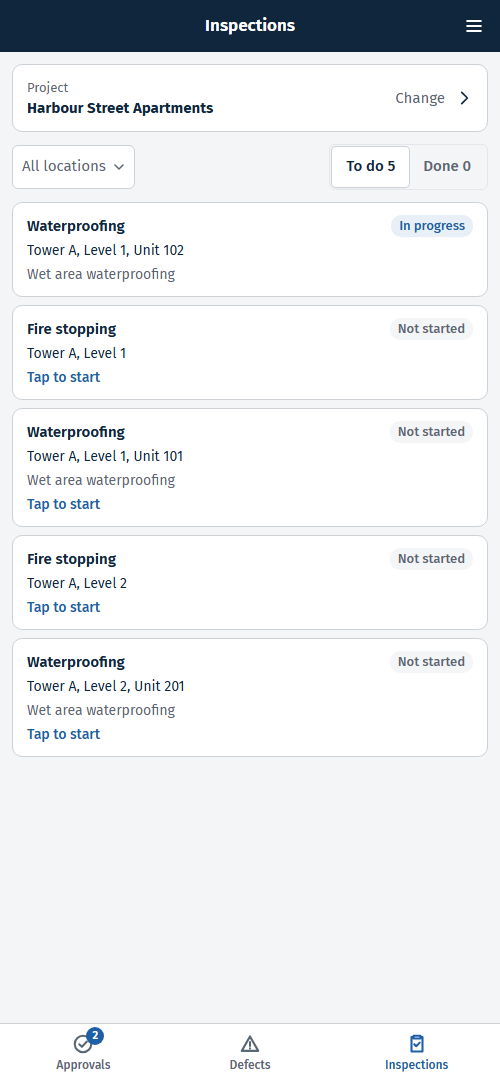
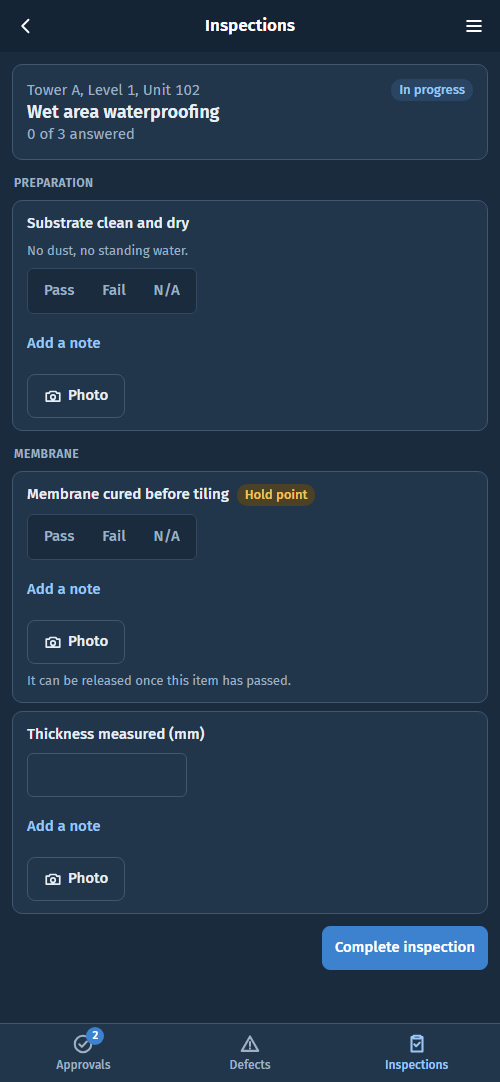
What the inspection plan requires at each place. Answer item by item, release hold points, raise a defect from a failed item, complete.
SWMS
Which companies are cleared to start on the project, and each accepted SWMS to open, for the site manager at the gate.
How it works
Open it on the phone
In the phone's browser, signed in with your usual SmarteBuild login.
Keep it on the home screen
Add it from the browser's menu. It then opens full screen, named On site.
See only what you hold
One tab for each of Approvals, Defects, Inspections and SWMS that your permissions give you.
Same project, same rules
The project chosen on the phone is the one on your desktop, and every change goes through the office's own rules.
On the screen
Real screenshots of the phone page with made-up data. Big buttons, one column, nothing that scrolls sideways, and the same night mode as the desktop.
| Person | Approvals | Defects | Inspections | SWMS |
|---|---|---|---|---|
| Project manager | Shown | Shown | Shown | Not held |
| Site manager | Shown | Shown | Shown | Shown |
| Foreman | Not held | Shown | Not held | Not held |
| Director | Shown | Not held | Not held | Not held |
A tab shows for what the person already holds: My Approvals, Defects, Quality and the SWMS register. Buttons inside follow the same permissions as the desktop.
- A page of your SmarteBuild Commercial site, made for a phone, called On site.
- Opened in the phone's own browser, with the same login. Add it to the home screen and it opens full screen like an app.
- Not in the App Store or Google Play, and nothing to install.
- It needs signal. A save made without signal says so and keeps what you typed.
- It sends nothing new: no push notifications, no text messages. Approvers are told the way the approval workflow already tells them.
- Deciding an approval on someone else's behalf, and taking a request back.
- Setting up approval workflows, inspection plans and checklists.
- Reviewing and uploading SWMS: on the phone the register is read only.
- Every other module. The menu's Open the full site goes to the desktop pages.
Connected to the rest of the job
The phone page keeps nothing of its own. It reads and writes the same records as the desktop screens, through the same rules and permissions.
Questions builders ask
Is it an app from the app store?
No. It is a page of SmarteBuild made for a phone. You open it in the phone's browser and can add it to the home screen, where it opens full screen as On site. There is nothing to install and no separate login.
Does it work without signal?
No. It needs signal to load and to save. If a save fails for lack of signal, it says so and keeps what you typed, so you can try again.
Is approving on the phone the same as in the office?
Yes. The decision goes through the same approval workflow: the same steps, the same people told, the same history. Send back and reject need a comment, and each decision is said back to you before it is made.
Who sees what?
Each person sees a tab only for what they already hold: My Approvals, Defects, Quality, and the SWMS register. Buttons follow the same permissions as the desktop, and the server checks again on every save. Projects are the ones that person can open.
Can a hold point be released on the phone?
Yes, once its item has passed, with the name and company of the person releasing it. An inspection cannot be completed while a hold point is waiting.
See it on a project like yours
An hour with the people who build it. Bring a current job; we will walk it from subcontract to claim. Then try it yourself for 30 days, on a project of your own.