
Orders that come from the estimate and answer to the budget
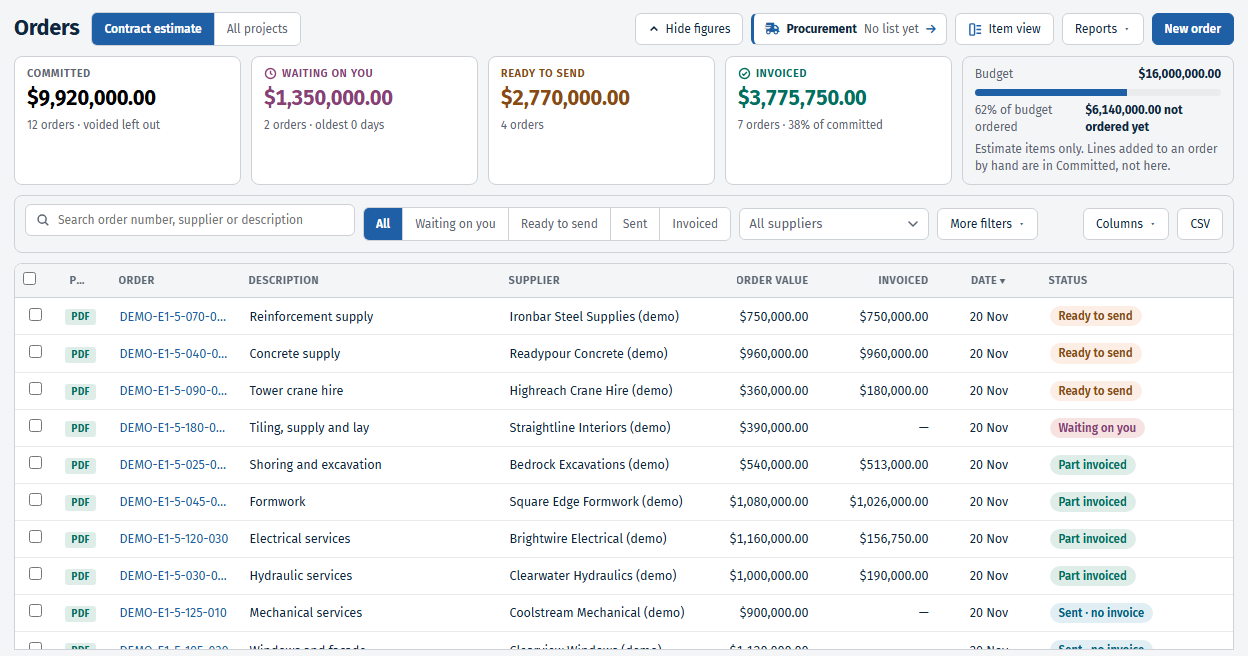
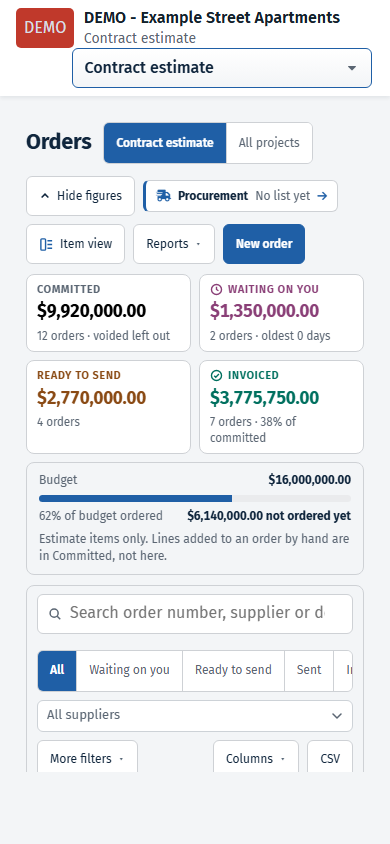
Raise orders from the items you priced, approve them through your workflow and email them to the supplier. The register shows what is committed, what is waiting on you and what has been invoiced.
What it does
Raised from the estimate
Pick the items, or generate one order per supplier from everything under a cost code. Each line shows its budget beside the price, and the estimate shows what is left to order.
Approved before it goes
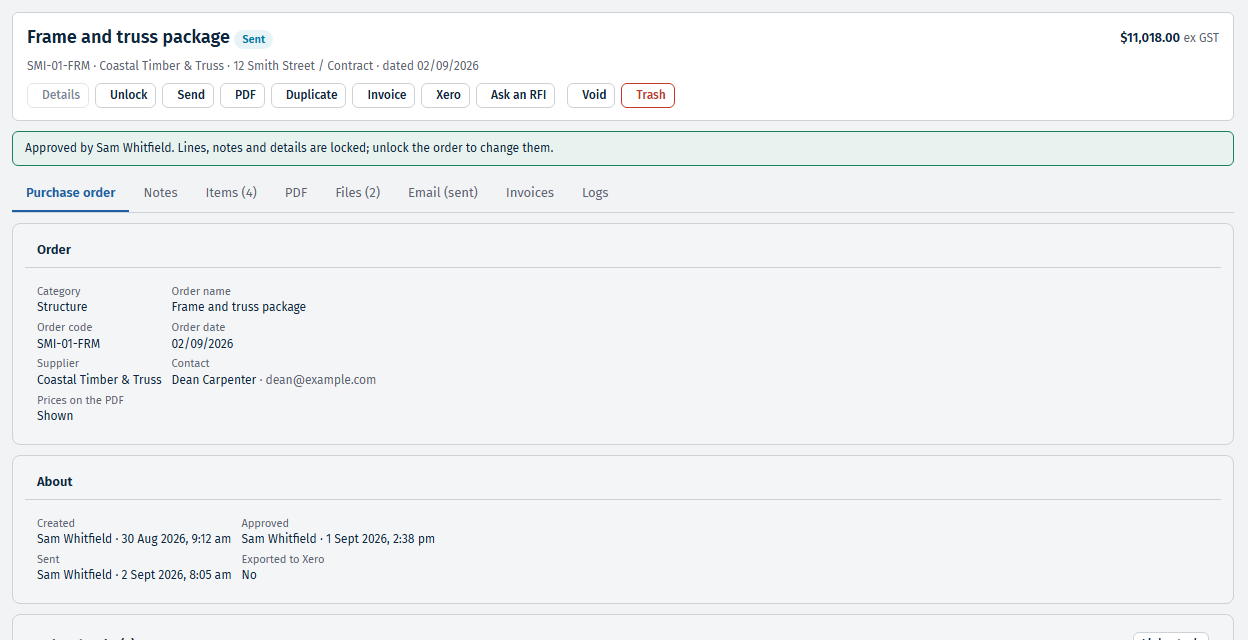
Orders go through the approval workflow, by value. An unapproved order cannot be emailed, and the order shows who has approved it and who is next.
Followed to the invoice
Each line is tracked from ordered to installed. Supplier invoices are raised from the order, and the register flags orders invoiced over their value or sent a month ago with nothing invoiced.
How it works
Raise it
From the estimate's items, a cost code, an awarded quote, or by hand.
Ask for approval
The workflow for orders on this project decides who approves it.
Send it
Emailed to the supplier contact with the PDF, the files and any scope of works.
Track delivery
Ordered, confirmed, shipped, delivered, installed, line by line.
Invoiced
Supplier invoices matched to the order. What is left to invoice stays in view.
On the screen
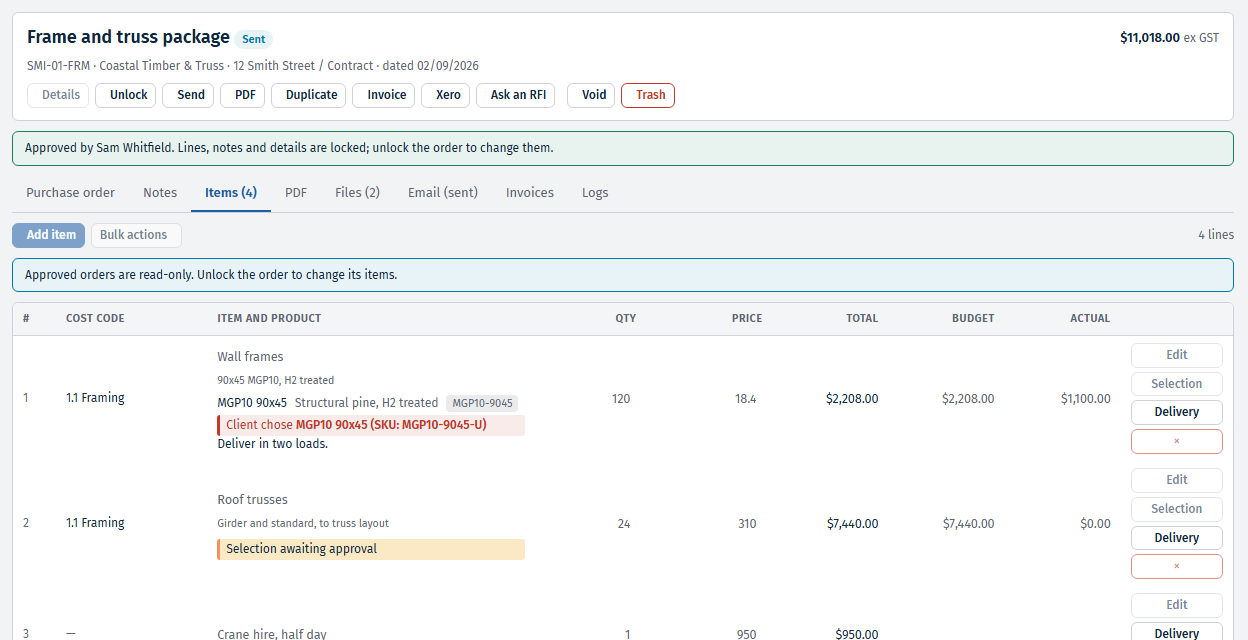
An order can also be linked to the schedule tasks it pays for, and to the items in the procurement list, so the programme knows what is on its way.
Where an order stands
Connected to the rest of the job
In Commercial, an order is approved through the same workflows as subcontracts and variations, it cannot be sent to a supplier whose compliance documents are missing or out of date, and it can become a subcontract.
Questions builders ask
Can an order go to a supplier whose insurance has run out?
Not with Compliance switched on. The order cannot be emailed or marked as sent while a document that stops work is missing or out of date. Someone allowed to override a compliance block can send it anyway, with a reason.
Can a purchase order become a subcontract?
Yes. In Subcontracts, start a new one from a purchase order on the project; its schedule starts as a copy of the order's lines.
What counts as committed?
Every live order. Voided orders are kept on record but left out. The budget panel counts only lines that came from the estimate, so a line added to an order by hand shows in Committed but not against the budget.
Does it go to our accounts?
An order can be exported to Xero. Supplier invoices against it are sent from Supplier invoices.
Can we see orders across every project?
Yes. The register switches between one estimate and every project you have access to, and downloads as a spreadsheet.
See it on a project like yours
An hour with the people who build it. Bring a current job; we will walk it from subcontract to claim. Then try it yourself for 30 days, on a project of your own.