
Where the money stands on every cost code, and whether the work is keeping up
Each cost code's estimate, orders, invoices and variations in one place. Earned value sets progress on the programme against what was spent, and the cash flow shows when the money goes out and comes in.
What it does
The money on one cost code
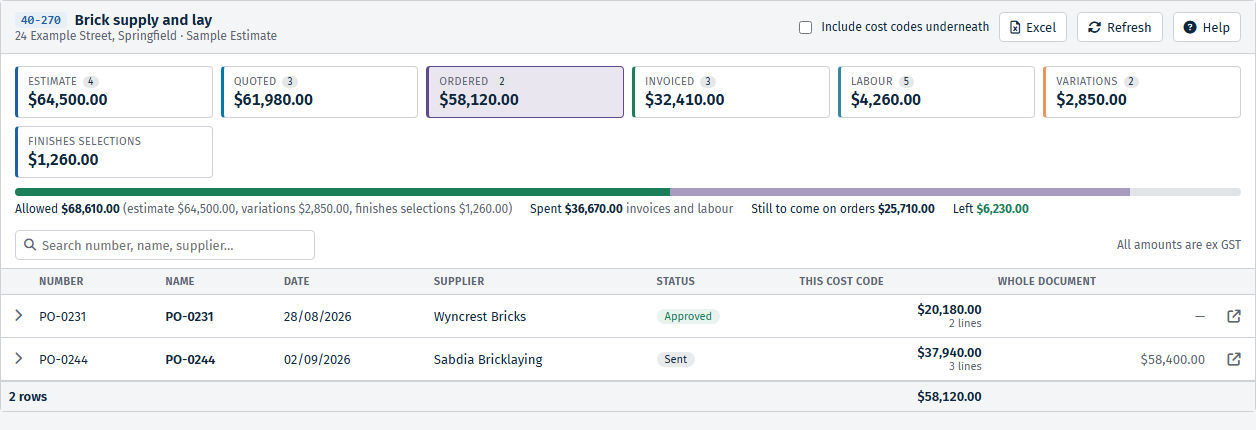
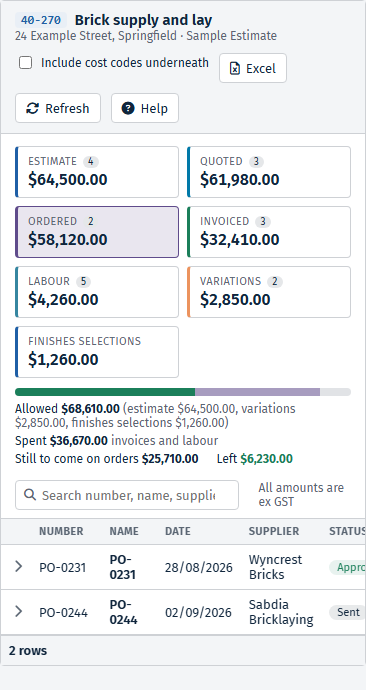
Estimate, quoted, ordered, invoiced, labour and variations, with every document behind each figure one click away. Allowed, spent, still to come and what is left.
Earned value from the programme
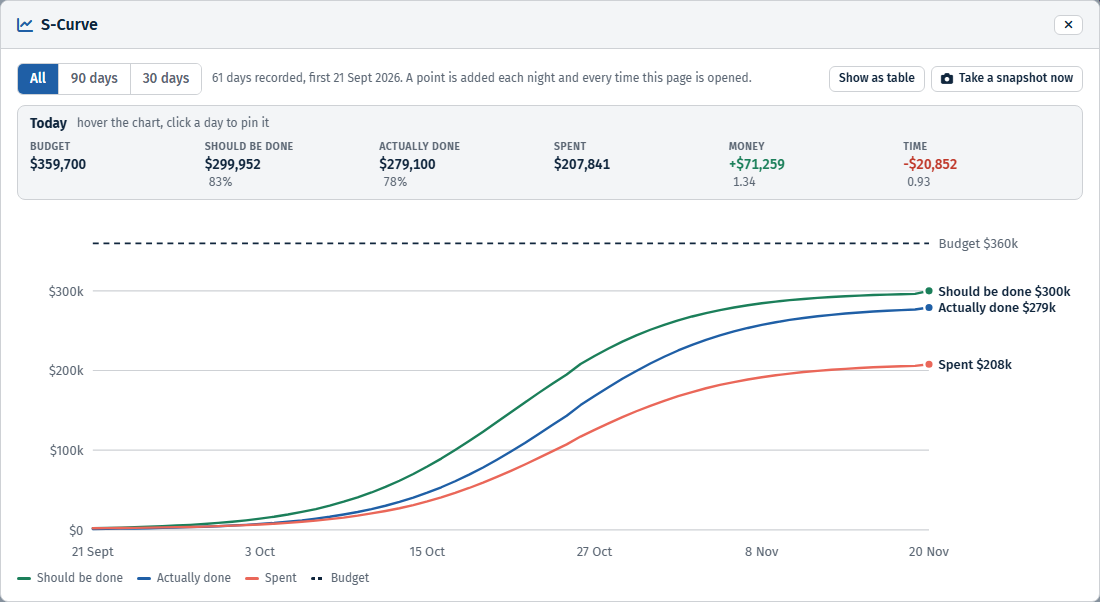
What should be done by today, what is actually done going by percent complete, and what was spent, for the project and per cost code, with a forecast final cost.
Cash flow by week or month
Money out from the costed tasks on the schedule, money in from the contract stages, and the net position, for one job or every job added together.
How it works
The estimate sets the budget
The bill of quantities by cost code, plus approved variations.
Buying commits it
Quotes and purchase orders coded to each cost code.
Bills and hours spend it
Supplier invoices and approved timesheet hours at cost.
The programme measures it
Task dates and percent complete give earned value and the cash flow.
On the screen
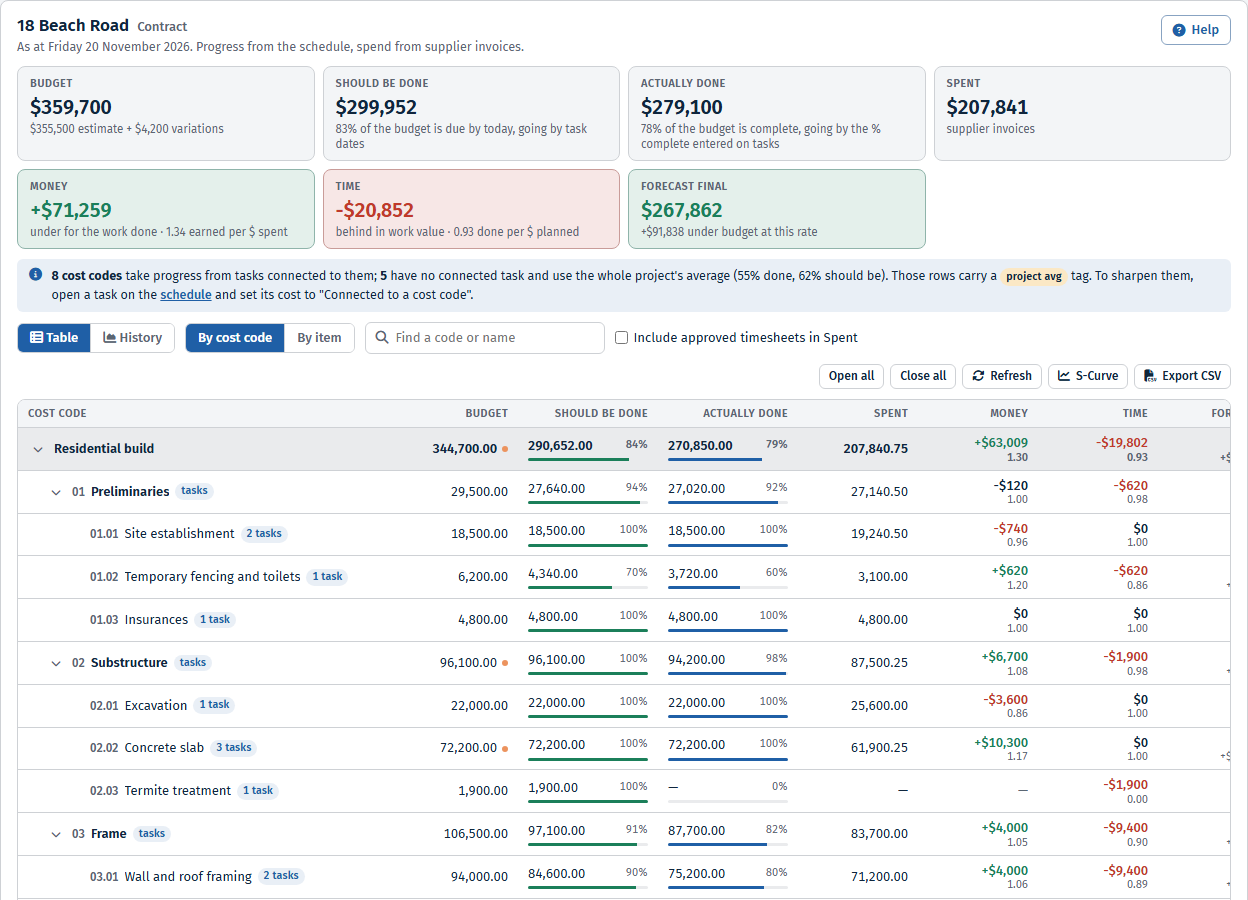
Progress is read per cost code from the schedule tasks connected to it.
| Dec | Jan | Feb | Mar | |
|---|---|---|---|---|
| Money in | 1,240,000 | 0 | 1,610,000 | 1,380,000 |
| Money out | 1,085,400 | 612,800 | 1,322,900 | 1,451,200 |
| Net | 154,600 | −612,800 | 287,100 | −71,200 |
| Net cumulative | 154,600 | −458,200 | −171,100 | −242,300 |
Money out is each costed task, or the order linked to it, in the period it is expected to be paid. Switch to every project added together to see the cash flow of the business.
Connected to the rest of the job
In Commercial, a certified subcontractor claim becomes a supplier invoice, so subcontract work lands in Invoiced and Spent without being entered twice. Where a project uses the Finishes Schedule, locked unit selections are part of what is allowed.
Questions builders ask
Why does an order count only part of its value on a cost code?
Every figure is the part of the document coded to that cost code. When an order or invoice is split across cost codes, the whole document's value is shown beside it.
What does an invoice with no order mean?
It is flagged: either the order was never raised, or the invoice is coded to the wrong cost code.
Why does earned value say we are behind?
Actually done moves only when percent complete is updated on the schedule. If no task is connected to a cost code, its row uses the project average. Connect the big cost codes to their tasks first.
Is the cash flow inc or ex GST?
Money out is the scheduled costs with GST added, so it compares fairly with money in from the contract stages, which already include GST. The budget and earned value are ex GST.
How is this different from the Cost Forecast?
These pages read the estimate, orders, invoices and the programme as they stand. The Cost Forecast adds your cost to complete each month and closes the month, with the movement since last month.
See it on a project like yours
An hour with the people who build it. Bring a current job; we will walk it from subcontract to claim. Then try it yourself for 30 days, on a project of your own.