
Know where every machine is, and what it is costing
Owned and hired plant in one register. Put it on a project against a cost code and its cost builds up by the day. Hire sitting idle, hire past its due-back day, and service or registration dates are flagged before they cost you.
What it does
Where it is today
Every item, owned or hired, with the project and location it is on, or marked idle. Idle hire is flagged, because it is still being paid for.
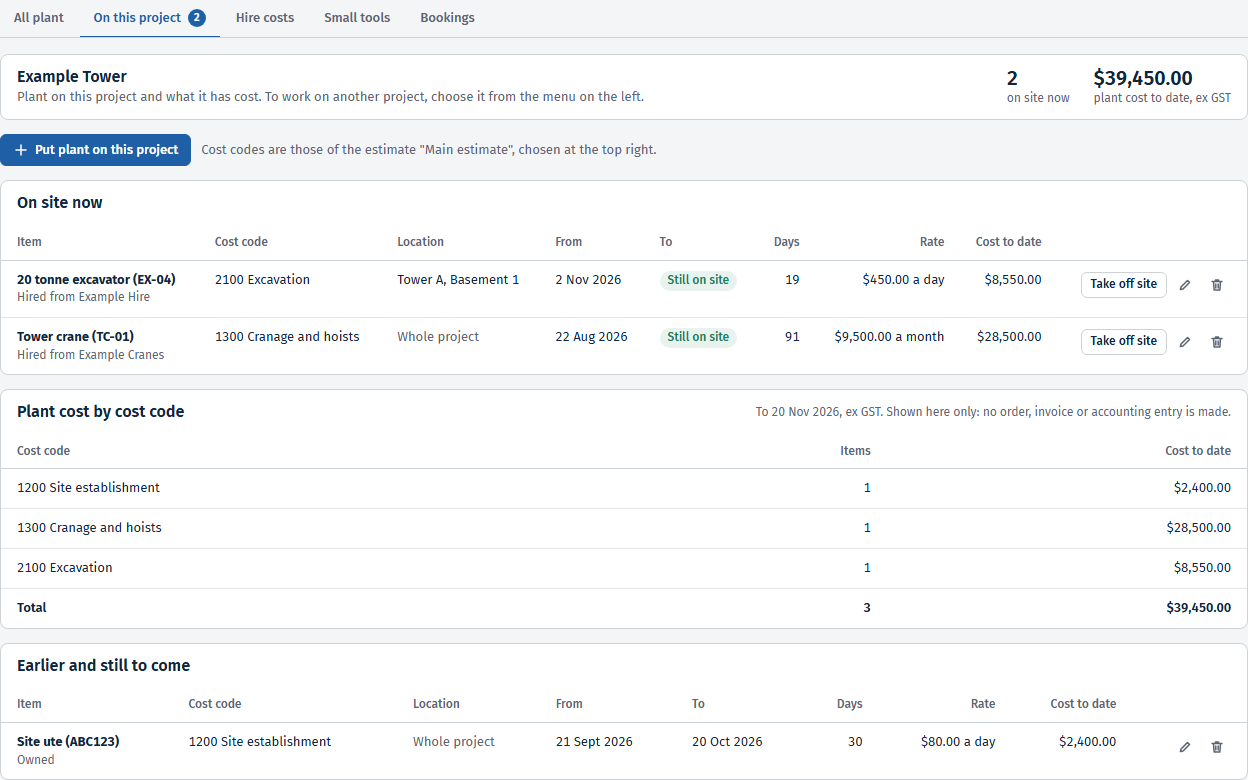
Cost by cost code
A day, week or month rate, counted by the calendar day while it is on site, against the project's cost code. Cost Forecast reads it.
Nothing falls due unseen
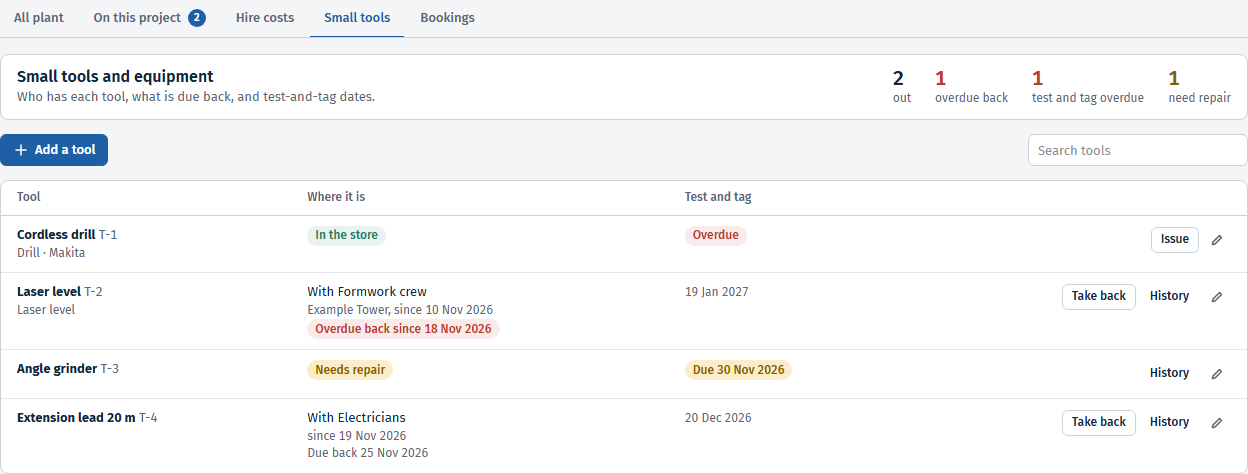
Service, inspection and registration dates, hire past its due-back day, and test-and-tag on small tools, with a reminder in the bell before and on the day.
How it works
Add the plant
Owned, or hired from a supplier with its on-hire day, due-back day and purchase order.
Put it on a project
From a day, against a cost code, at a building or level if you want.
Cost builds up
At the rate copied when it went on site, day by day, while it stays.
Take it off site
Or off hire, which ends its time on the project the same day.
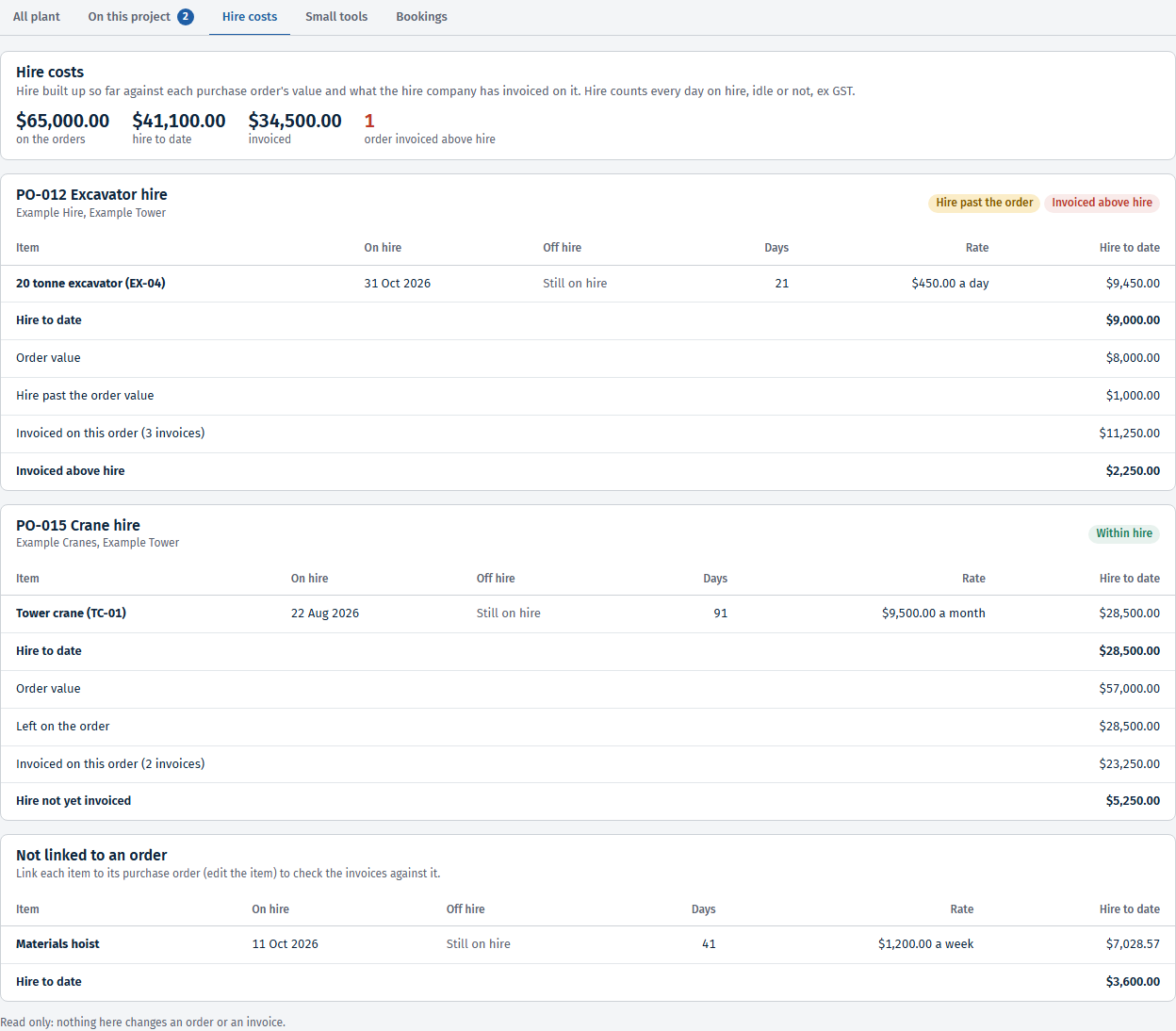
Check the hire
Hire to date against the order's value and what the hire company invoiced.
On the screen
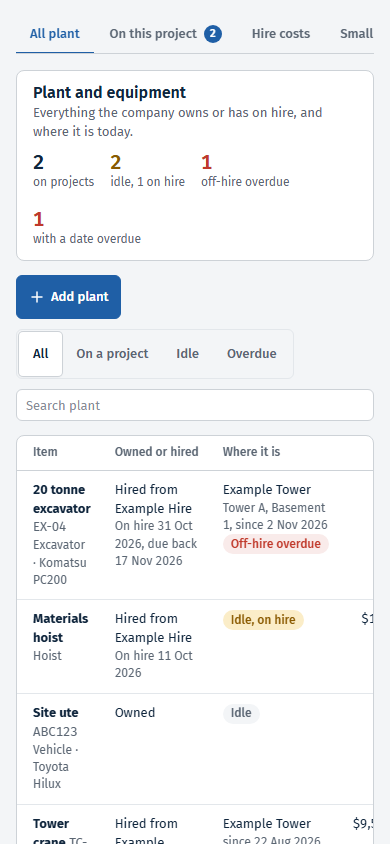
Five tabs on one page. All plant is the company's register; On this project is the project chosen on the left, with what its plant has cost.
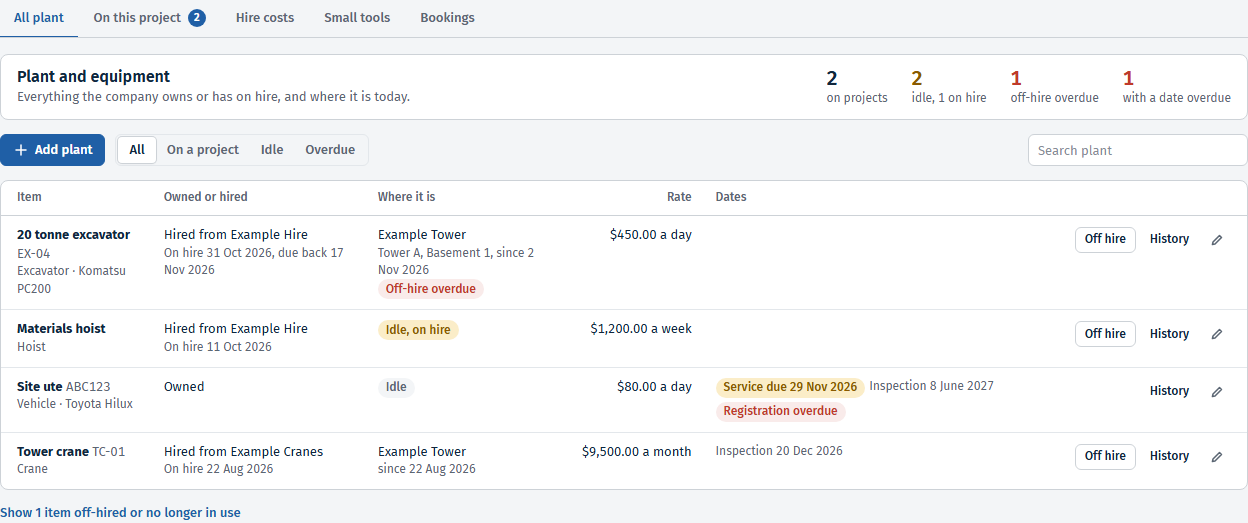
Where an item can be
How the cost adds up
Each calendar day on site counts, the first and last day included, at the rate copied when the item went on the project.
Shown here only: no order, invoice or accounting entry is made. Cost Forecast reads it.
Hire checked against the order and its invoices
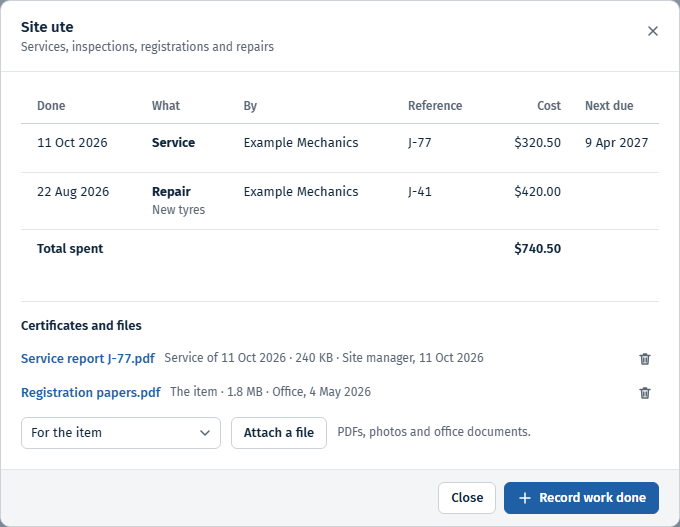
Service, inspection and registration dates
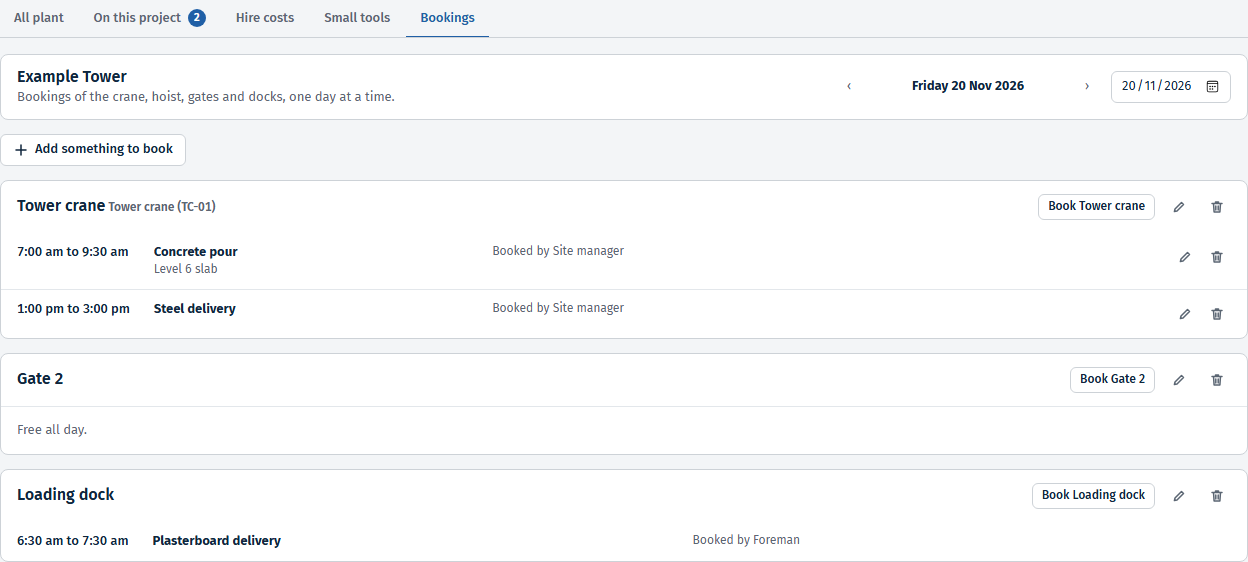
Small tools and site bookings
Connected to the rest of the job
The register belongs to the company; its cost lands on the project that used the plant. It writes no order, invoice or journal of its own.
Questions builders ask
Is hired plant counted twice, once from the register and once from the invoice?
No. The register shows hire as built up; the hire company's invoice is what counts as actual cost. Cost Forecast takes the part already invoiced on the hire order out of what it shows as hire accrued. Owned plant's internal charge counts as actual cost, since nothing else records it.
How is the cost worked out?
By calendar day, counting the first and last day, at the rate copied when the item went on the project. A week rate is a seventh a day; a month rate counts whole months and a thirtieth a day for the rest. Changing an item's rate later does not change what past stays cost. Someone allowed to see costs can set a different rate for one project.
Can the same machine be on two projects at once?
No. An item cannot be on two projects, or twice on one, on the same day. The window says which project it clashes with.
Who sees the rates?
Only people with "See hire rates and plant cost". Without it, no rate or dollar figure is sent to their screen at all.
Can we keep the certificates?
Yes. Each service, inspection, registration or repair is recorded with who did it, a reference, the cost and the next one due, and the certificate or report can be attached to the item or to that record.
Are reminders emailed?
No. Reminders ring the bell in SmarteBuild for the people who look after plant or small tools, once when a date is close and again when it is overdue.
See it on a project like yours
An hour with the people who build it. Bring a current job; we will walk it from subcontract to claim. Then try it yourself for 30 days, on a project of your own.