
Measure it once, and let the quantities price the job
Measure off the PDF drawings or the IFC model. Each measured field drives the items in the bill of quantities, priced from your own price lists, so a change on the drawing moves the estimate with it.
What it does
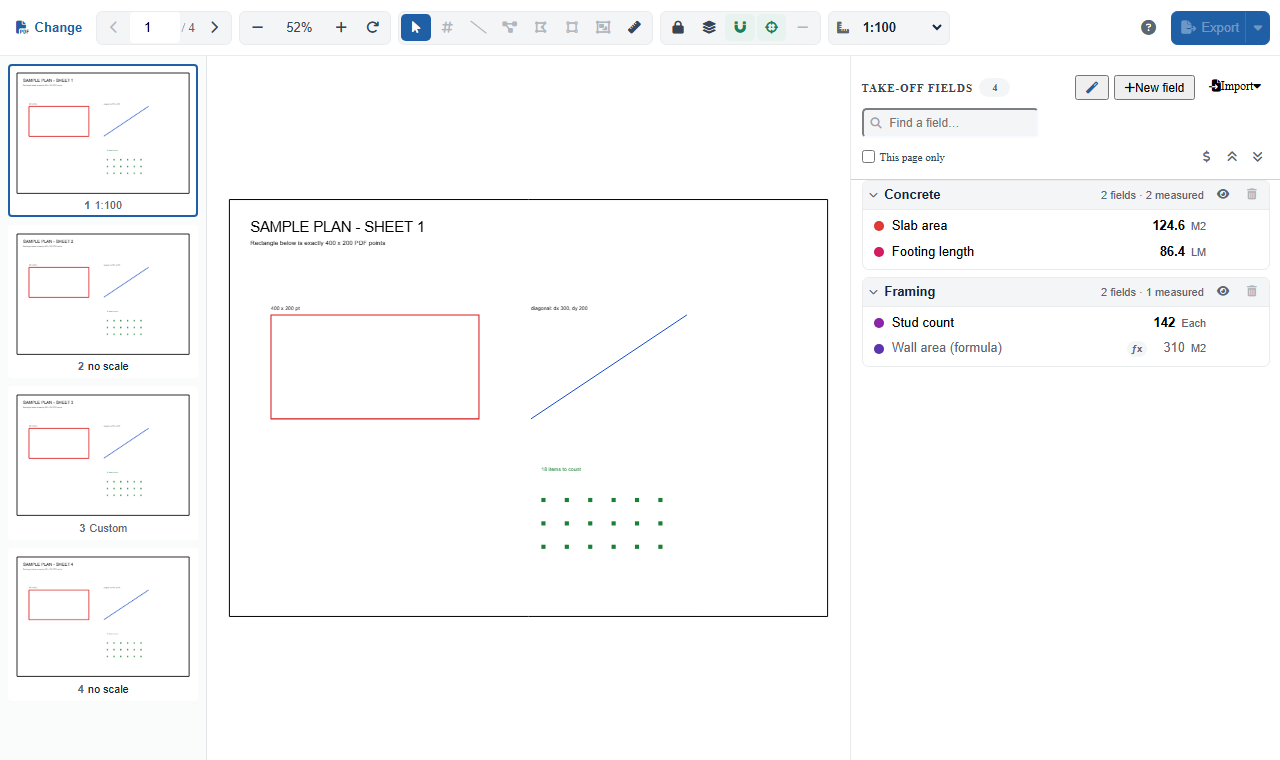
Measure off the drawings
Count, line, polyline, area and rectangle on a scaled PDF, with deductions, snapping and an overlay of the previous revision. Or open the IFC model and send its quantities to the fields.
Quantities that follow the measure
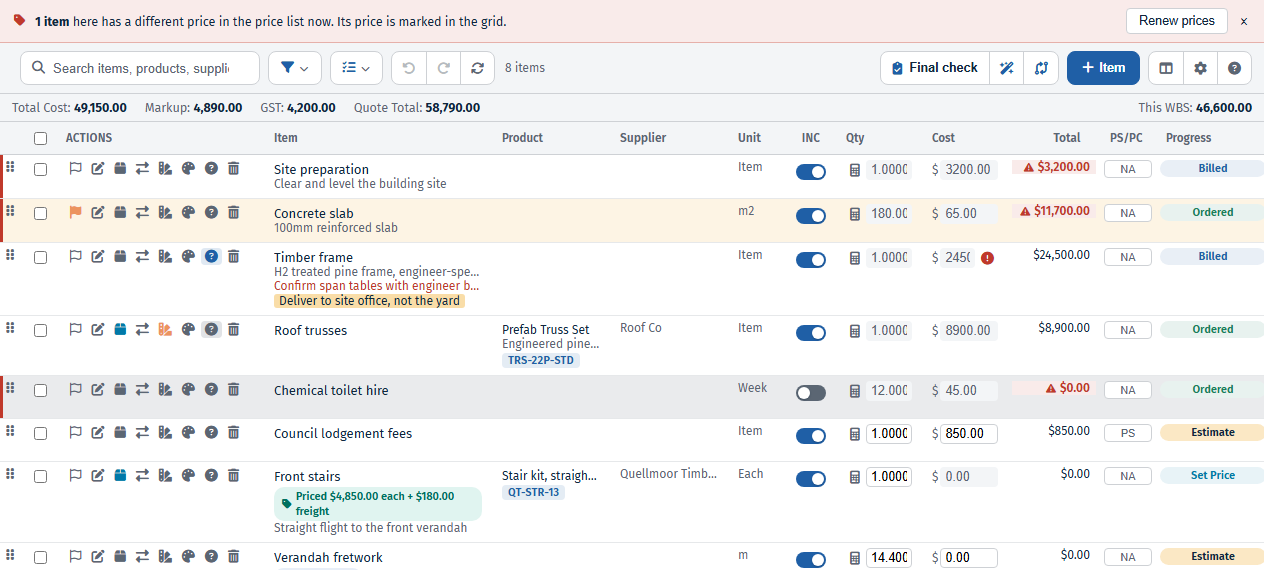
A bill of quantities item can follow a take-off field, with wastage, item size and rounding. Measure a wall once and the studs, the board and the paint all move with it.
Priced from your own rates
Items come from your price lists, organised by cost code with suppliers' products behind them. Each line shows how its cost compares with today's price list rate.
How it works
Open the drawing
A PDF or an IFC model from the project's Documents.
Set the scale
Pick it from the list, read it with AI, or measure a known line.
Measure the fields
Fields grouped in assemblies, with linked fields, heights and pitch.
Price the bill
Items follow the fields; rates come from the price list; markup is added.
Buy it
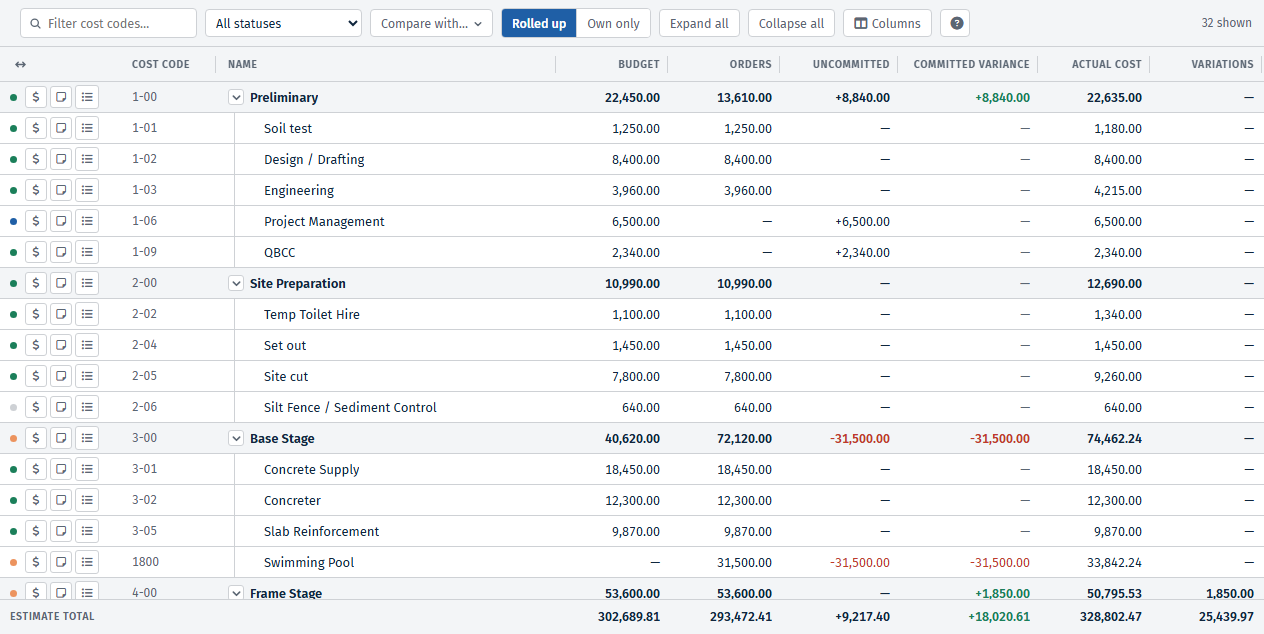
Order, tender or invoice straight from the selected items, and see what is left to order.
On the screen
Re-scale a page or measure the new revision, and every item that follows the field moves with it. Measured fields are locked in the bill and open back in Take-Off.
- Read the scale off the sheet with AI, or calibrate against a known line.
- Read symbols, rooms, openings and outside walls, or count from the legend.
- AI proposals arrive in orange, and nothing counts until you accept them.
- An IFC model's revisions are compared: added, changed and removed, before you update the fields.
Connected to the rest of the job
The bill of quantities is where buying starts. Selected items go straight to an order, a tender or a variation, and each line shows what is already on order.
Questions builders ask
Does it read 3D models?
Yes. Open an IFC model from Documents, browse it by type or room, and send its quantities to your take-off fields. When a new revision comes in, the changes are listed before the fields are updated. A Revit schedule can also be imported.
What happens to the estimate when a drawing changes?
Measure the new revision over an overlay of the old one. Items that follow a field move with it. Re-scaling a page asks first, because it moves the quantities in the bill.
If we change a rate in the price list, do old estimates change?
No. An estimate keeps its own copy of each rate. The bill shows where a line differs from today's price list, and you can renew the prices if you want them.
Can the estimate be split by building or level?
Take-off fields are measured per drawing, and the bill is organised by cost code and work breakdown. Commercial's buildings and levels are used further along, on subcontracts, claims and the cost forecast.
Can we export the take-off?
Yes. Export gives a marked-up PDF of the pages that have measurements, with a summary of the workings, to download or save to the project's Documents.
See it on a project like yours
An hour with the people who build it. Bring a current job; we will walk it from subcontract to claim. Then try it yourself for 30 days, on a project of your own.