
Know who has which revision
Every file on the project in one place, opened in the browser, PDF or CAD. Issue documents on a numbered transmittal and see who opened it and who acknowledged it.
What it does
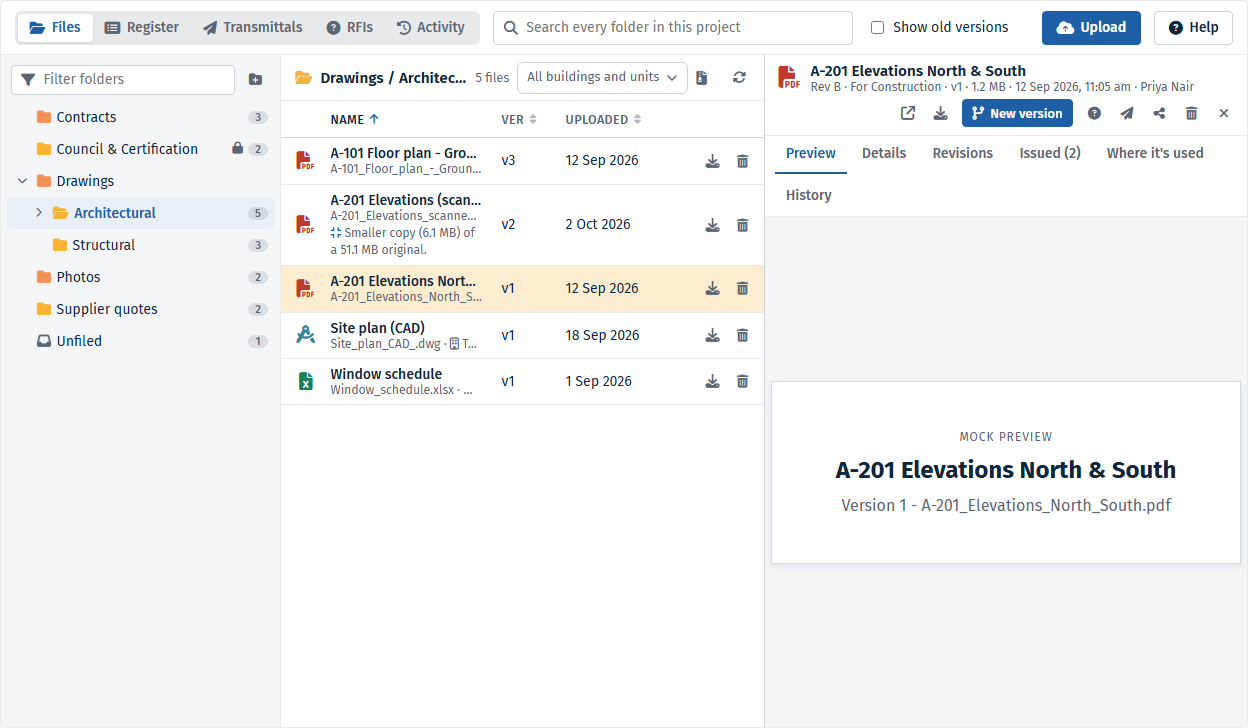
Every file, opened in the browser
Folders for the project, a search across all of them, and old versions kept. PDFs and photos open straight away, Word and Excel are shown as PDF, and DWG and DXF drawings open in a CAD viewer.
Transmittals with a receipt
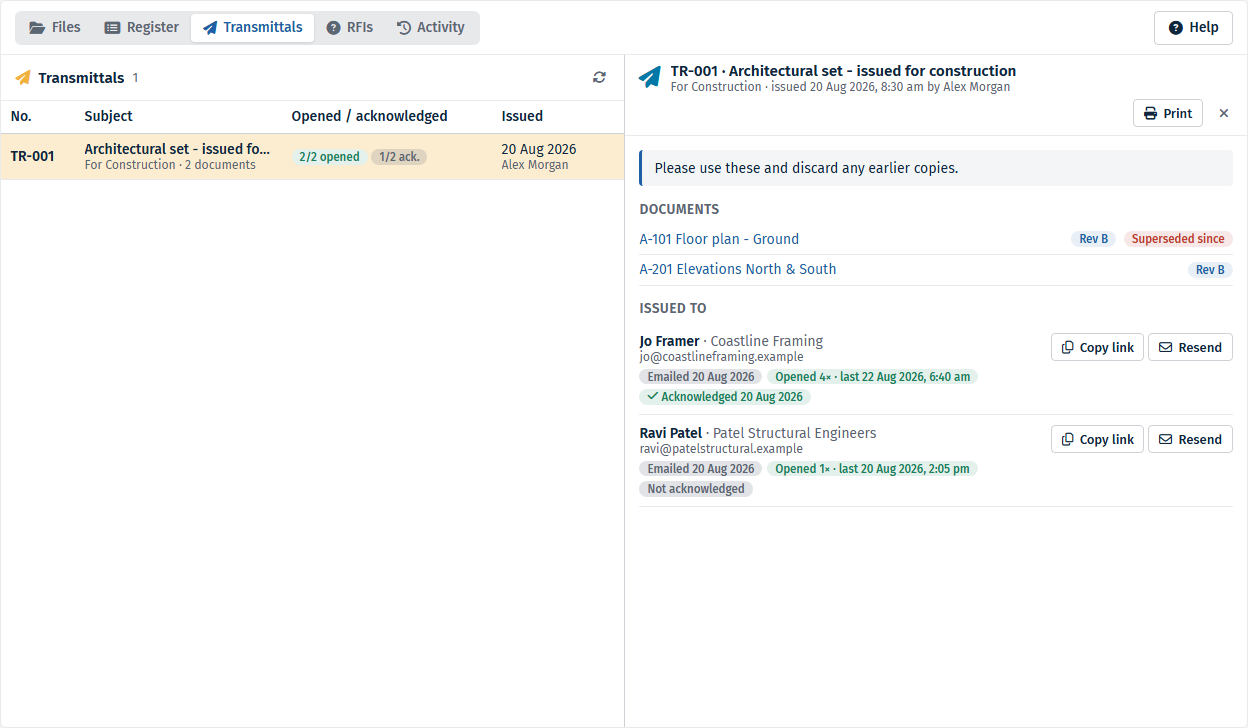
Issue one document or a set, for construction, tender, review or approval. Each person gets a link with no login, and you see when they opened it and when they acknowledged it.
Consultants upload straight in
Send the architect or engineer an upload link for a folder. They drop their files in without an account, and the link stops working on the date you set.
How it works
Tick the documents
In Files or the drawing register, then Issue.
Say what for
Subject, issued for, a message and a respond-by date if you want one.
Issue
It gets the next TR number. Email each person their link, or copy the links and send them yourself.
They open it
The documents show in the browser, ready to download. No account needed.
Acknowledged
They type their name and confirm receipt. You see who has and who has not.
On the screen
Connected to the rest of the job
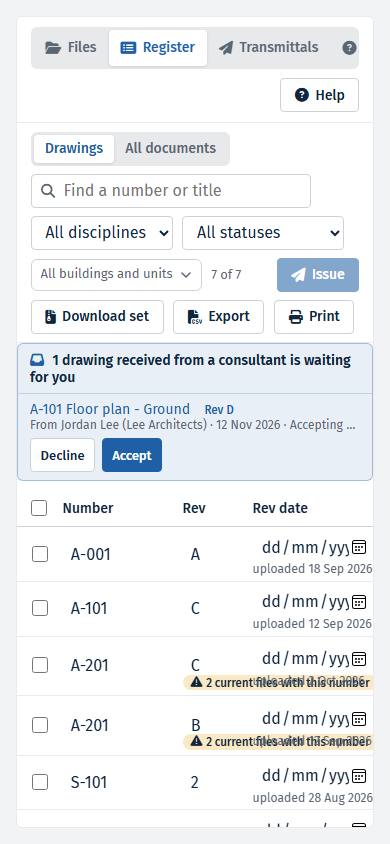
The drawing register lives here. Switch it on and the Register tab lists every drawing at its current revision. How drawings work →
Questions builders ask
Does the person receiving a transmittal need an account?
No. Each person gets their own link. It opens the documents in the browser and asks them to confirm they received them.
Is the transmittal emailed?
Only if you tick it. The email goes from your company's address with you copied in. Otherwise copy each person's link and send it yourself.
What if a drawing on a transmittal is superseded later?
The transmittal keeps the revision it issued, and the document is marked "Superseded since". On the drawing, the Issued tab lists everyone holding an older revision, with one button to send them the current one.
Can we open CAD files?
Yes, DWG and DXF open in a viewer in the browser. It is for looking, not for editing.
Can we keep some folders private?
Yes. Each folder can be open to everyone on the project or only to the people you choose.
See it on a project like yours
An hour with the people who build it. Bring a current job; we will walk it from subcontract to claim. Then try it yourself for 30 days, on a project of your own.