
It reads the paperwork. You decide what counts.
AI reads drawings, quotes, bills and price lists, and drafts a take-off or a schedule. You see what it found before anything is added, and nothing counts until you accept it.
What it does
Reads what arrives
A trade's quote into a tender, a supplier's bill into Expenses, a supplier's new prices into your price list. Each shows what was read, for you to check.
Drafts the first pass
A whole take-off from the drawings, every item of a kind found on a page, the drawing's scale, or a project schedule. You see the plan before anything is added.
Paid as you use it
Prepaid AI credit, bought in packs by an administrator. Each job takes what it actually cost, and the AI credits page lists every one.
How it works
Ask
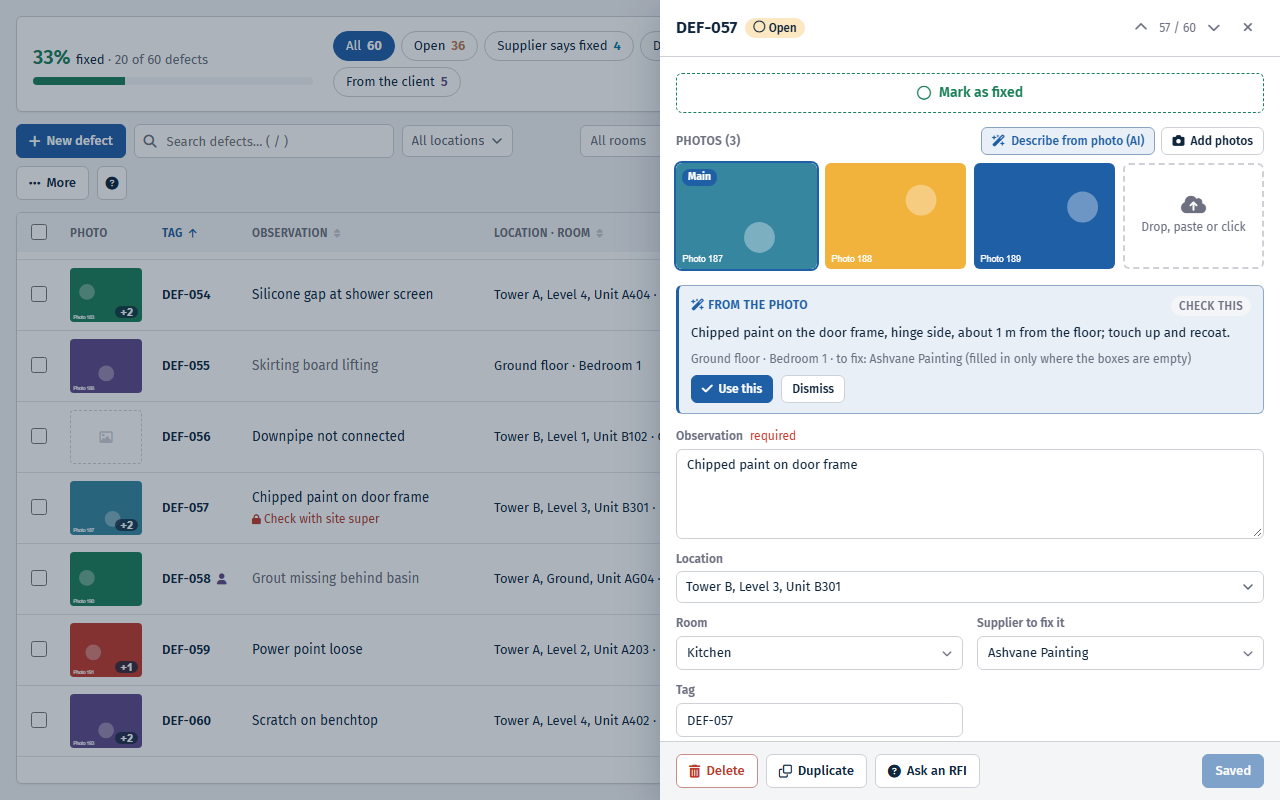
Press the AI button where the work is: Read quote, Read with AI, Draft this take-off.
It reads
The document or drawing is read, and the result is shown, not saved.
You check
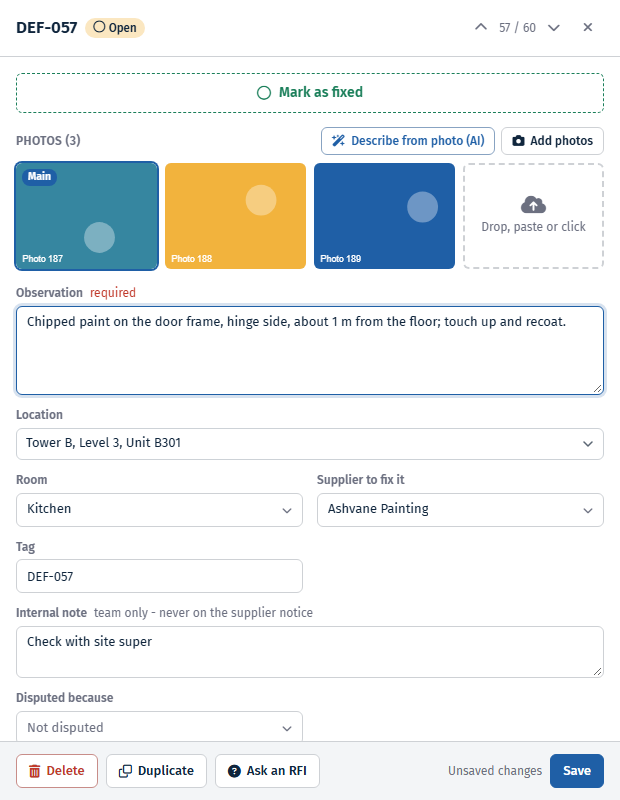
Change, untick or throw away anything it got wrong.
You accept
Only what you accept is added. The job's cost comes off your AI credit.
On the screen
Real screenshots of Describe from photo (AI) in Defects, with made-up data, and Read quote in Tenders drawn with sample data.
- An administrator buys a pack of AI credit by card. It is paid once and nothing renews by itself.
- A new company starts with welcome credit and three free whole-job take-off drafts.
- Each AI job takes what it actually cost to run, not a set fee per click.
- A job does not start unless the credit left covers a large job of its kind.
- You are emailed when the credit runs low. Credit lasts 12 months from the last pack.
- When it runs out, only the AI buttons stop. Everything else in SmarteBuild keeps working.
Connected to the rest of the job
The AI works inside the screens you already use. There is nothing separate to open.
Questions builders ask
Does the AI change anything by itself?
No. Every result is shown for you to check first. A take-off, a quote, an expense or a price change is added only when you accept it.
How is it paid for?
From prepaid AI credit that an administrator buys in packs. Each job takes what it cost to run, and the AI credits page lists every job with who ran it.
What happens when the credit runs out?
The AI buttons say there is not enough credit and an administrator can buy more. Everything else keeps working.
Can it be wrong?
Yes. That is why you check it. Quote checks say so plainly: check the quote itself before you rely on it.
See it on a project like yours
An hour with the people who build it. Bring a current job; we will walk it from subcontract to claim. Then try it yourself for 30 days, on a project of your own.