
No bill paid over its order without someone saying why
Drop in the supplier's PDF or a photo of it, and the bill is read and matched to its purchase order. Anything over the order is held back until its Extra to Schedule is approved, with a reason you can report on.
What it does
Read off the bill
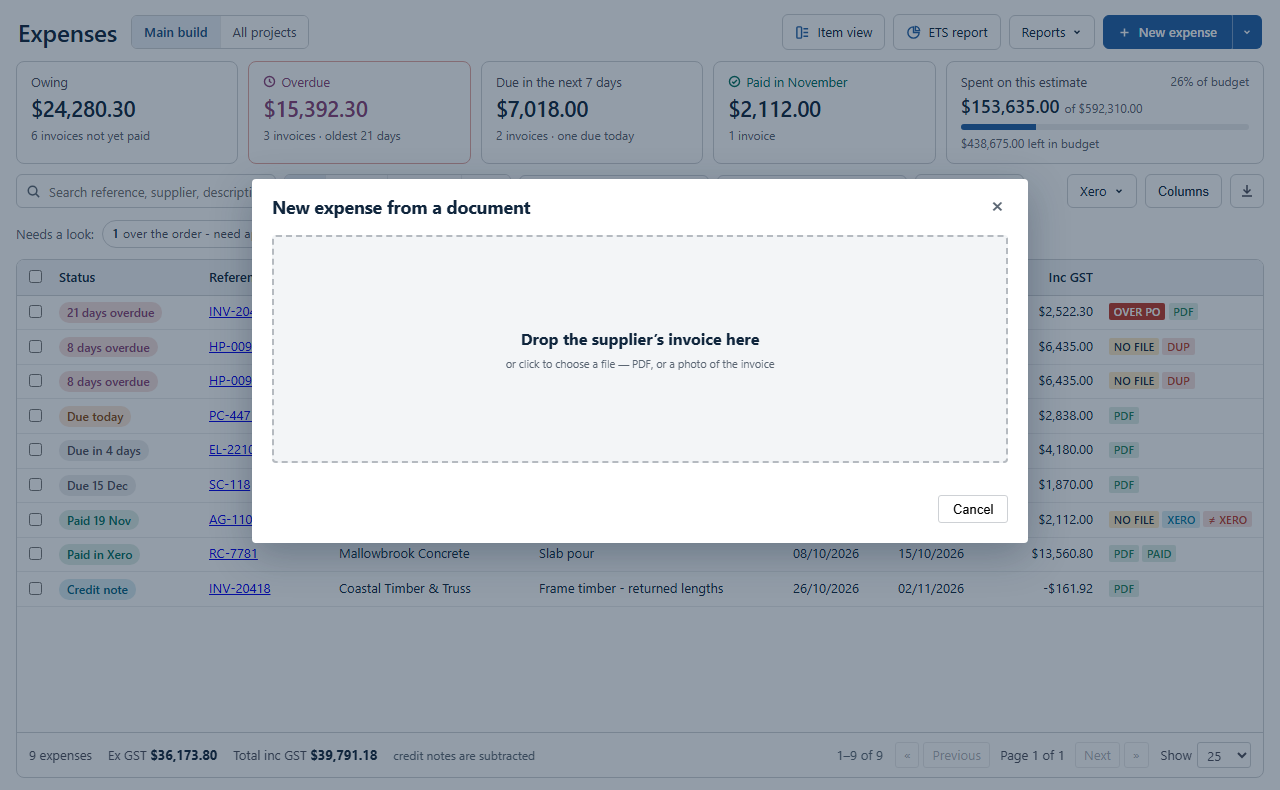
Upload the supplier's PDF or a phone photo. The supplier, reference, dates, total, the order it quotes and the lines with their cost codes are proposed for you to check.
Extra to Schedule
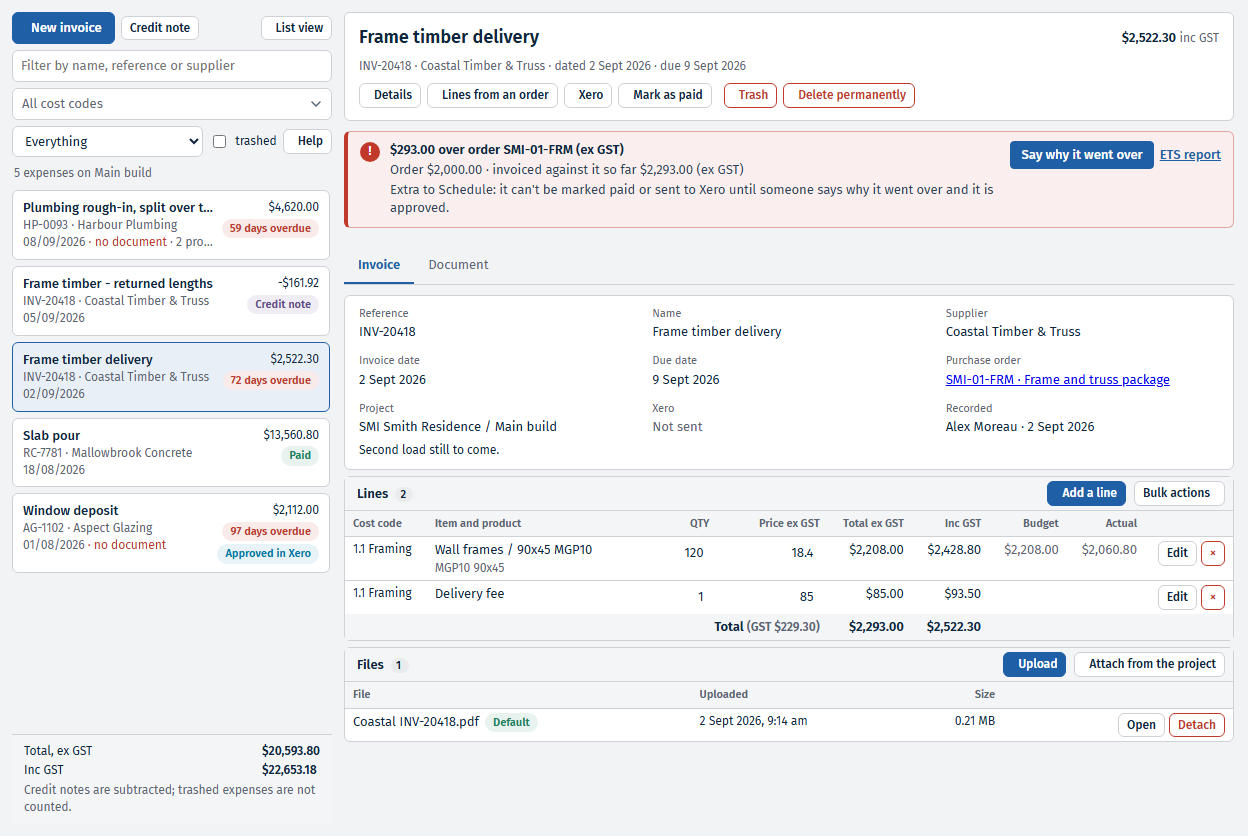
An invoice over its purchase order needs a reason and an approval before it can be paid or sent to Xero. Small overruns under your limit are accepted automatically.
What you owe, and when
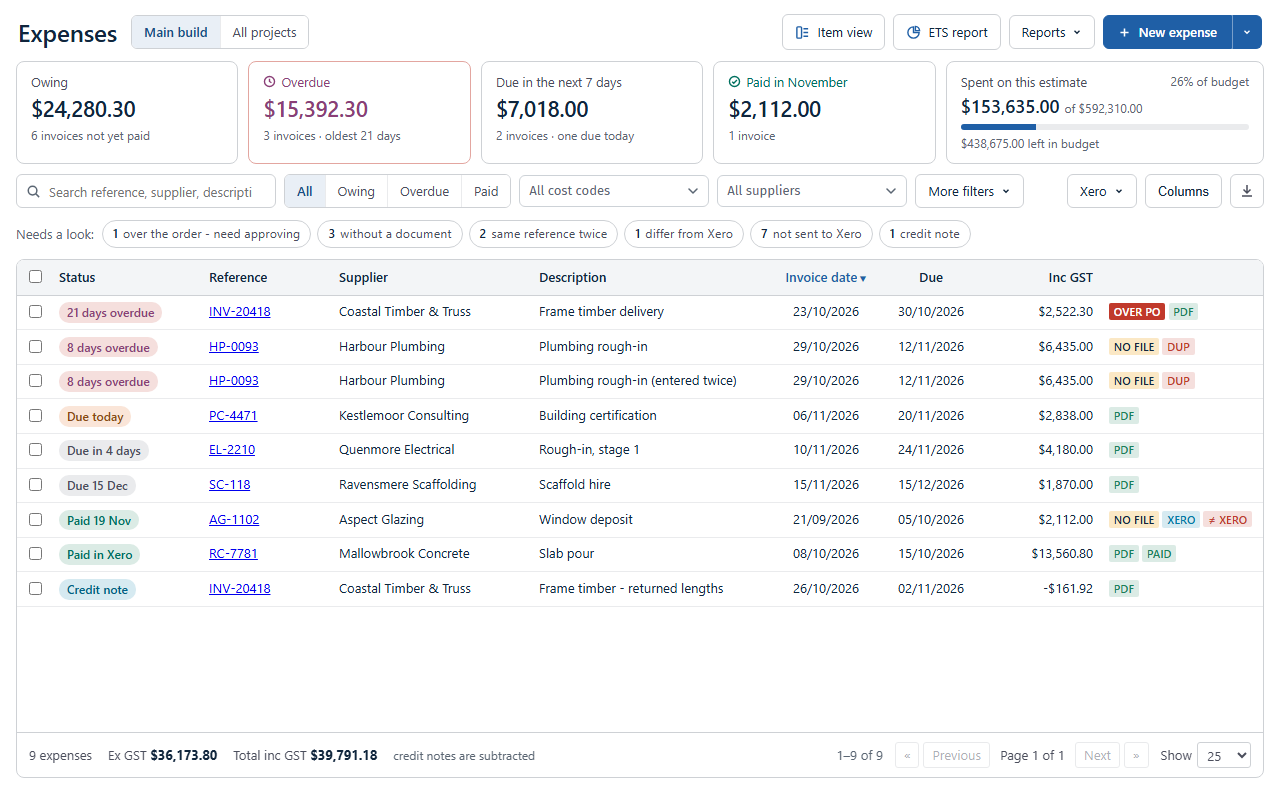
The register shows what is owing, due this week and overdue, flags the same reference twice and bills with no document, and keeps Xero in step.
How it works
Add the bill
From the supplier's document, typed in, from an order, or as a credit note.
Match the order
Take the lines from the purchase order, against each line's budget.
Explain any extra
Over the order? Give the reason and send the Extra to Schedule for approval.
Approve
The invoice, and its payment, through your approval workflows.
Pay and post
Mark it paid and send it to Xero. Actual cost lands on the job.
On the screen
Connected to the rest of the job
In Commercial, the invoice, its payment and its Extra to Schedule each go through the same approval workflows as orders, subcontracts and variations, with their steps and history in Approvals.
Questions builders ask
Does it read scanned bills and phone photos?
Yes. The bill is read with AI, which uses AI credit, and comes back as a proposal: the supplier, reference, dates, total, the order it quotes and the lines with suggested cost codes. You check it before it is saved.
Who approves an Extra to Schedule?
Your approval workflow for Extra to Schedule decides, by value. The register shows whose approval each one is waiting for.
What if the supplier should credit it instead?
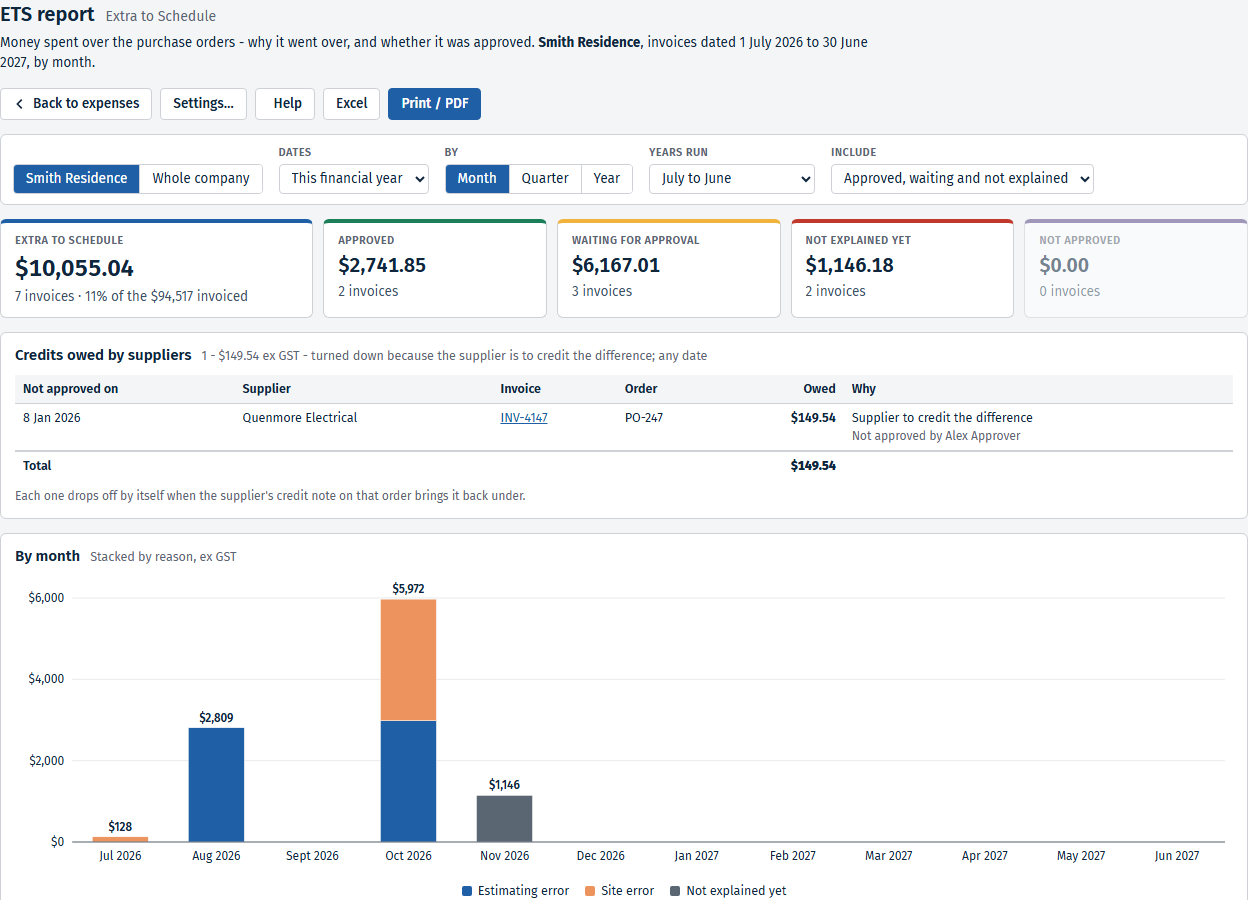
Mark the extra as one the supplier is to credit; the ETS report shows it. Add their credit note against the invoice when it arrives.
What about subcontractor claims?
They are assessed in Subcontractor Claims. Once a claim is certified, the payment becomes a supplier invoice here, against the subcontract's purchase order, so it is not typed twice. Payment approval, Extra to Schedule, the compliance stop on payment and the Xero export all apply to it as to any other bill.
See it on a project like yours
An hour with the people who build it. Bring a current job; we will walk it from subcontract to claim. Then try it yourself for 30 days, on a project of your own.