
Claims and paperwork from the subcontractor, straight into your system
Give each subcontractor one link. On their phone they send their progress claim against their own schedule, see where it stands and when it will be paid, and keep their insurances current. You assess it in Subcontractor Claims as usual.
What the subcontractor can do
Send a progress claim
Against every line of their schedule, as a percentage or dollars to date, with anything extra, their reference and their files: the claim, a statutory declaration, a supporting statement.
Follow it to payment
Received, being assessed, certified with the reasons for anything cut, payment due and paid. The payment schedule downloads once you record it as given.
Keep their paperwork current
Upload a renewed insurance or licence, answer your prequalification form, ask for a variation with a quote, and acknowledge and reply to your letters and instructions.
How it works
Give the link
From a signed subcontract: copy it, or email it to them from SmarteBuild.
They send a claim
It lands in Subcontractor Claims as received today, marked From the portal.
You assess it
As any claim, or return it to them with a reason.
They see the result
What was certified, why anything was cut, and when it will be paid.
Paid
Marked paid on their side when the invoice is marked paid.
What they see
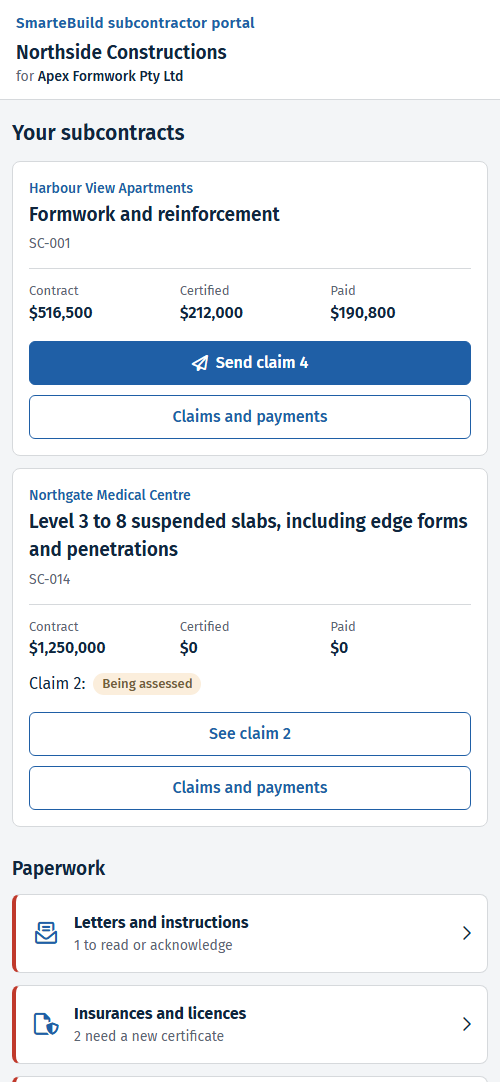
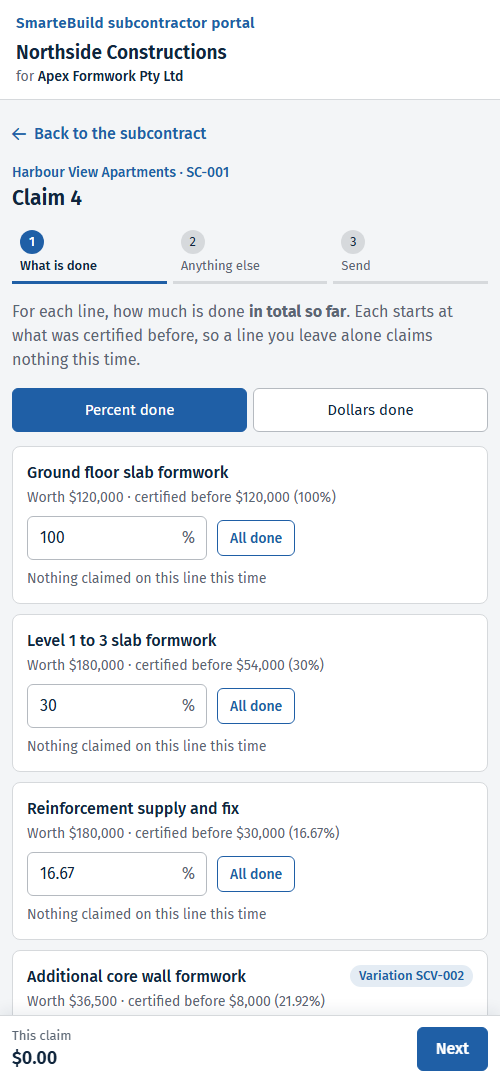
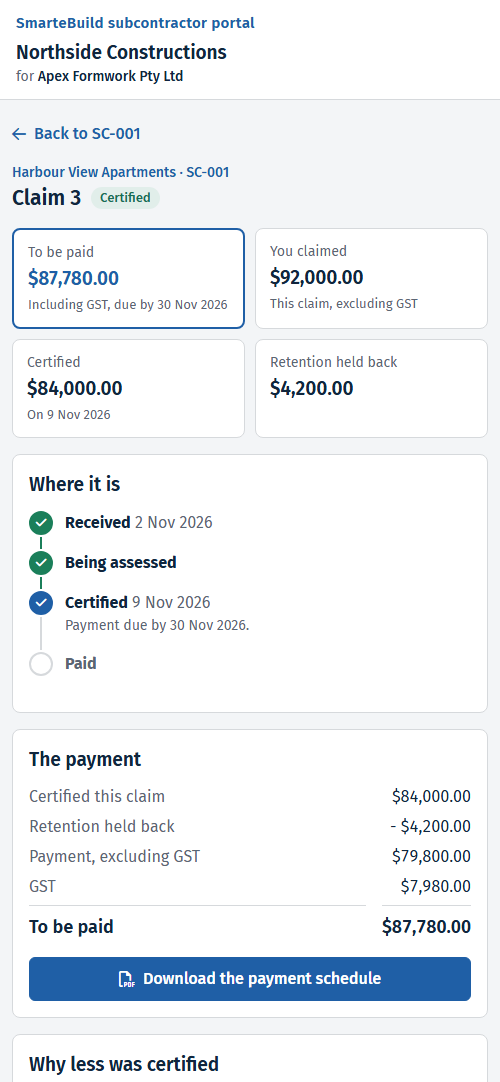
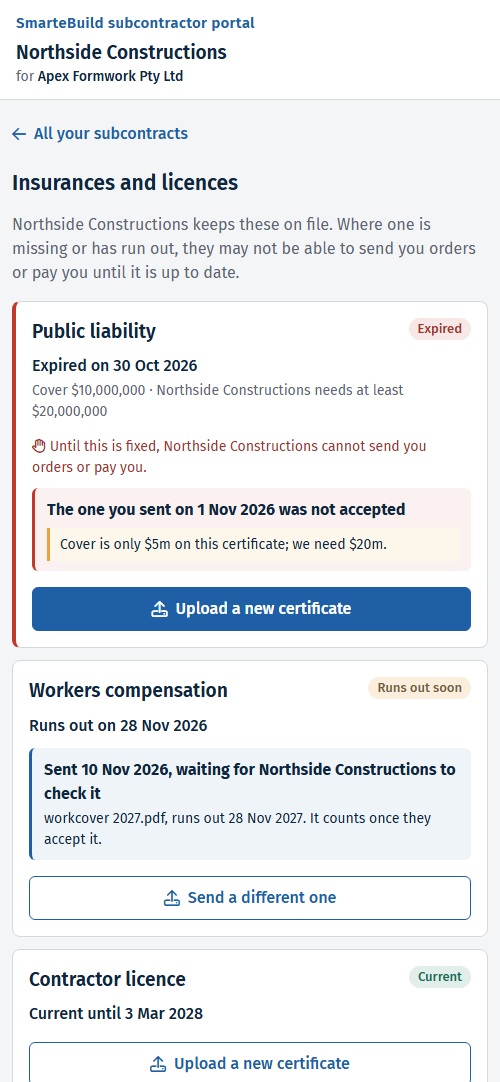
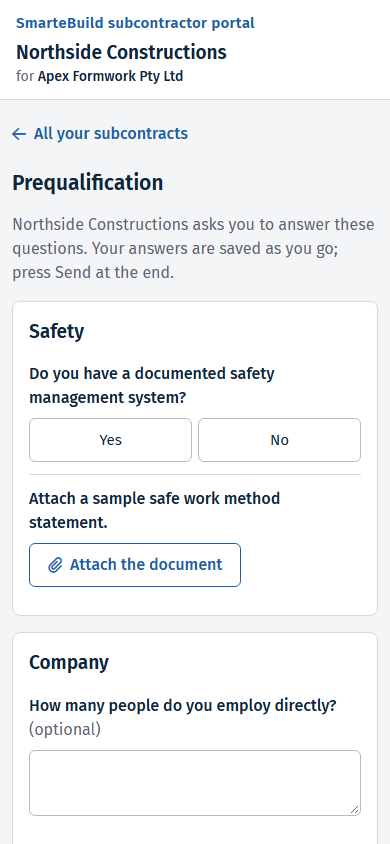
Screenshots with made-up data.
What you see
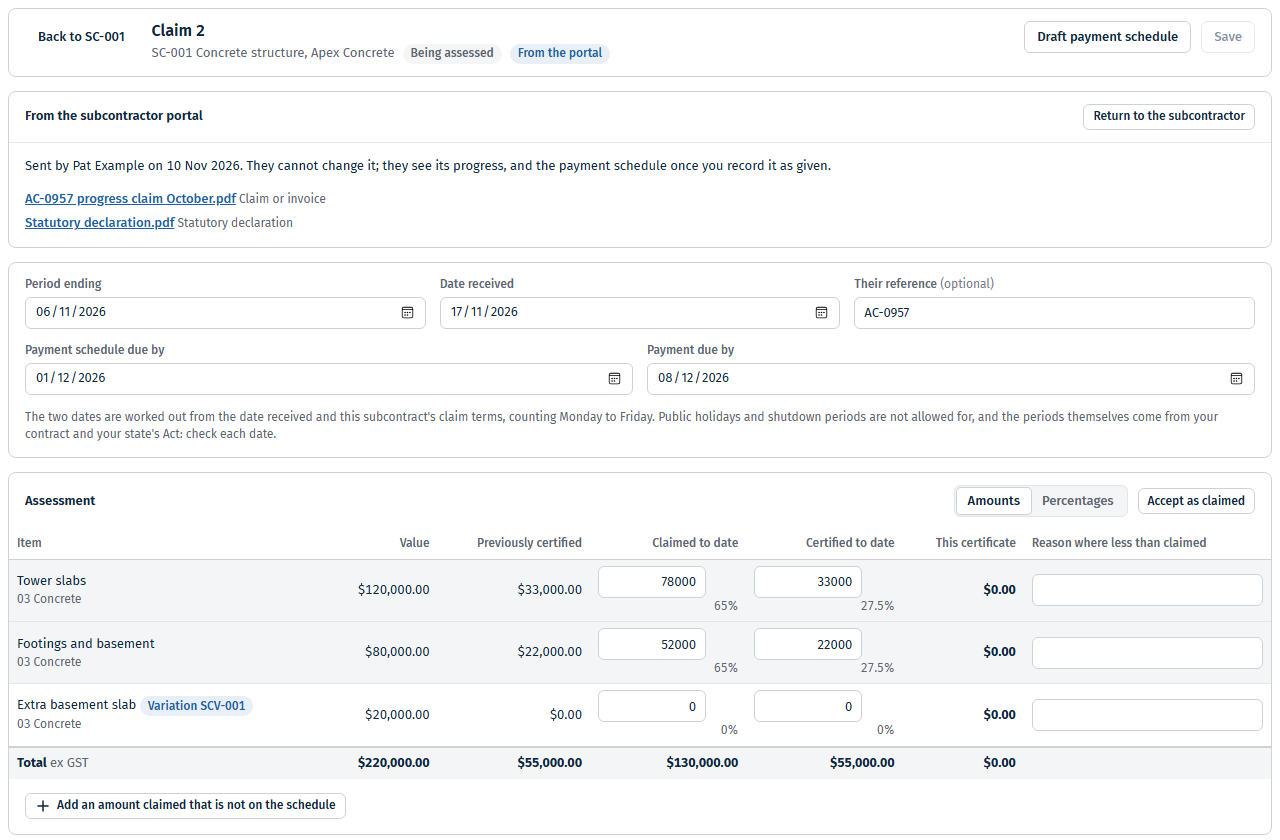
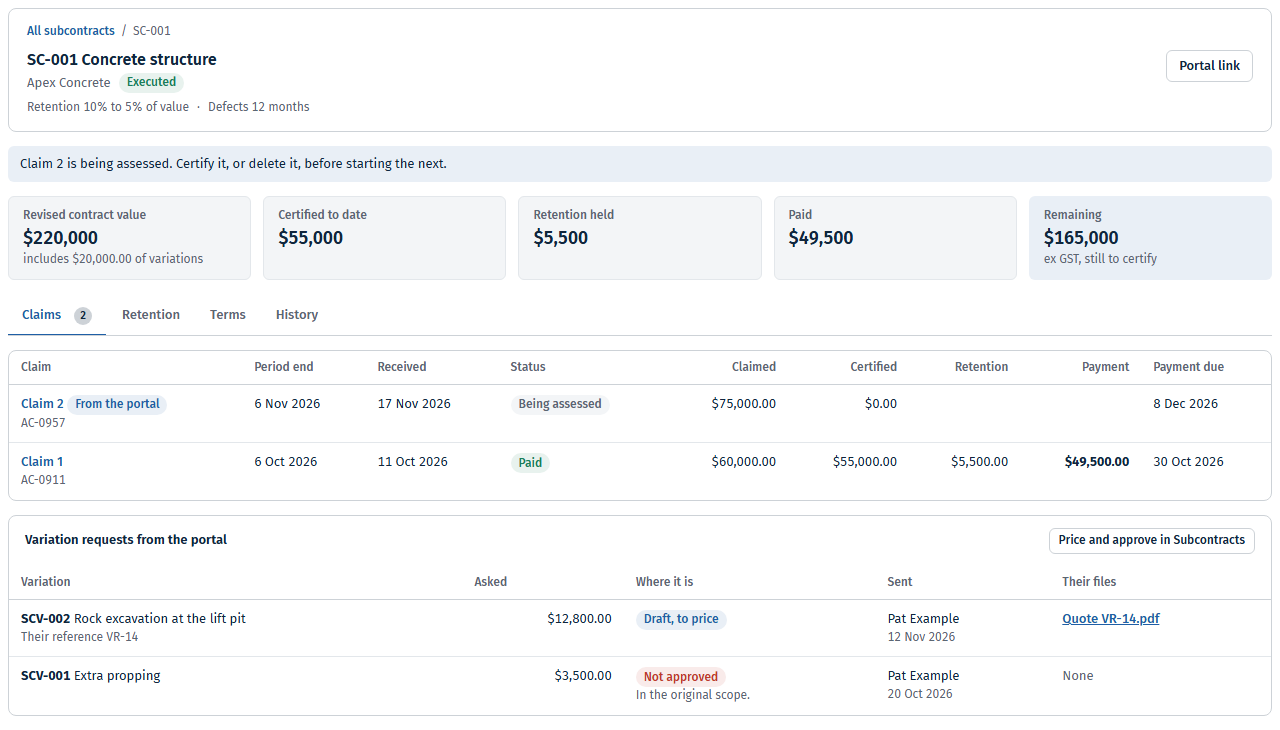
Connected to the rest of the job
The portal adds no second set of figures. What they see comes from the same claims, subcontracts and documents you work on.
Questions builders ask
Do subcontractors need an account or a password?
No. Each subcontractor has one link from you. It shows only their own subcontracts with you, on every project, and keeps working until you make a new one or switch it off. Send it only to them.
Can they change a claim after sending it?
No. Once sent it is yours to assess. If it is wrong, return it with a reason: they see the reason and can send it again, and the claim number is used again.
Does an uploaded insurance certificate clear the supplier straight away?
No. It waits in Compliance as sent by the supplier, to be checked. Nothing changes until someone allowed to manage compliance accepts it; if it is rejected, they see your reason.
Can they ask for a variation?
Yes, on a signed subcontract that is not complete: what it is for, the amount and their quote. It arrives in Subcontracts as a draft variation for you to price and approve. Nothing about money changes until you approve it.
How do we know something has come in?
The bell in SmarteBuild: a claim received, a certificate to check, a prequalification form sent or a variation request. The portal sends no email or text message of its own.
See it on a project like yours
An hour with the people who build it. Bring a current job; we will walk it from subcontract to claim. Then try it yourself for 30 days, on a project of your own.