
Bills entered once, in the job
Link SmarteBuild to Xero or QuickBooks Online. Approved supplier bills go across coded to the right account and job, and when they are paid, you see it in SmarteBuild.
What it does
Linked once
Cost codes to accounts, projects to Xero tracking options or QuickBooks classes, and suppliers to contacts. Obvious matches link in one go, and a missing one can be created on either side.
Only approved bills go
A bill is sent only once it is approved through your workflow, every line is on a linked cost code, the supplier is linked, and any amount over its order has been approved.
Payments read back
When a bill is paid in your accounts, SmarteBuild reads it back and shows it as paid, with the date, so the job's costs and the accounts agree.
How it works
Connect
Sign in to Xero or QuickBooks in a pop-up and choose the organisation.
Link
Accounts, jobs and suppliers, until setup progress says all linked.
Approve the bill
In Expenses, through your approval workflow.
Send
One bill, or tick several and send them together, with the source document attached.
Paid
The payment comes back and the bill shows as paid.
On the screen
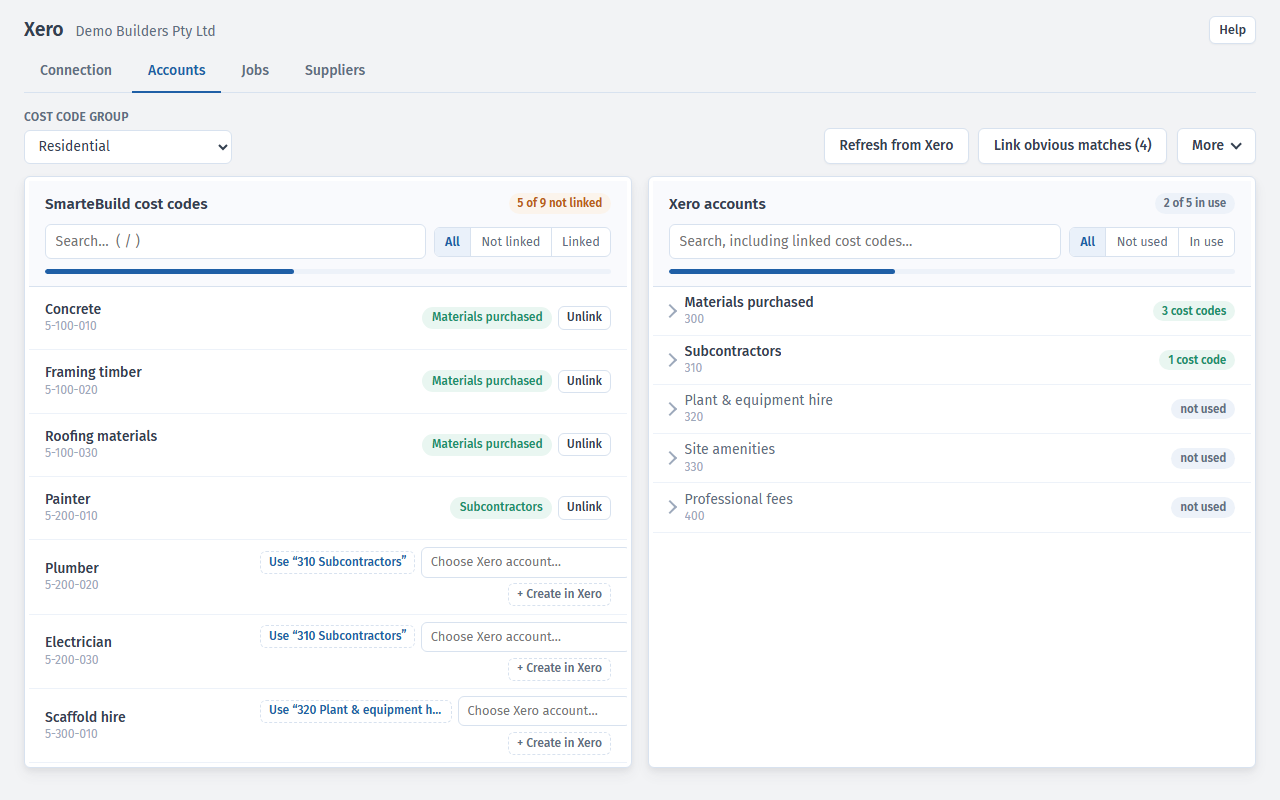
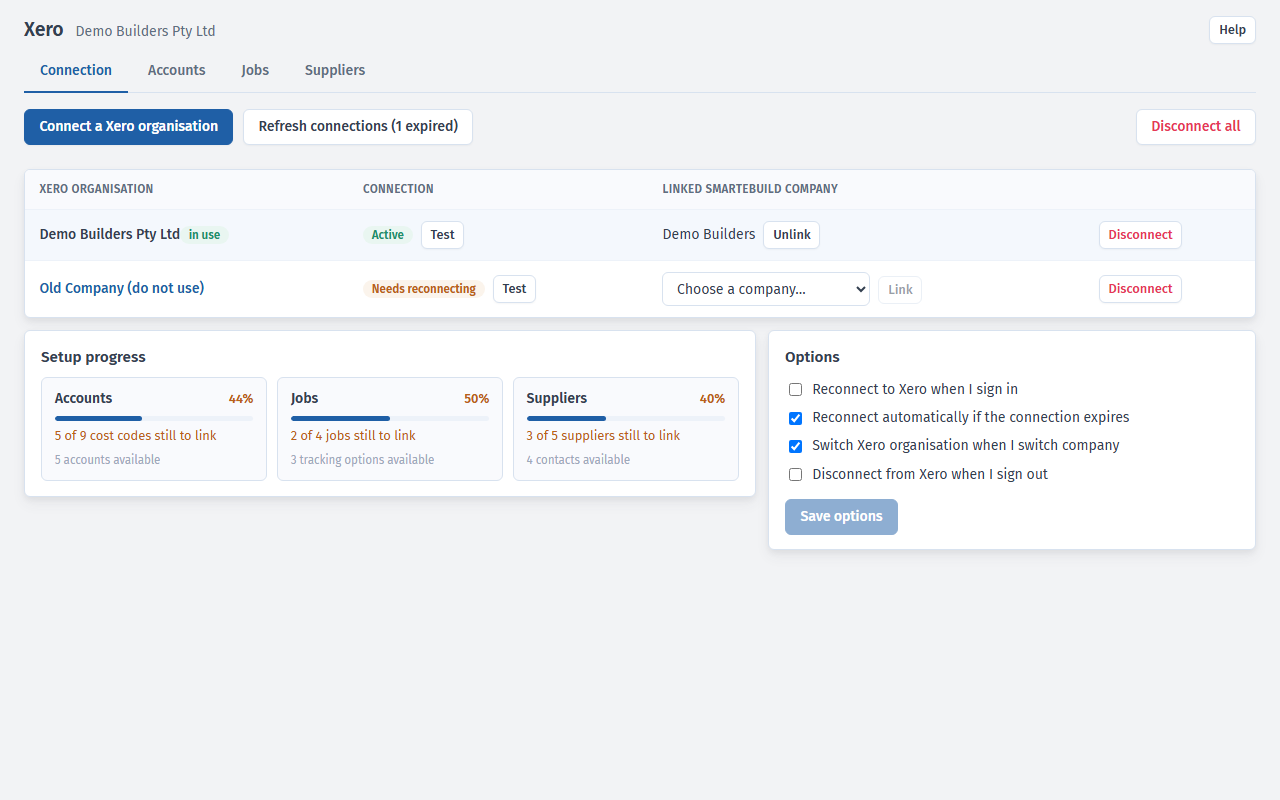
Connected to the rest of the job
The cost codes, projects and suppliers you already use are what get linked. Nothing new to keep.
Link obvious matches takes the suggested ones in one go; the rest are chosen once. Each tab shows how many are still to link.
Questions builders ask
Which accounting systems does it work with?
Xero and QuickBooks Online. One screen sets up either, with the words of the one you use.
Is anything sent automatically?
No. Someone with permission to send presses Send, on one bill or on a ticked list. Bills that are not approved, or have something not linked, are refused with the reason.
How do subcontractor claims get to the accounts?
When you certify a claim, SmarteBuild makes a supplier invoice against the subcontract's purchase order. That invoice is approved and sent like any other bill. Once it has been sent, the claim can no longer be taken back in SmarteBuild.
Are our claims to the client sent as invoices?
No. The link sends what you owe: supplier bills, credit notes and purchase orders. Raise your invoices to the client in your accounting system.
Does a Xero bill go straight to payment?
No. It arrives in Xero as a draft for you to approve there. In QuickBooks Online the bill is entered as it arrives.
See it on a project like yours
An hour with the people who build it. Bring a current job; we will walk it from subcontract to claim. Then try it yourself for 30 days, on a project of your own.